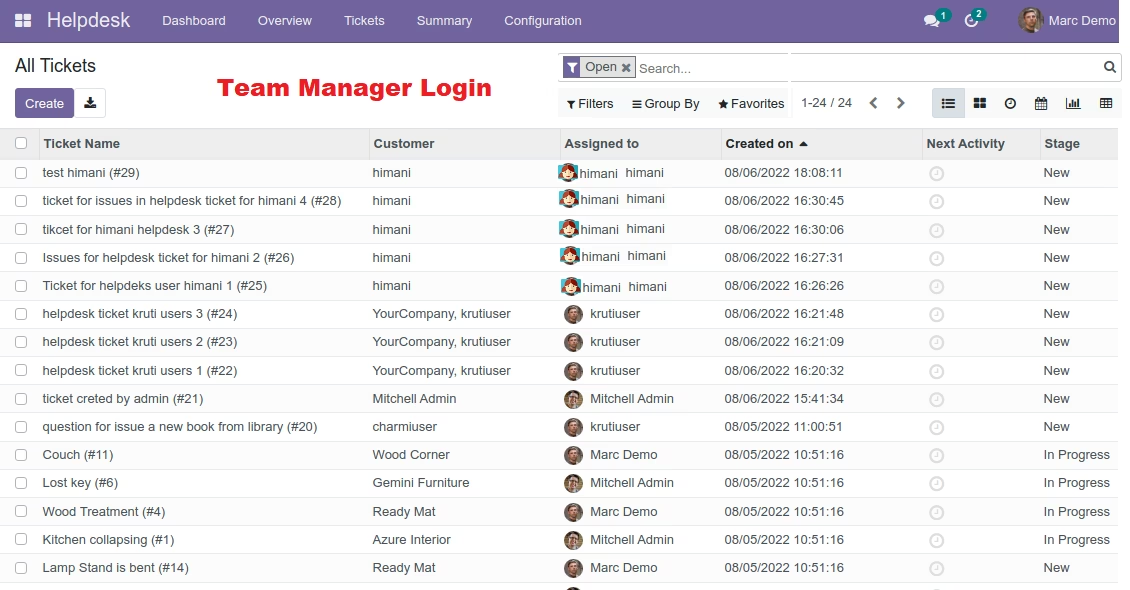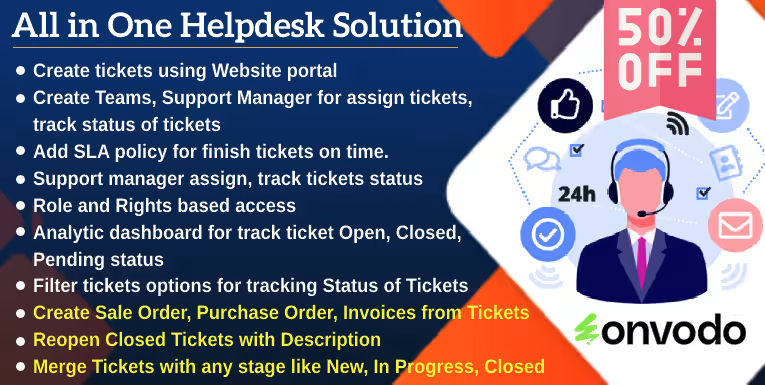
The Advanced Website Helpdesk module for offers a comprehensive solution for managing customer support tickets directly through your website. This integration allows customers to submit queries, track ticket statuses, and receive timely resolutions, all within a unified platform. By streamlining support processes, businesses can enhance customer satisfaction and operational efficiency.
Key Features
Online Ticket Submission: Customers can create support tickets via the website portal.
Ticket Management Dashboard: Administrators can view and manage all incoming tickets from a centralized dashboard.
Automated Ticket Assignment: Tickets are automatically assigned to appropriate support agents based on predefined rules.
Customizable Ticket Categories: Define categories and reasons for contact to streamline ticket classification.
SLA Policy Integration: Implement Service Level Agreements to ensure timely responses and resolutions.
Multi-Language Support: The module supports multiple languages, including English, Arabic, Chinese, Spanish, French, and Russian.
Email Notifications: Automated email alerts are sent to customers upon ticket creation, updates, and resolution.
Rating and Feedback System: Customers can rate their support experience and provide feedback.
Invoice Generation: Create invoices directly from resolved tickets for billable services.
Support for Multiple Teams: Configure different teams to handle various types of support tickets.
Ticket Prioritization: Assign priority levels to tickets to manage urgent issues effectively.
ReCAPTCHA Integration: Enhance security by enabling reCAPTCHA on the ticket submission form.
Customer Portal Access: Customers can log in to view and manage their submitted tickets.
Benefits
Improved Customer Satisfaction: Provide timely and organized support to enhance customer experience.
Operational Efficiency: Streamline support processes and reduce manual effort in ticket management.
Revenue Generation: Billable services can be invoiced directly through the helpdesk system.
Enhanced Security: Protect the ticket submission process with reCAPTCHA verification.
Comprehensive Reporting: Analyze support metrics to identify areas for improvement.
Advance Website Helpdesk App | Create ticket with support email | Create Sale Orders, purchase Order, Invoices from Tickets | Merge and Reopen Tickets | Assign Tickets Via Ticket Type, Team management, Mass Ticket update, Helpdesk Timesheet, Helpdesk with Stages, Send Message In Whatsapp, Helpdesk Tickets To Task create | SLA policy setup | Analytic Dashboard | HelpDesk Ticket Filter Options
Advanced Helpdesk Support Ticket and Issue Management Module
create and manage Support Tickets from admin.
Customer access Ticket's via Portal to check status of Tickets.Create Invoices from support tickets with website
. Helpdesk module allows to create ticket via online email.Key Features for Advanced Website Helpdesk
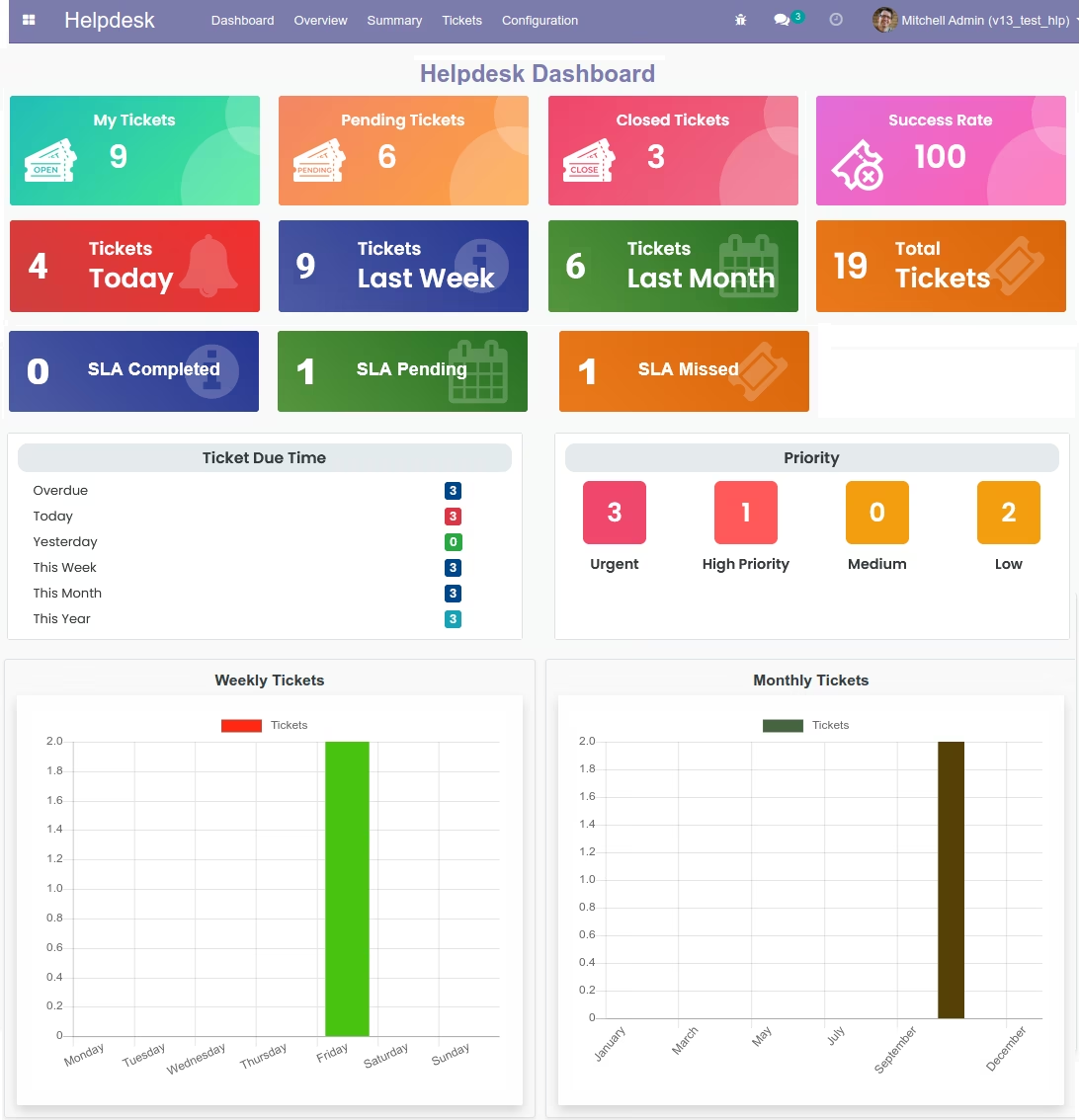
- Helpdesk dashboard with chart available for monitoring all activity of the helpdesk system in backend.
- Allow customers to create a ticket by Helpdesk Website form, the ticket automatically creates at backend
- Customers can check the status of all submitted support tickets in the Account section of the website
- Admin user, Support manager assign tickets to support agents, team from backend.
- Customer upload document file in attachment and Support team can check document to provide support to customers.
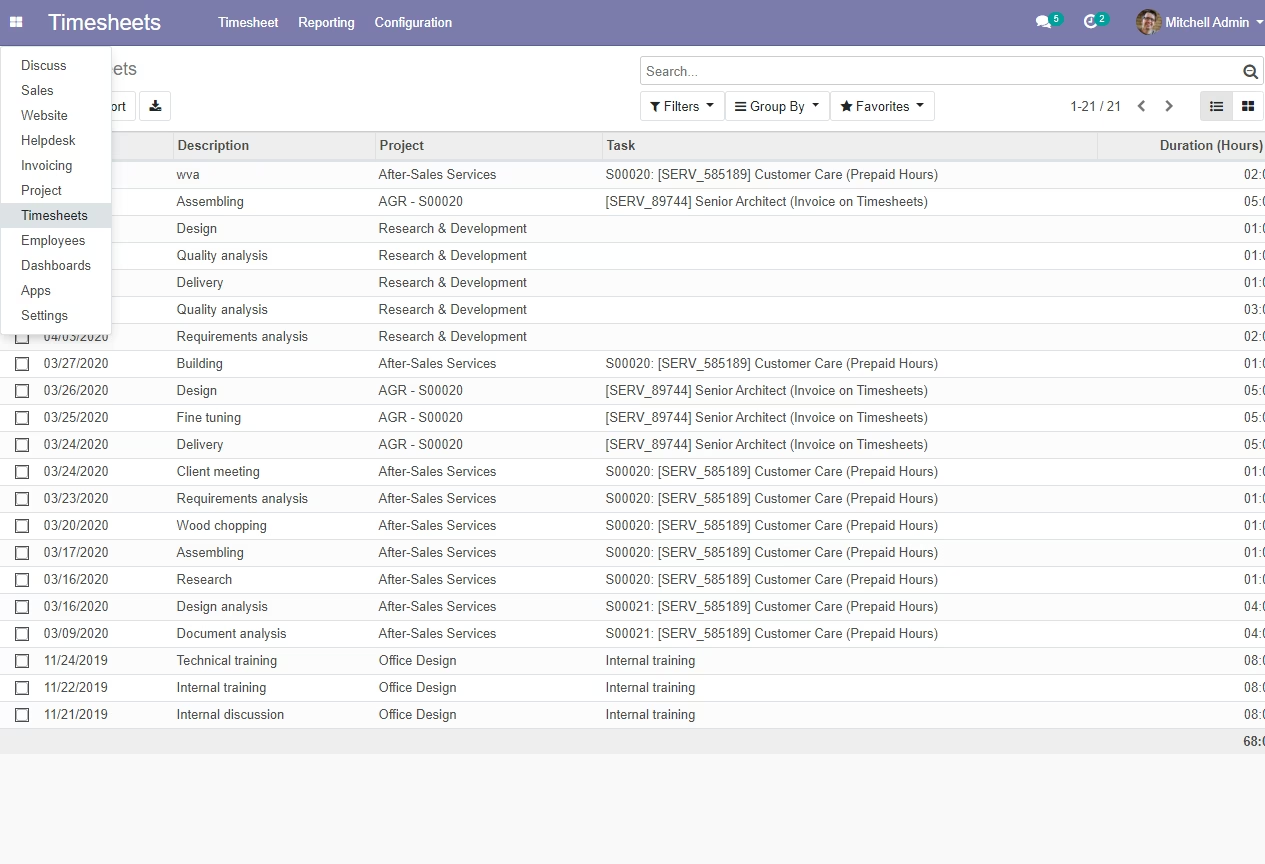
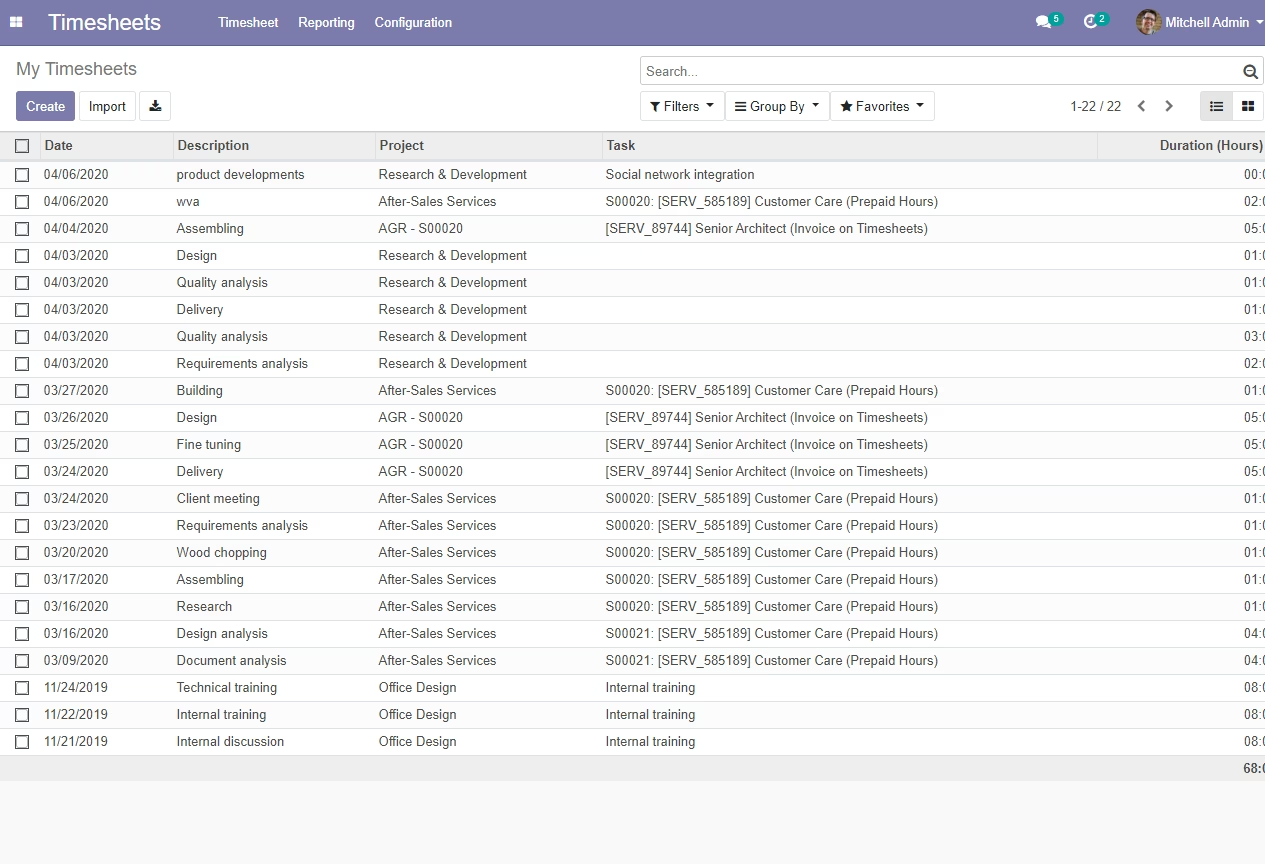
- Support Agent, Team or technician fill timesheets on a ticket to provides paid support to customers
- The Support Manager or Support Agent can close tickets and send the invoice to customers through the customer support system
- Customers can set priority for a ticket (Urgent, high, low) with our website helpdesk support Ticket Management in
- Email notification settings for every activity of support tickets
- Create customer support ticket invoices from timesheets in the Customer Support and Helpdesk system in
- The support manager easily creates an invoice with the help of timesheets with a few clicks
- The support agent can inform customers to manage helpdesk ticket stages under support tickets in
-
The customer submits the ticket subject so the support agent or support manager can understand the customer ticket and provide support
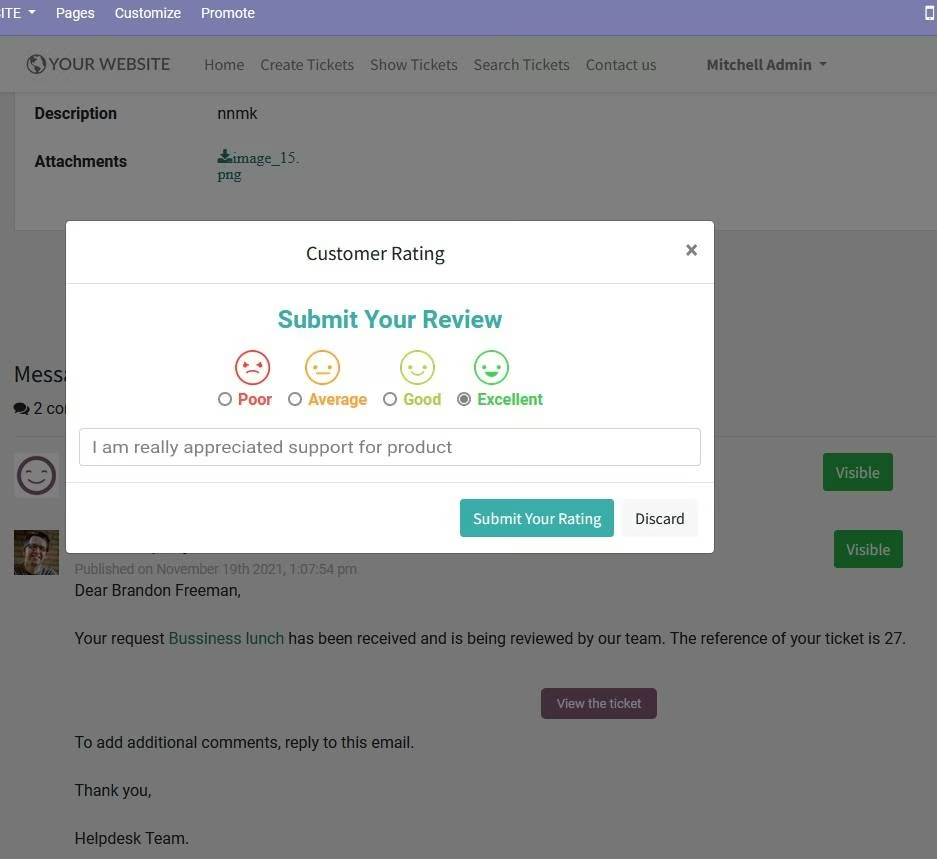
- The customer can submit Ratings and Review/Comments on particular ticket
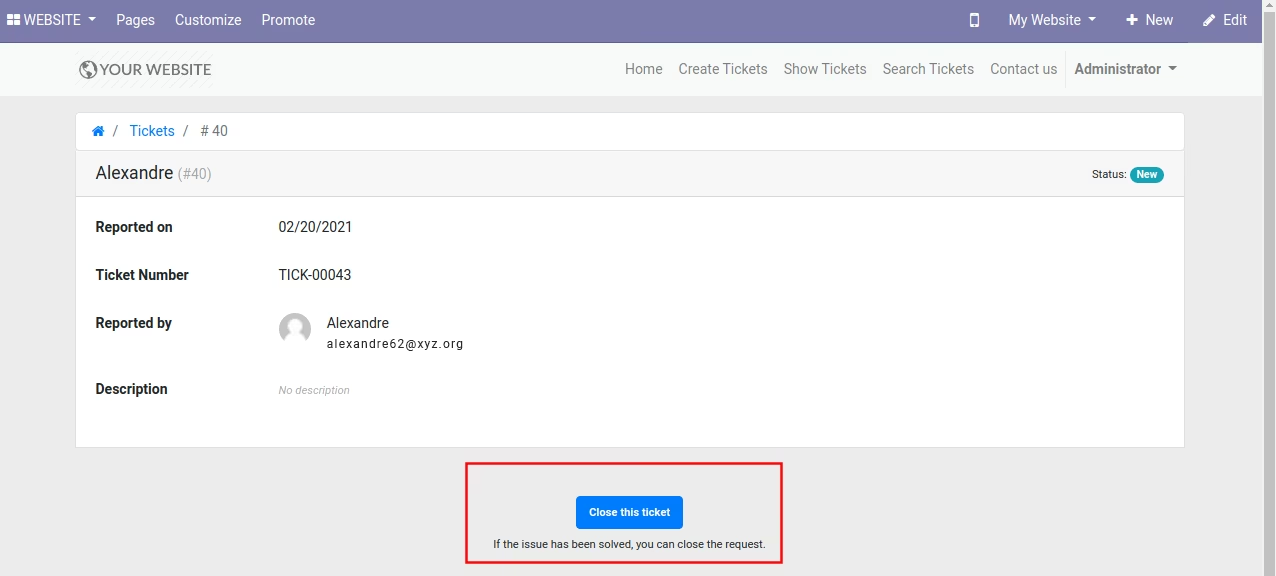
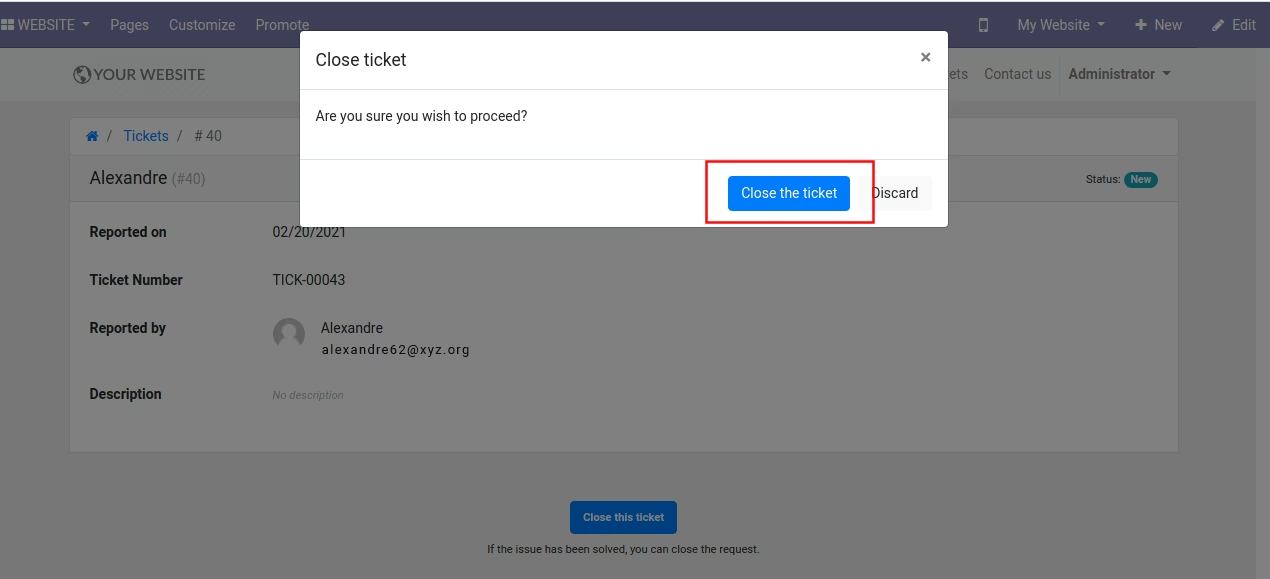
- The customer can login and close their ticket from website helpdesk frontend
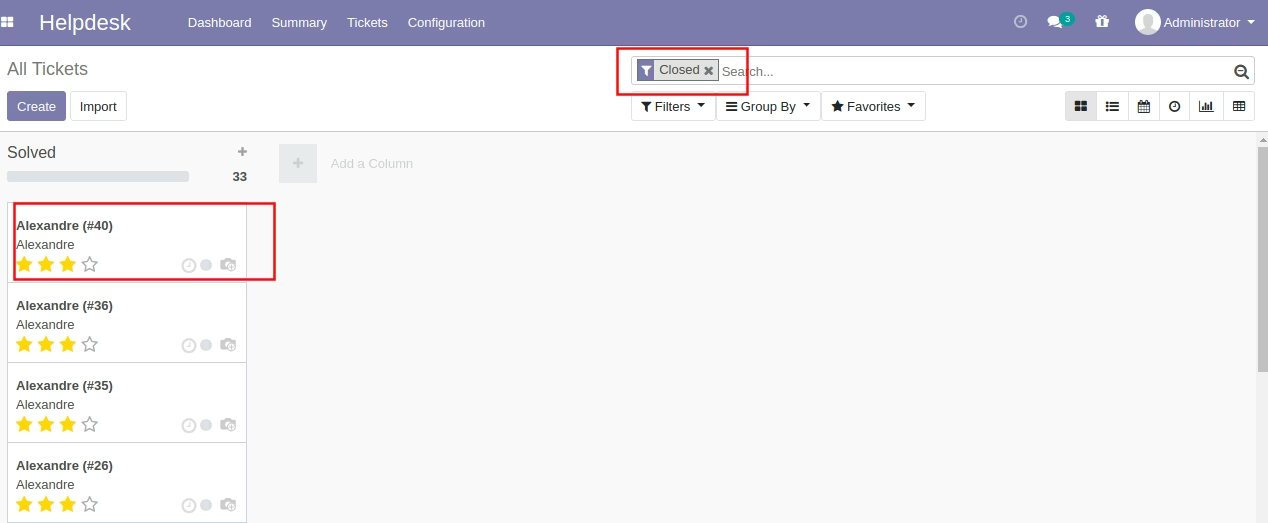
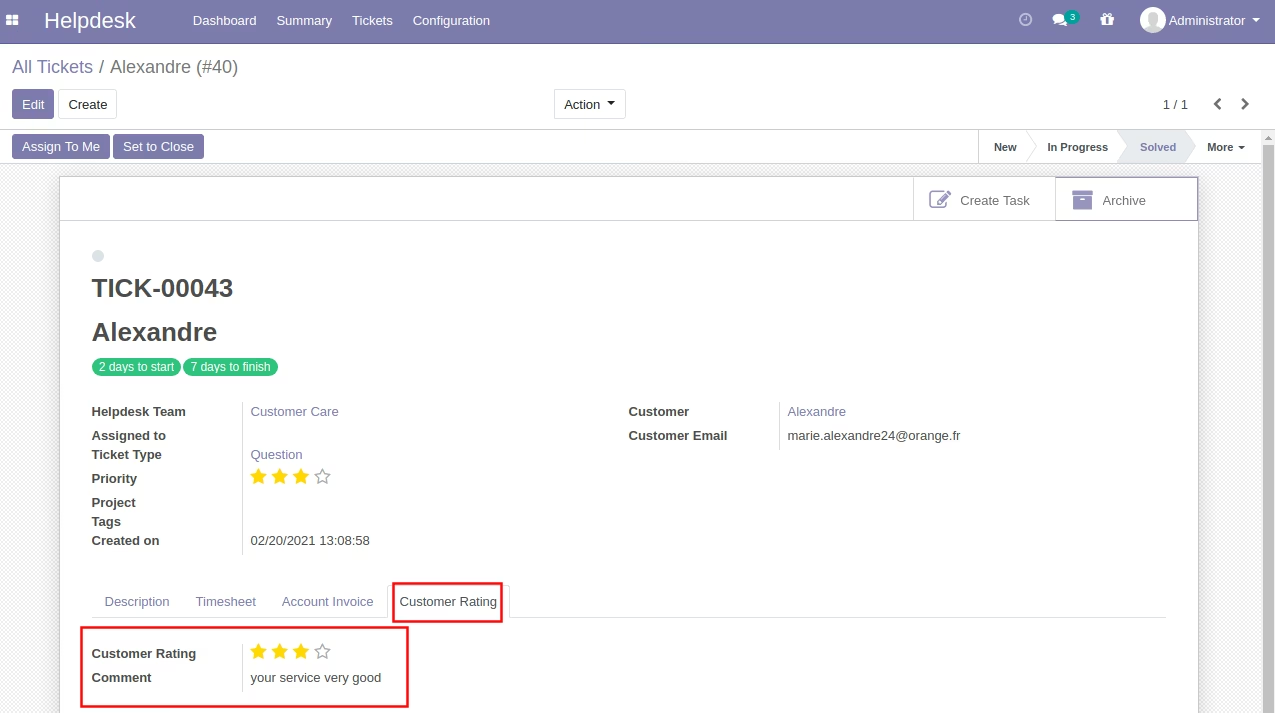
- Filter option in backend for view customer ratings and review/comments
- Roles and Rights - set roles and rights to support agent/helpdesk employee for work in helpdesk system
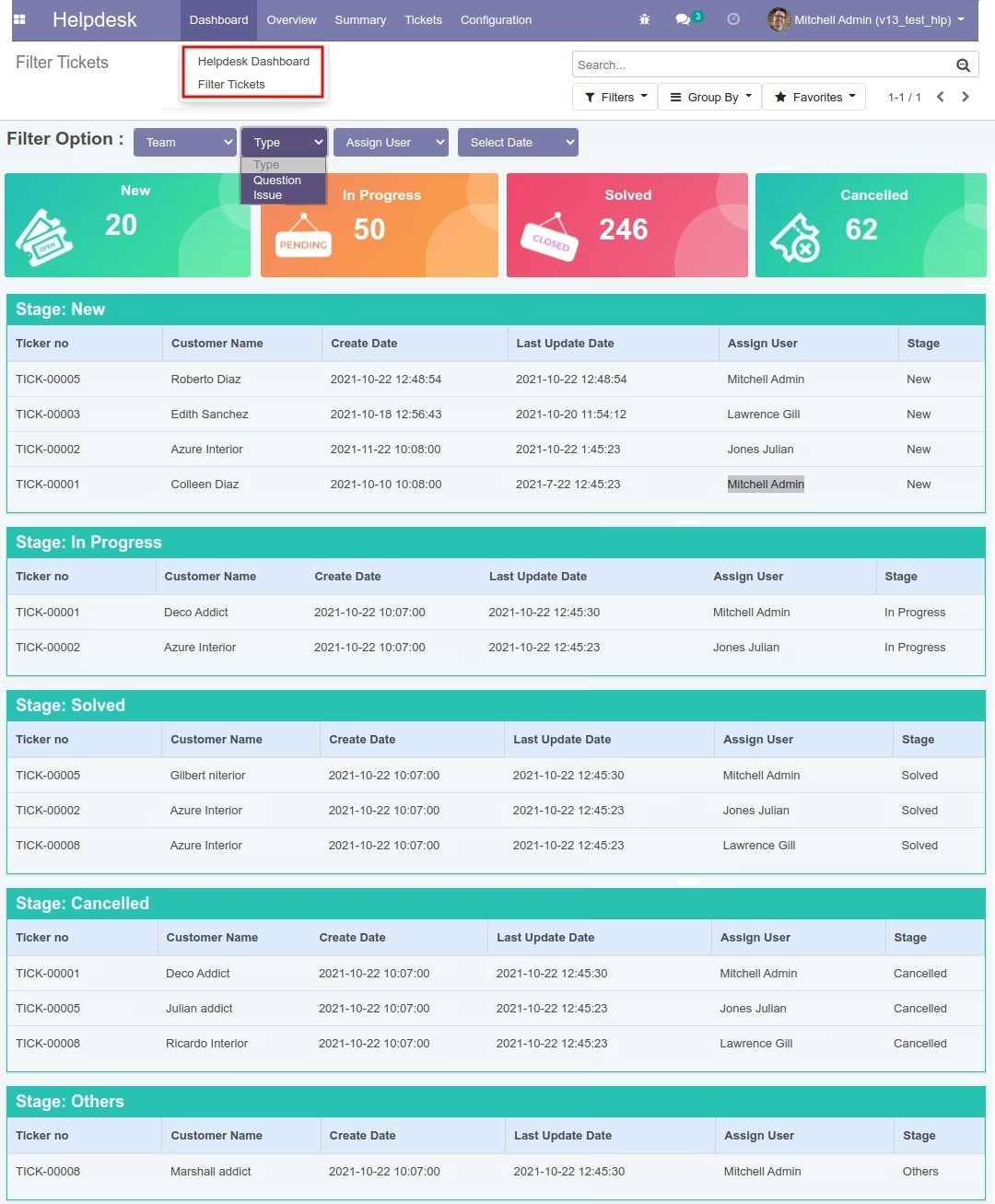
- Website HelpDesk Ticket Filter Options with Team, Assigned, Date with Status display
- Create Sale Orders, Invoices, Purchase Orders from Tickets
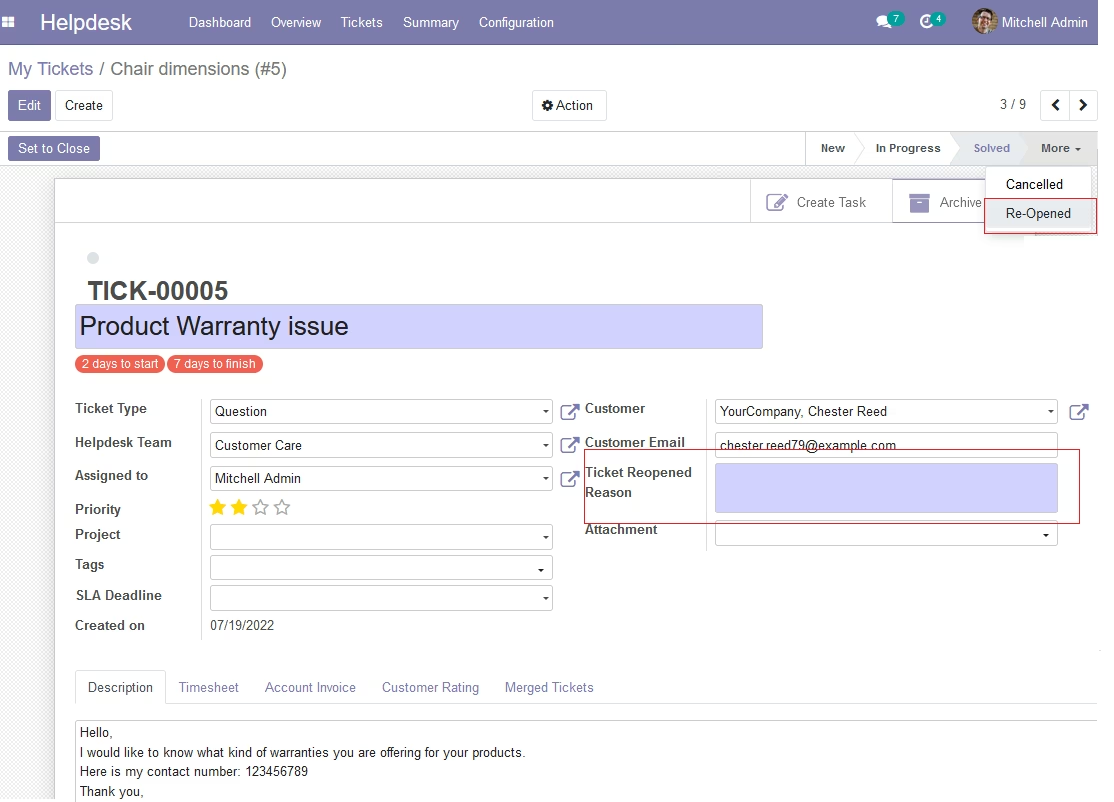
- Reopen Closed Tickets with Description
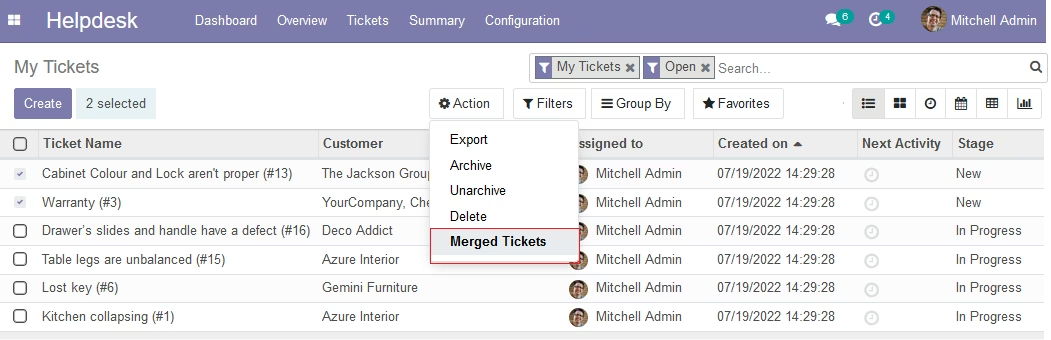
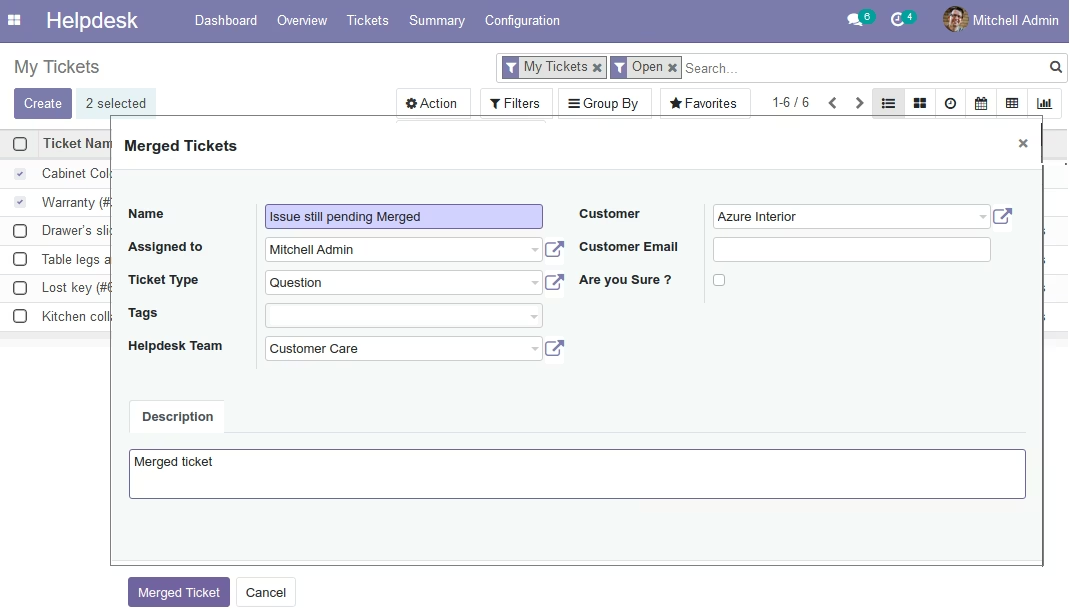
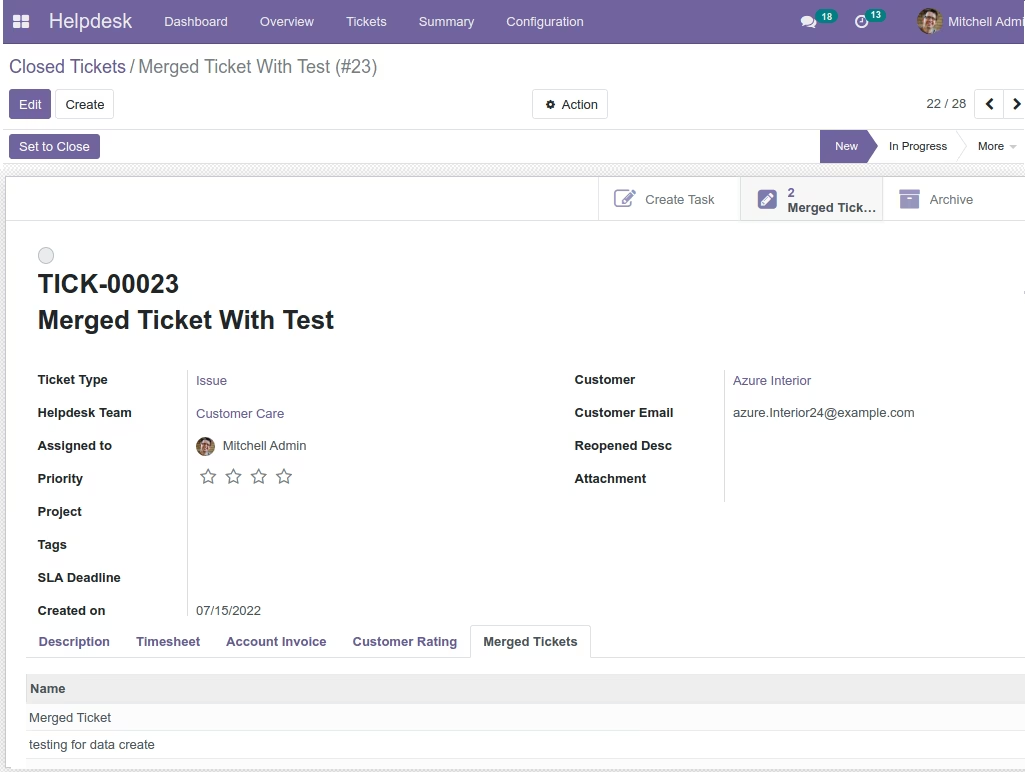
- Merge Tickets with any stage like New, InProgress, Closed
- Assign Tickets Automatically With Ticket Type, Team
- Send Message, Ticket status in Whatsapp
Website Helpdesk Menu, Features Details:
Helpdesk Ticket Create
Dashboard for Tickets Tracking
Helpdesk Tickets List
Create Invoicing for Tickets
Timesheets to Invoice
Helpdesk Team, Access Setup
Helpdesk Tickets Filter
SLA Policy
Tags, Activity Type Creation
Sale Order Creation
Purchase Order Creation
Email to Ticket Create
Send Message In Whatsapp
Mass Ticket Status Update
Mass Ticket Assign To Team
Reopen Closed Tickets
Merge Tickets
Assign Tickets via Ticket Type, Team
This module supported Community and Enterprise edition
(If you want to run in enterprise edition you have to uninstall existing helpdesk module)
Website HelpDesk Module and HelpDesk Support using Customer Tickets:
A customer support module that built for best practices and rated as the best help desk support by multiple independent industry sources.

Quick Reply - Interact faster with Instant preview and Quick reply to opened tickets.
Bulk Response - Quickly select related tickets and apply bulk actions like changing ticket status, assignee and due dates, Admin can assign multiple tickets to multiple support agents.
Beautiful Dashboard - Dashboard displays count of All tickets, Pending Tickets, Closed Tickets, Success Rate. User can do quick actions like assignments, changing priority, ticket status. Ticket Due time display day, week, month, Year counts. DASHBOARD tickets priority displays for Urgent, High, Medium or Low with our website customer helpdesk support Ticketing System. Website Helpdesk Module - provides a website interface for submitting requests by the users. This website service desk system allows you to define rules to route incoming tickets to the right department, agents, and trigger actions. Read the Website Service Desk module guide for more information.
Helpdesk Support System Screenshots and Flow
Website Helpdesk Dashboard - Customer Ticket Support and Issue Management
Website HelpDesk Ticket Filter Options with Team, Ticket Type, Assigned, Date with Status display (New feature)
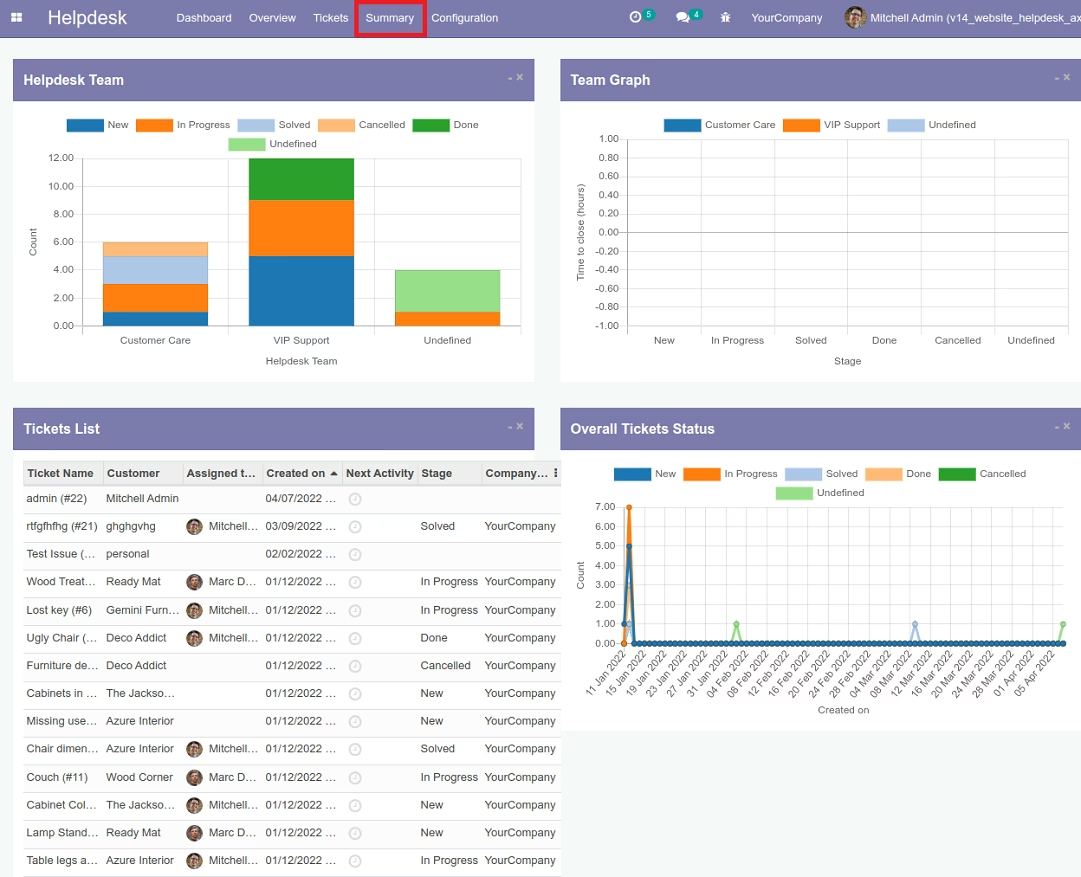
Summary - Overall Status of HelpDesk Customer Tickets Status and Reports
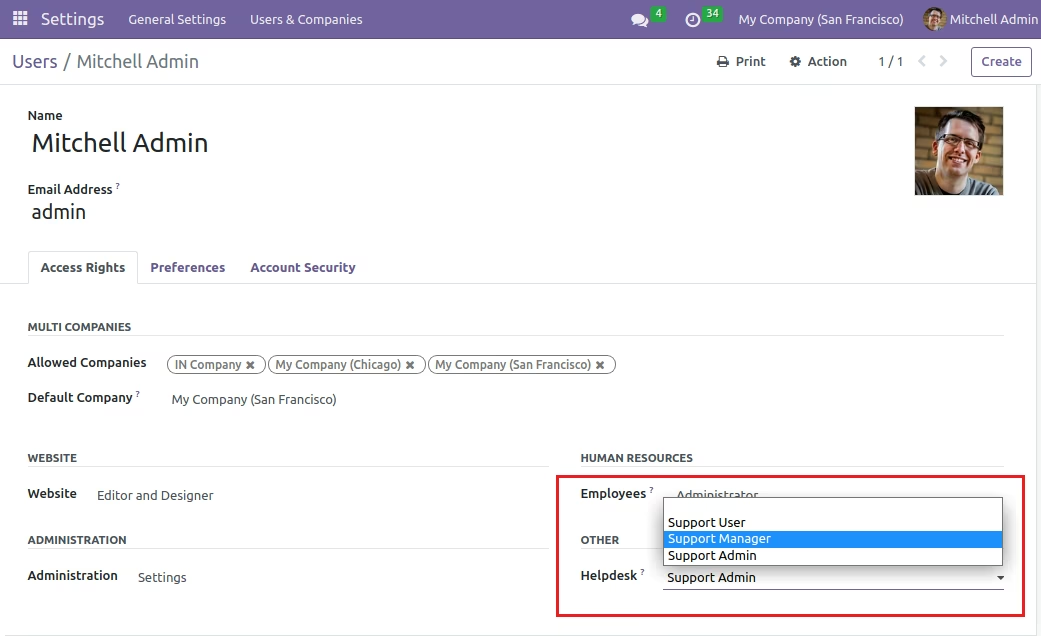
Click on Settings => User => Support User (Support Agent/Users Group) -- Support User set for helpdesk module
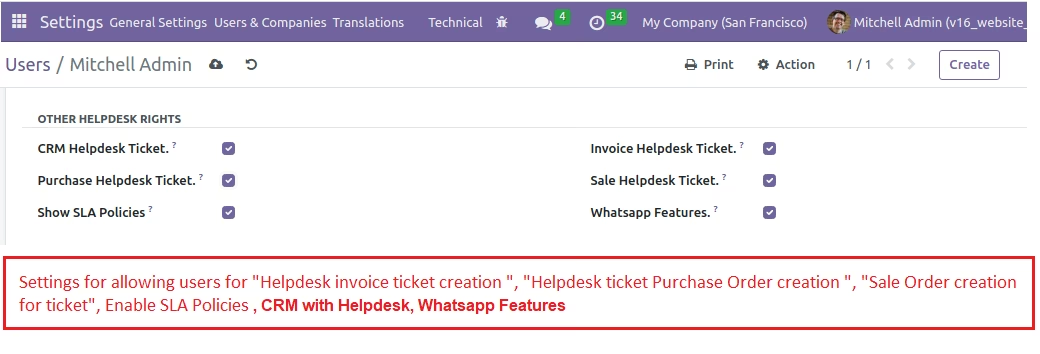
Helpdesk Advance Setting for SLA Policy, Sales, Invoice and Purchase Order Creation..
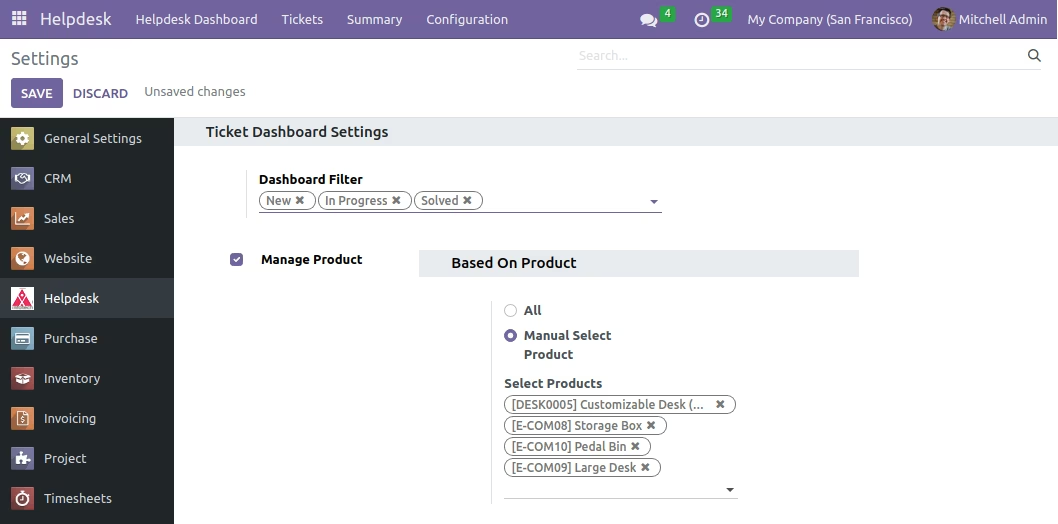
Allow Products for Sale Order, Invoice and Purchase Order Creation..
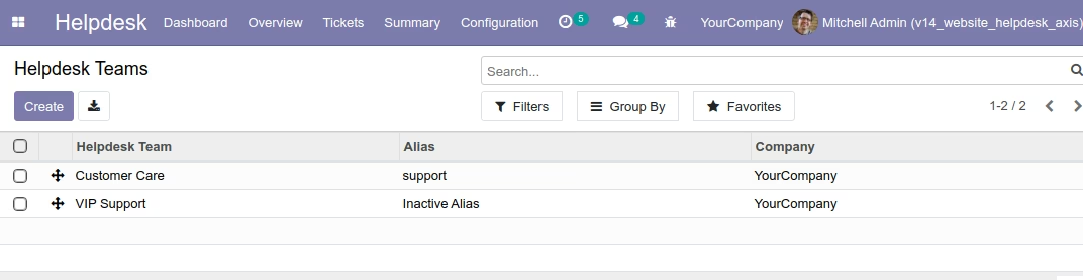
HelpDesk Team Configuration
You can add helpdesk team and assign to support user..
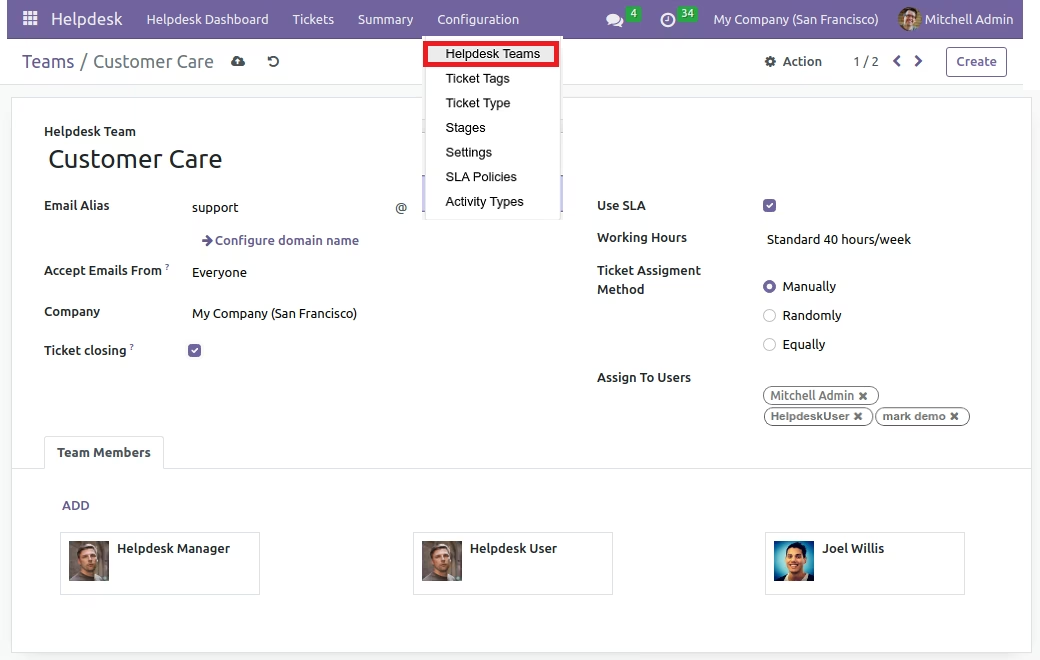
Helpdesk Team Detail
Add Support Users, Manage Team and Set Assign tickets method.
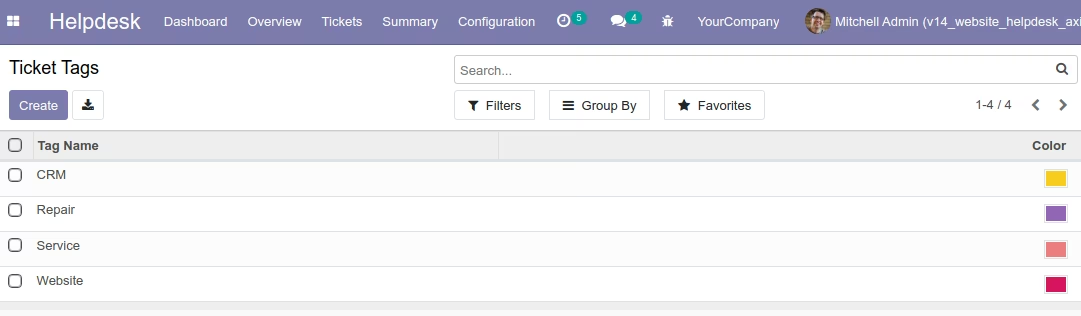
Add Tickets Tags.
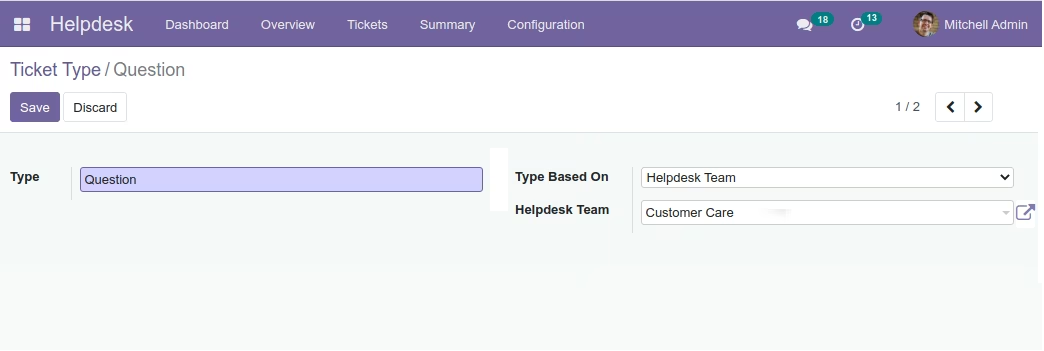
Ticket Type Configuration, Assign Tickets Automatically With Ticket Type, Team
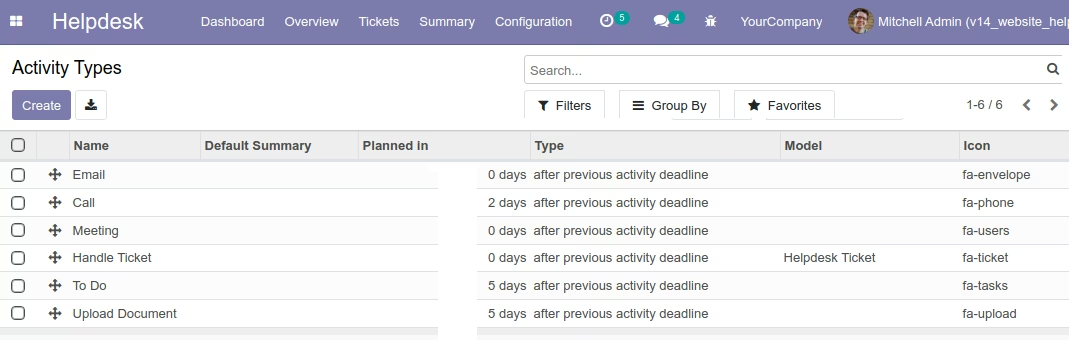
Add Tickets Activity Types.
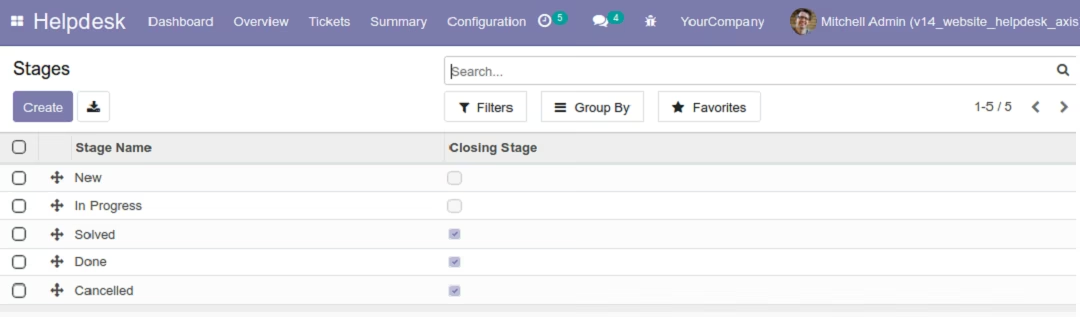
Tickets Stages.
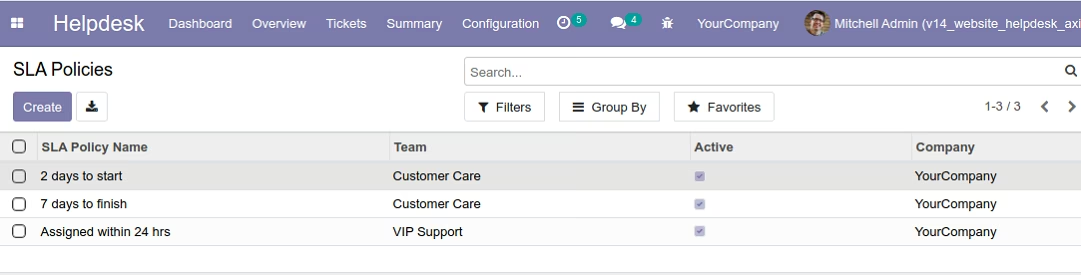
Add SLA Policies.
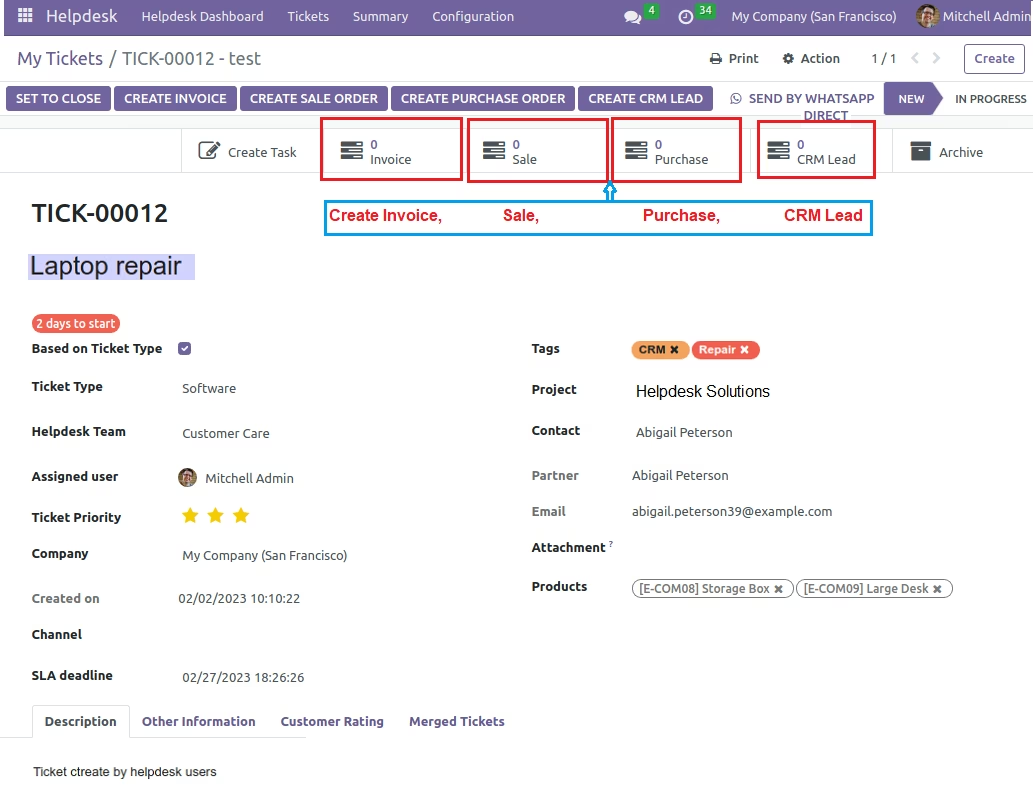
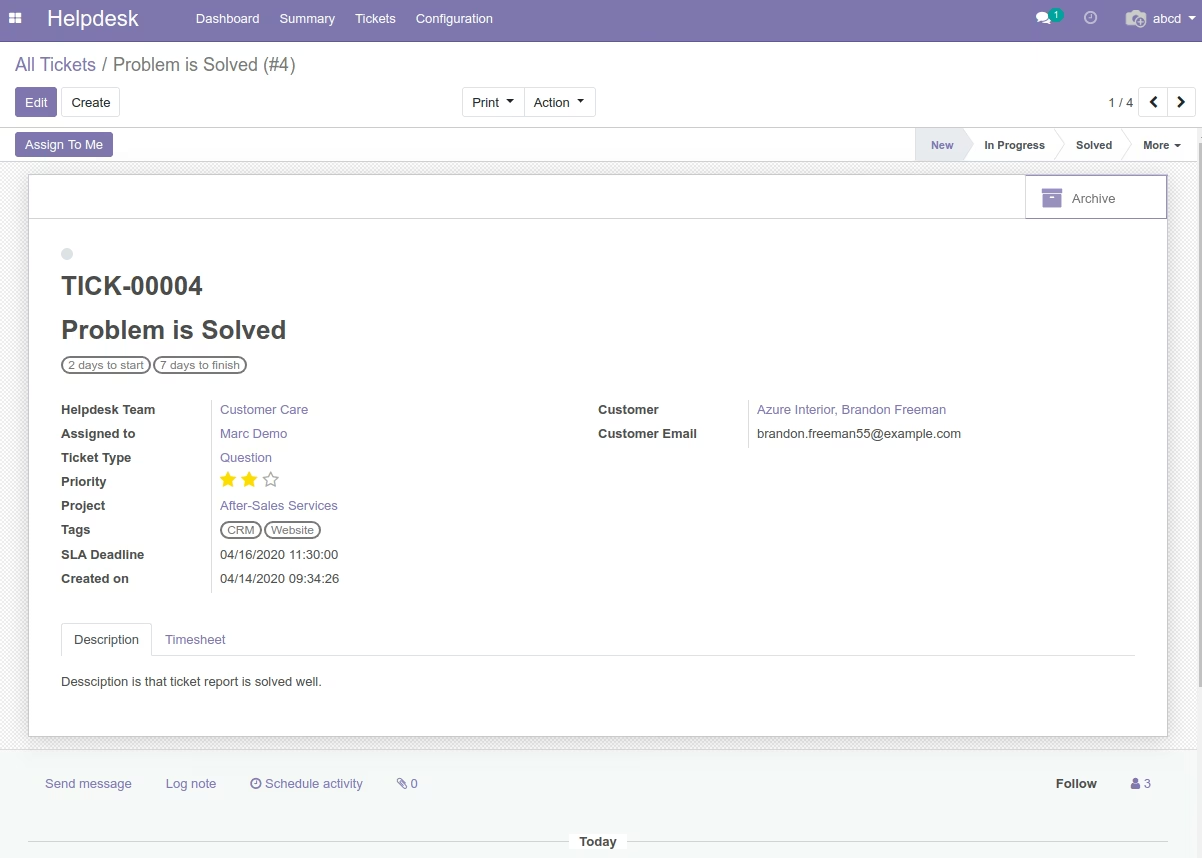
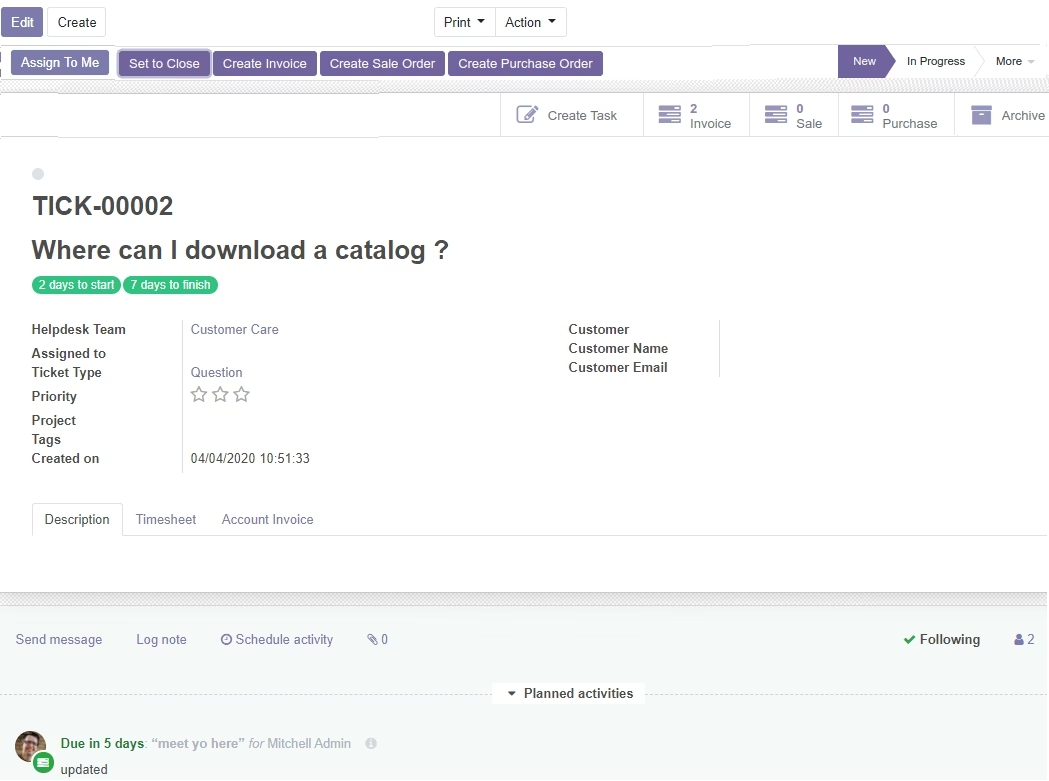
Create Tickets from Admin, Assign to Team (User), Add SLA Policy, Priority, Tags in ticket.
You can create Invoice, Sale Order, Purchase Order from Tickets.
Support User can communicate with Support Manager(Admin).(Cannot Create Task and Invoice)
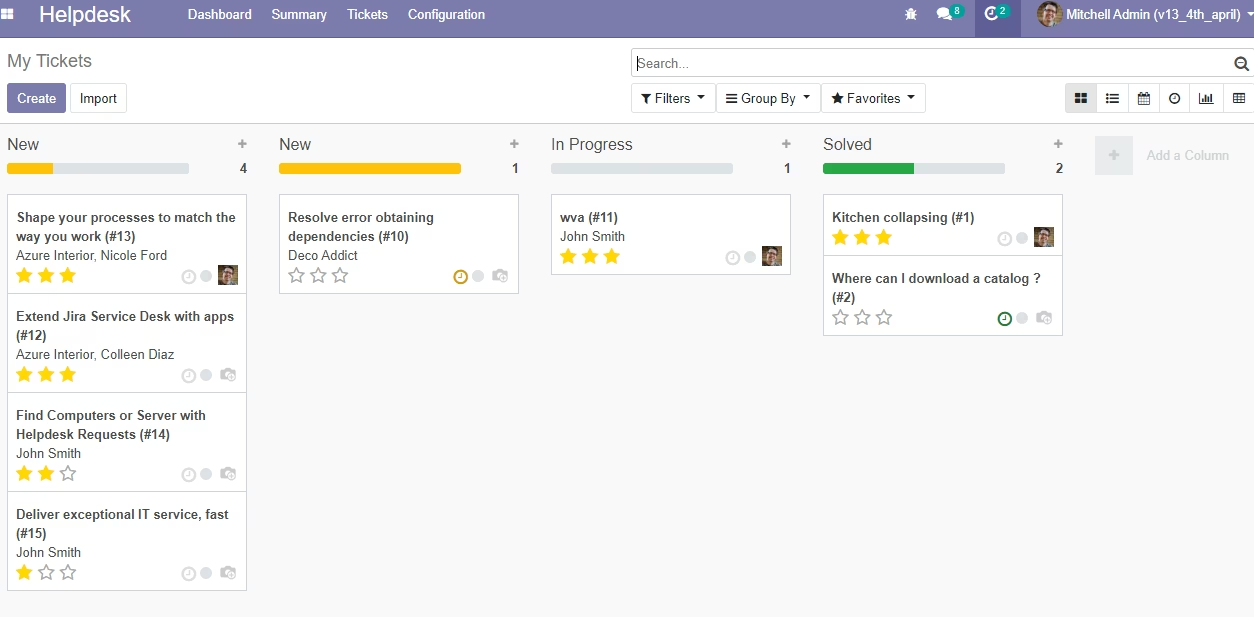
Kanban View - Tickets with Status
Customer tickets status (New, Pending, Progress, Resolved) - You can modified as per your requirement
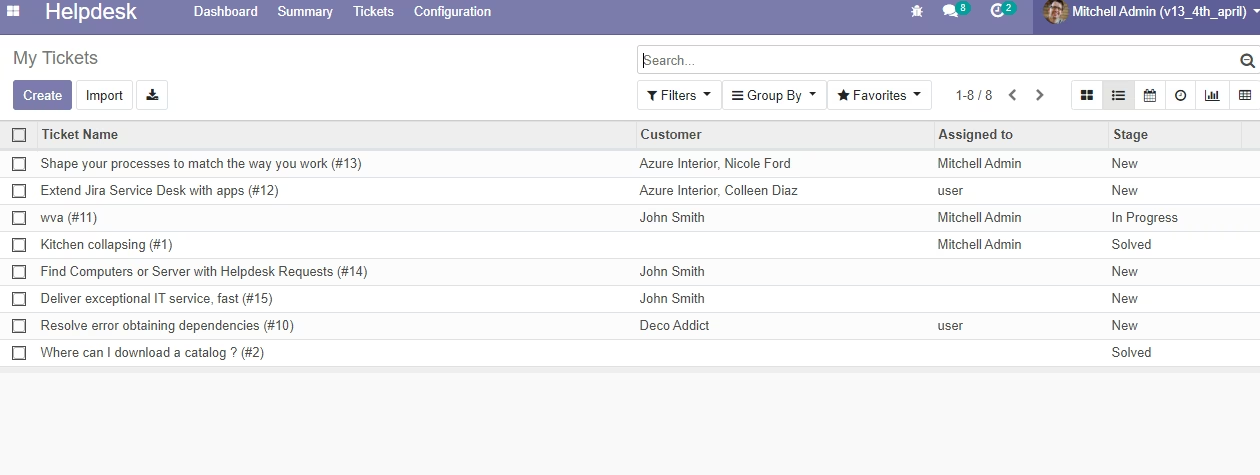
List View - Tickets with Status
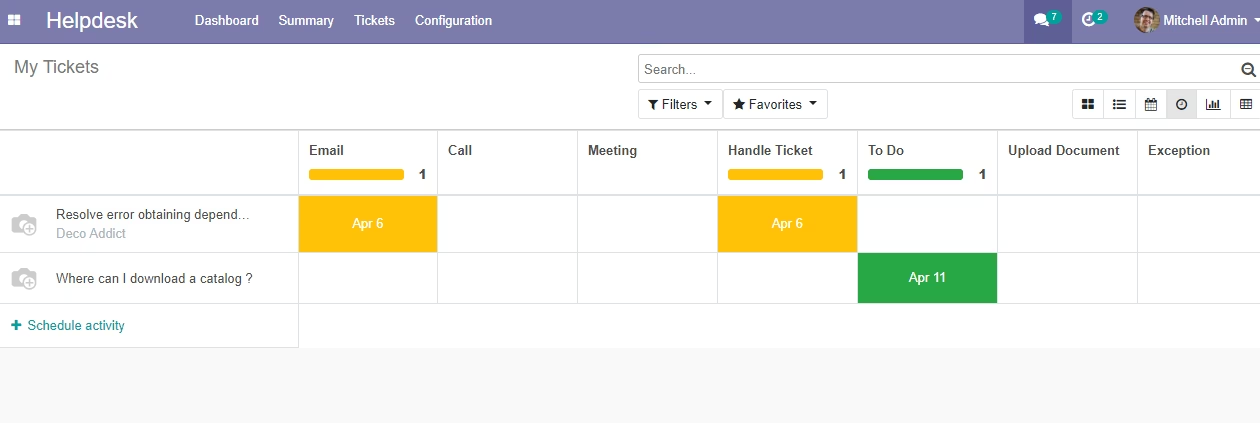
Activity View - Tickets with Status
Manage customer tickets and see all tickets in the activity view
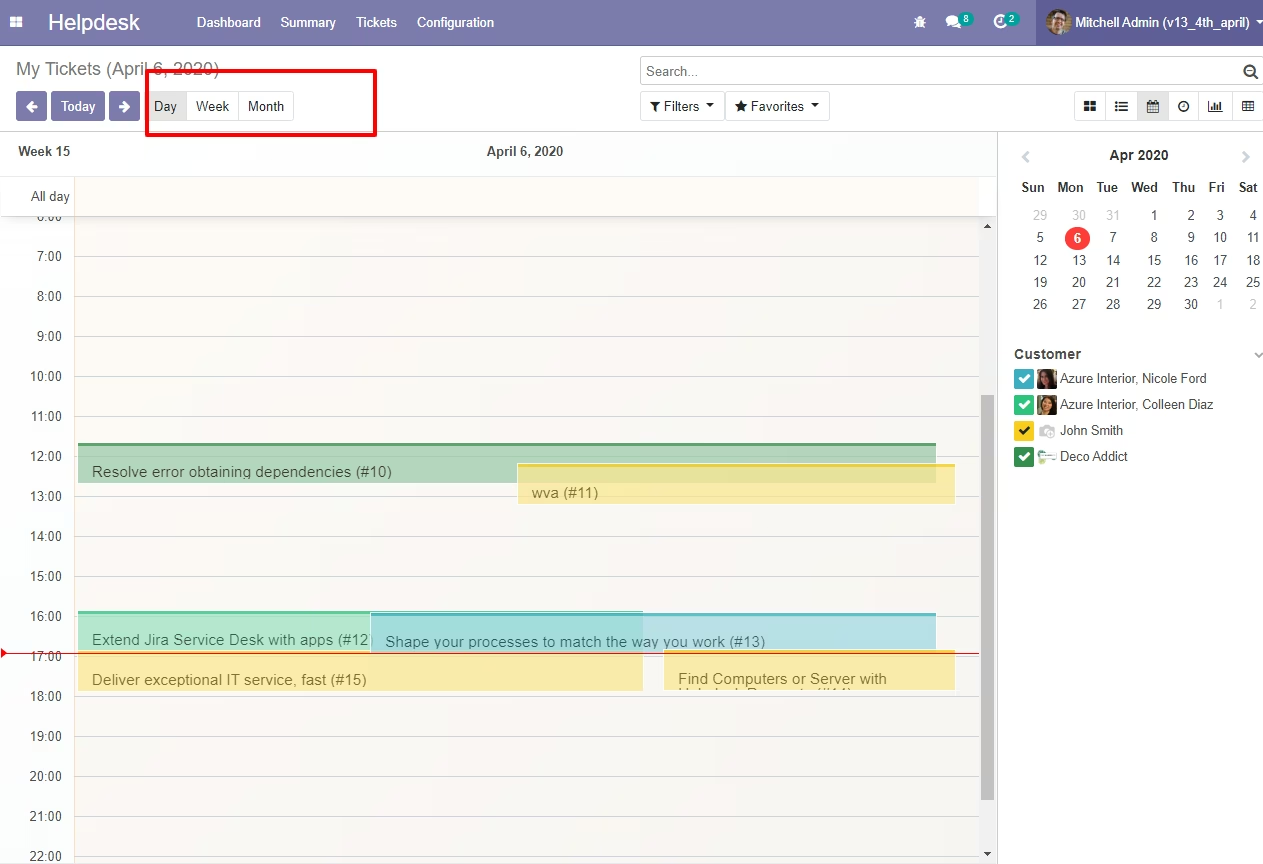
Calendar View - Tickets with Status
Manage customer tickets and see all tickets in the calendar view
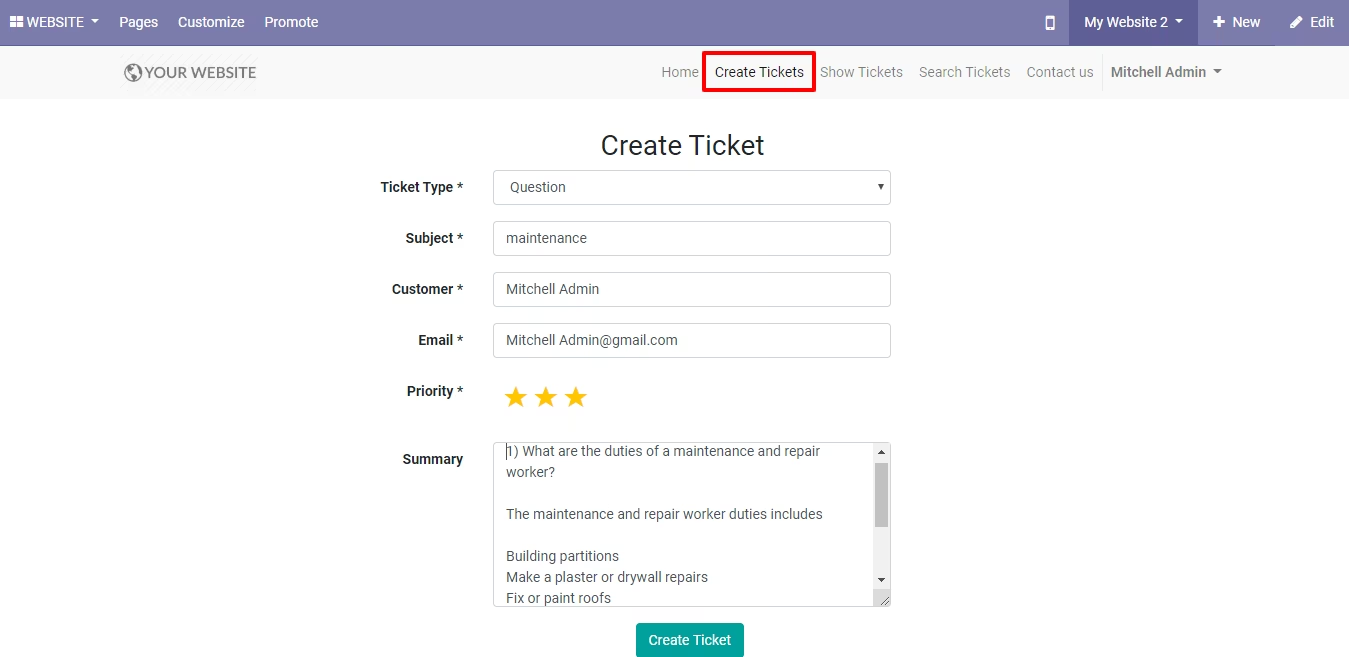
Website Support Ticket Form
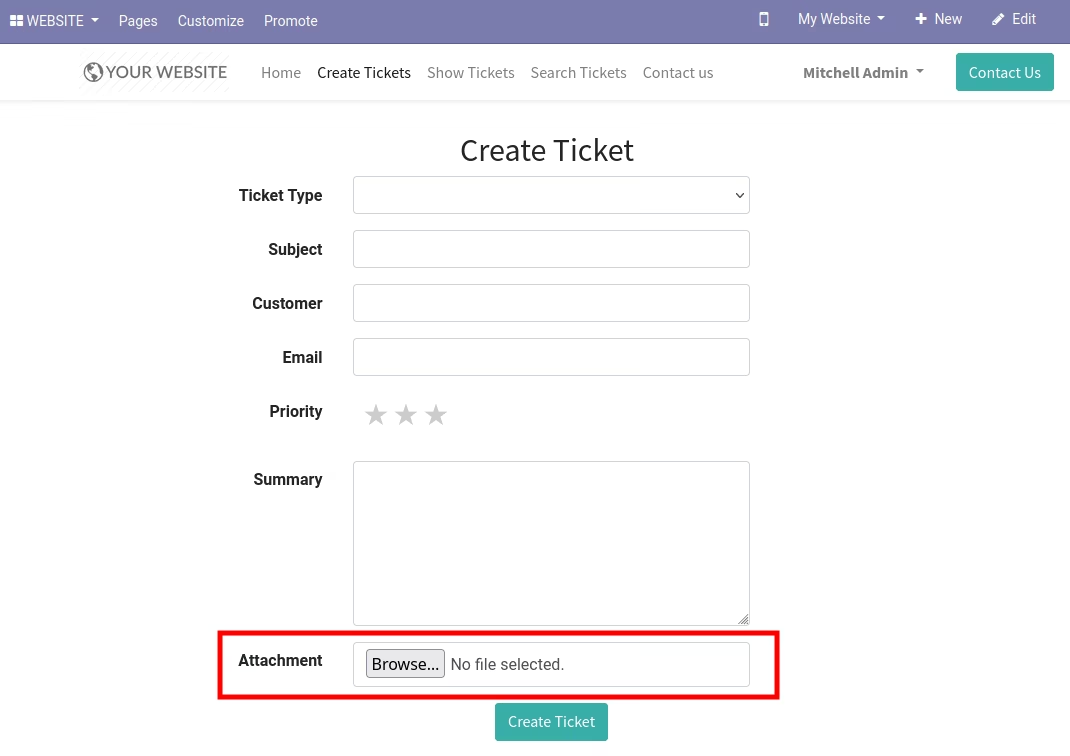
Customer can generate tickets with detail and document attachment
Website Support Ticket Form With Attachment Option
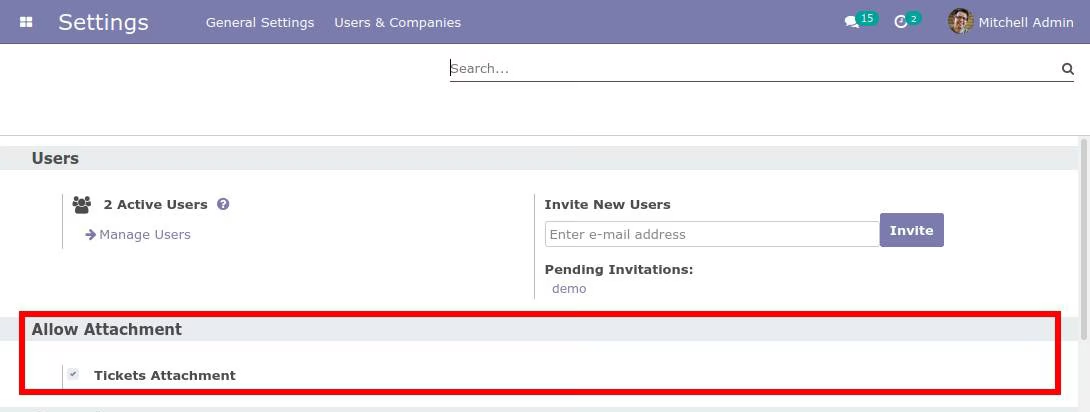
Website Support Ticket Attachment Configuration
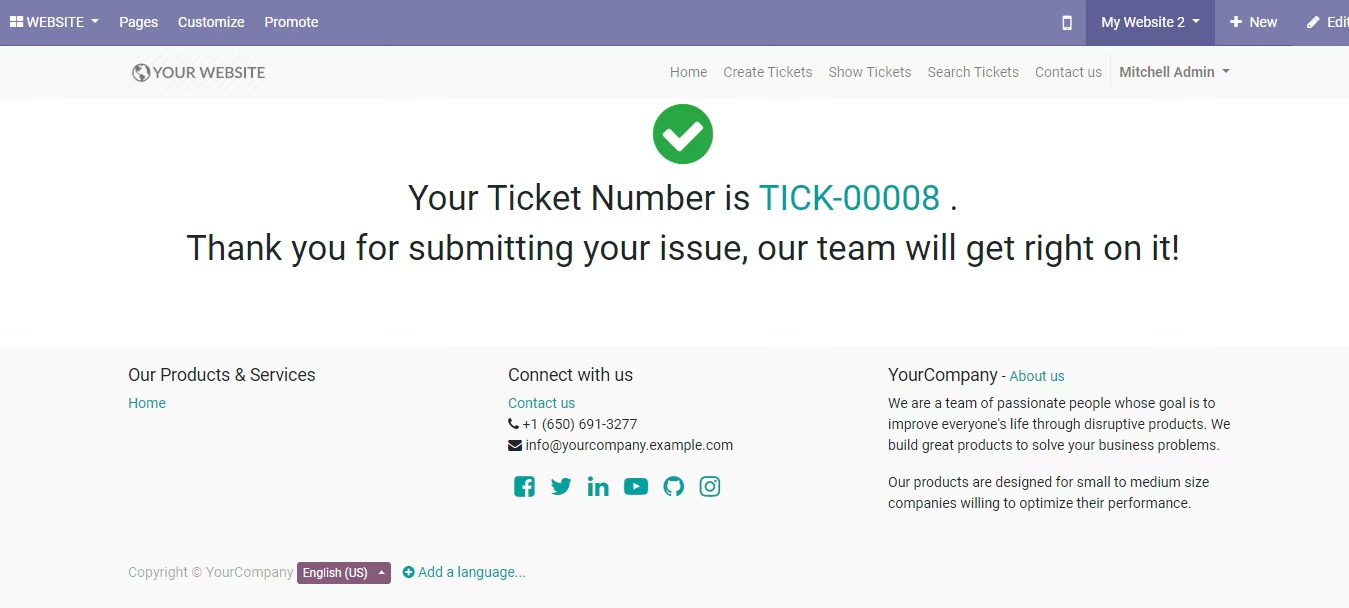
Thanks Message- When ticket is created.
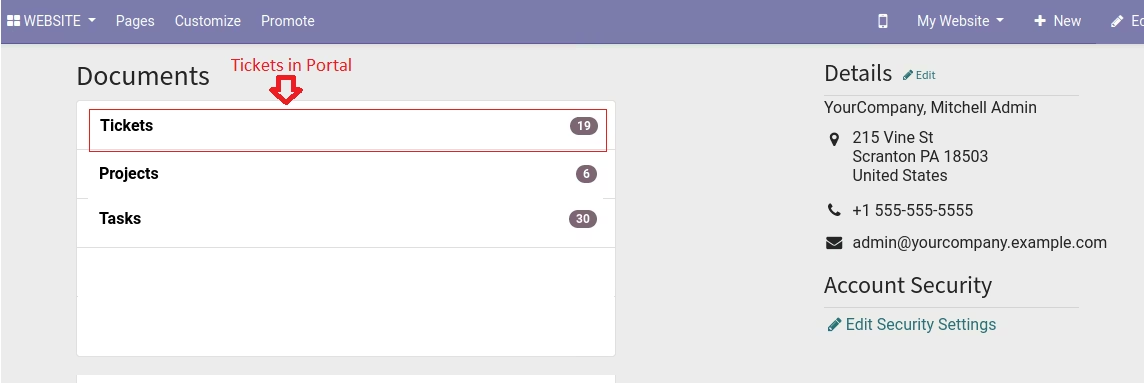
Customer Tickets in Portal/My Account
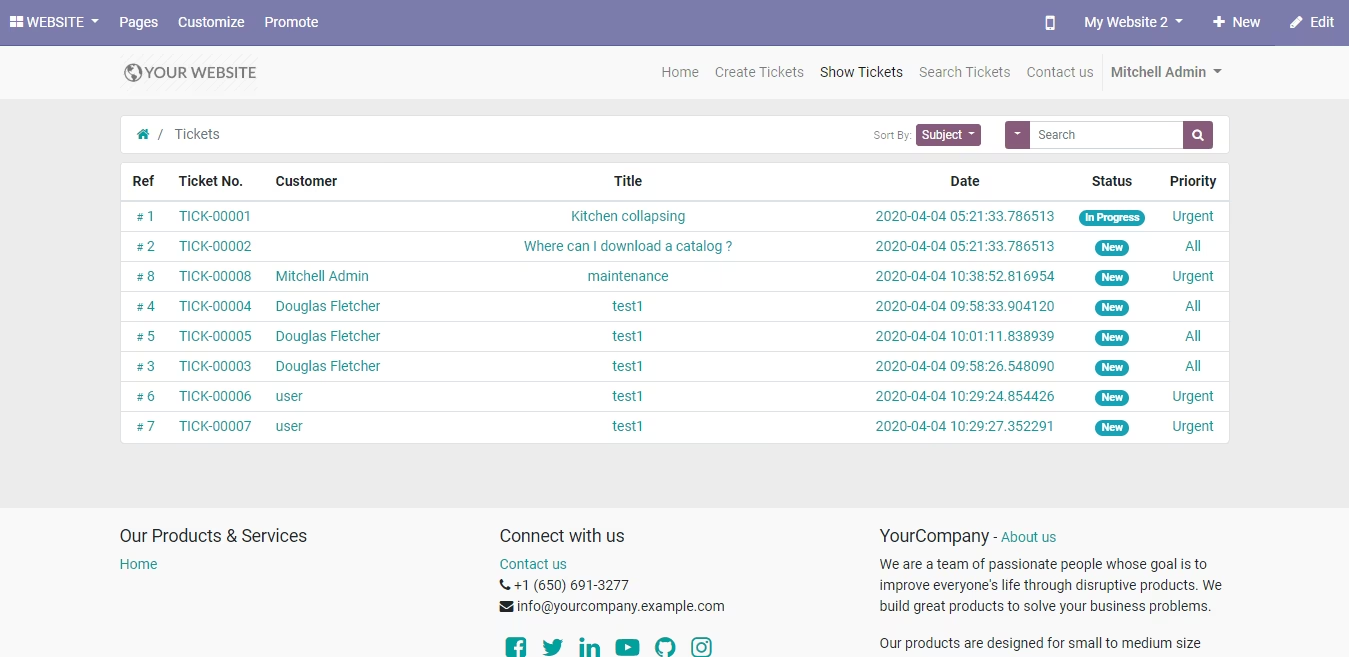
Customer Tickets List View
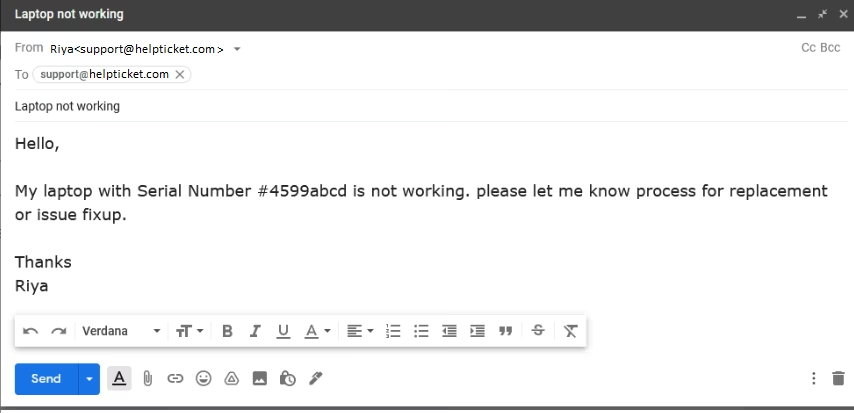
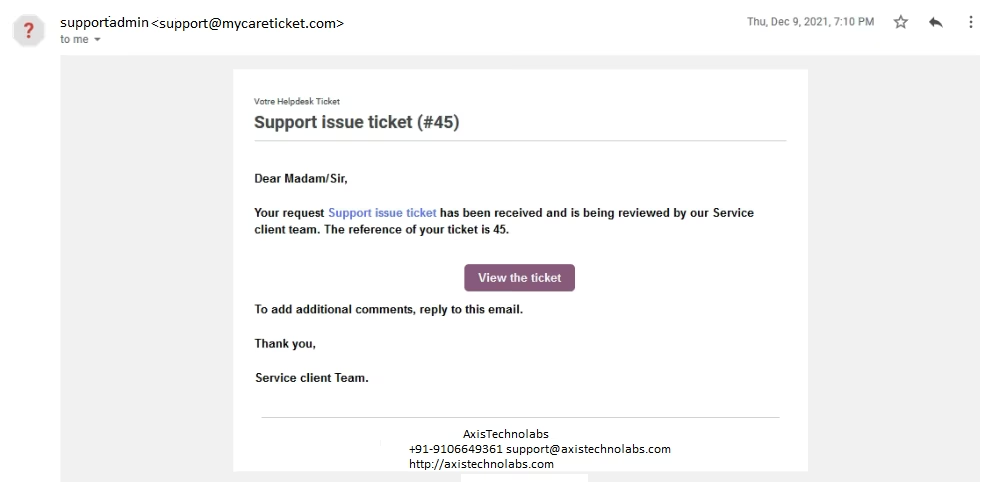
Customer Create Ticket Via Email
Customer Get Ticket Detail In Email
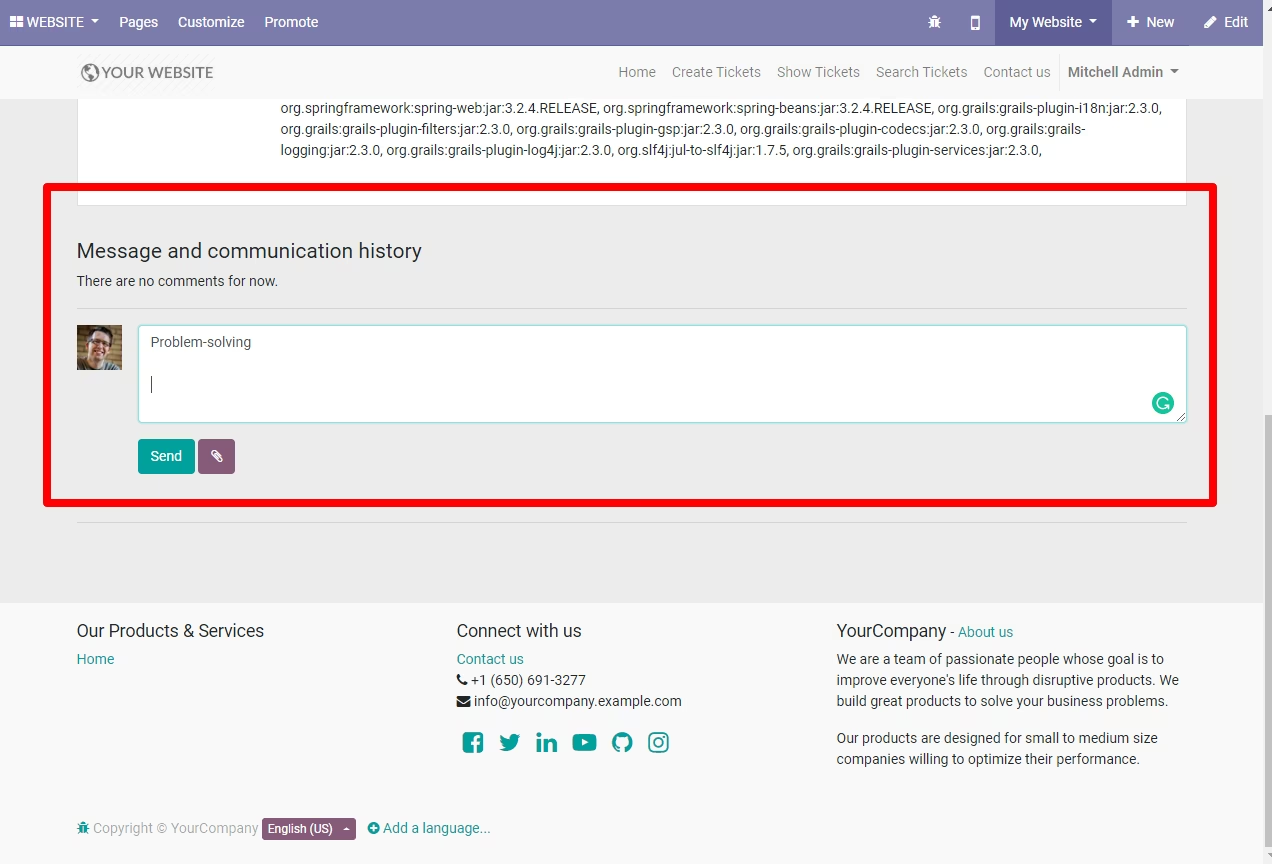
Website Chatter Box for Sending Message
Customer and Support user can communicate in chatter message box with document attachment
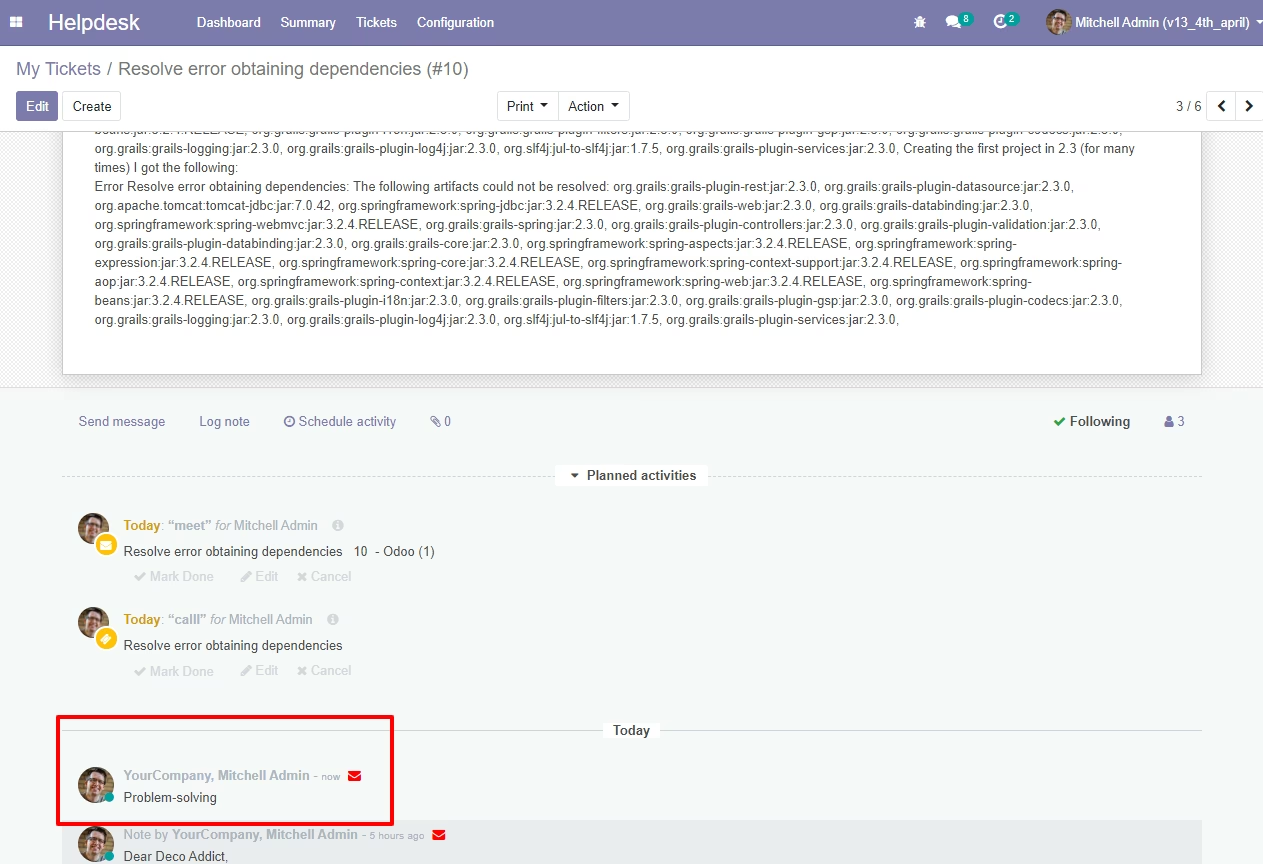
Backend Chatter Box for Send Message
Support Manager reply in chat message box from backend
See Message sent by Customer and Attachments in Ticket Detail
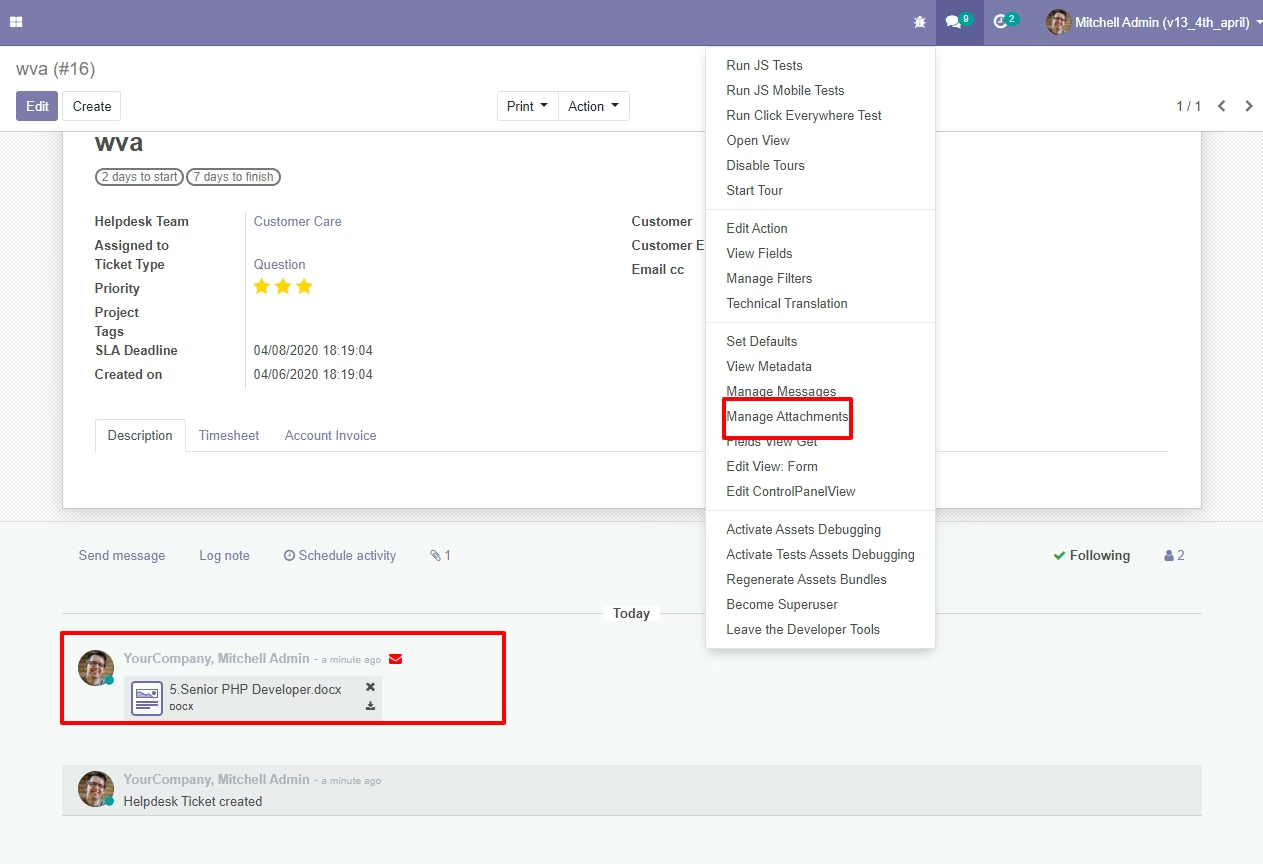
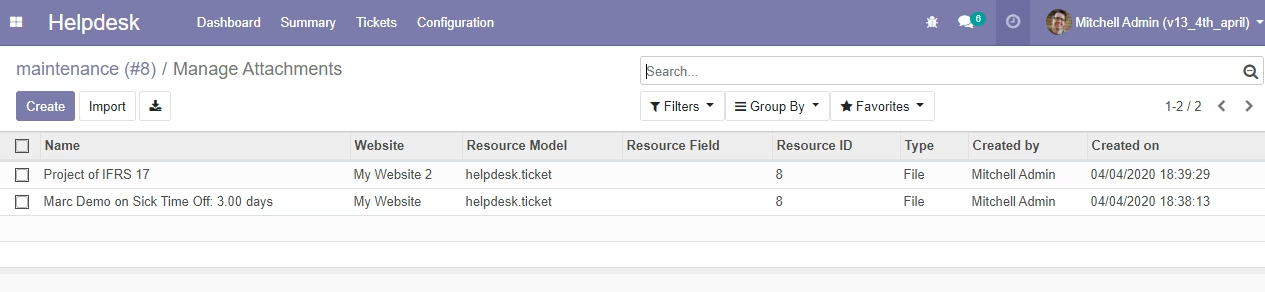
Manage Customer Tickets Document Attachments
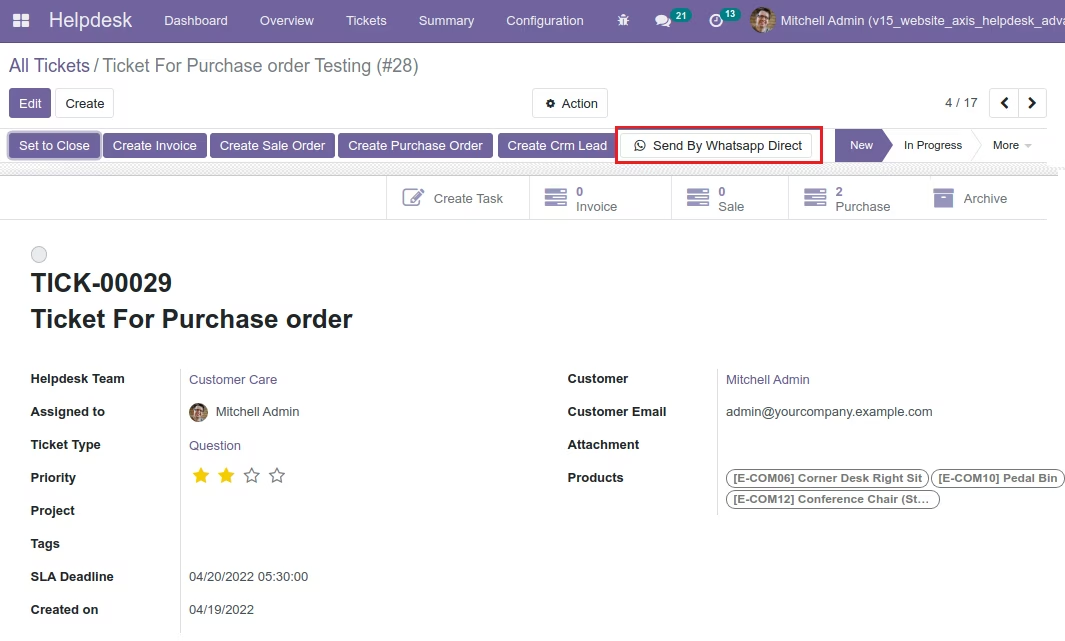
Create Purchase Orders from Ticket.
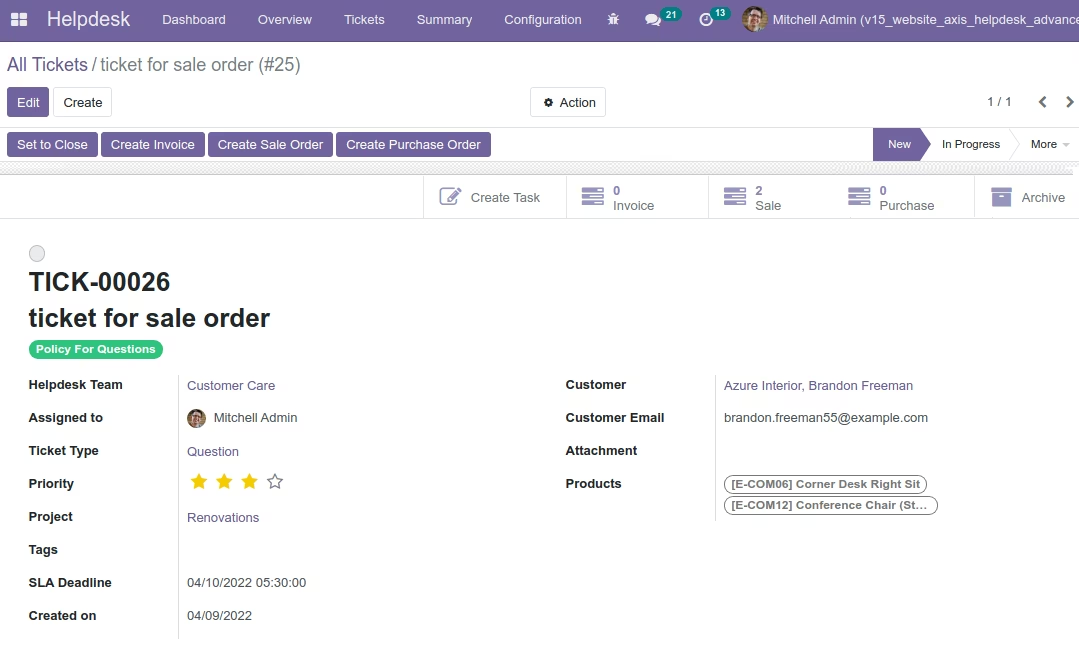
Create Sale Orders from Ticket.
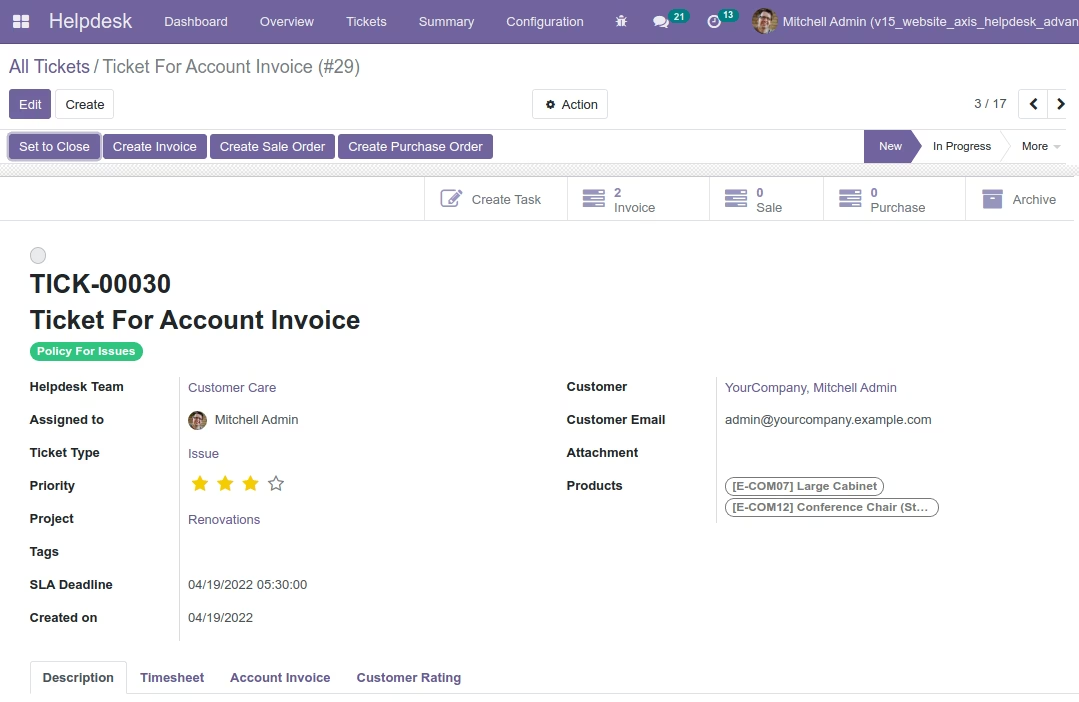
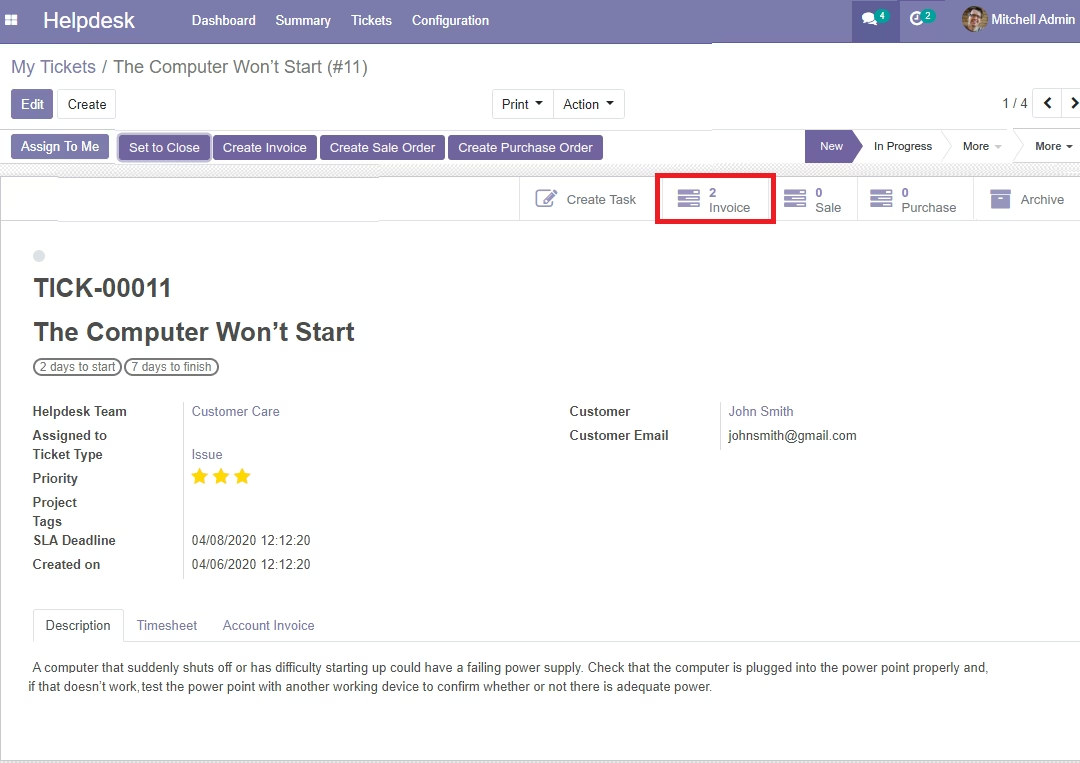
Create Invoices from Ticket.
Support Manager(admin) can create task(Optional)
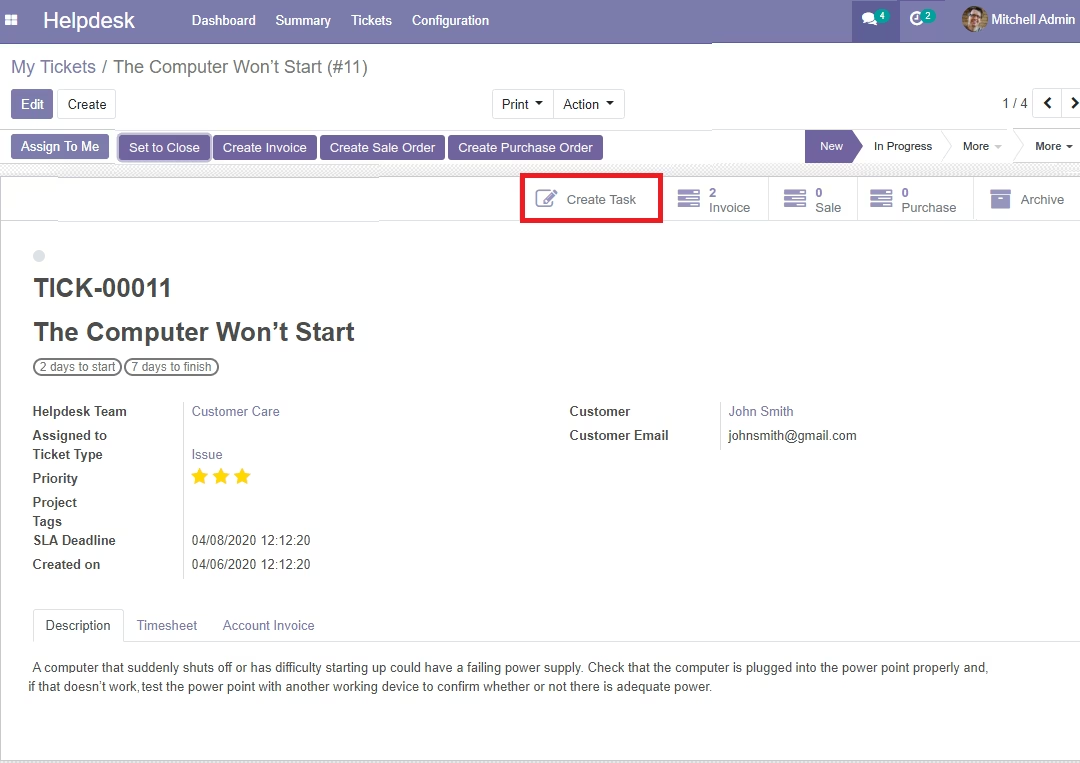
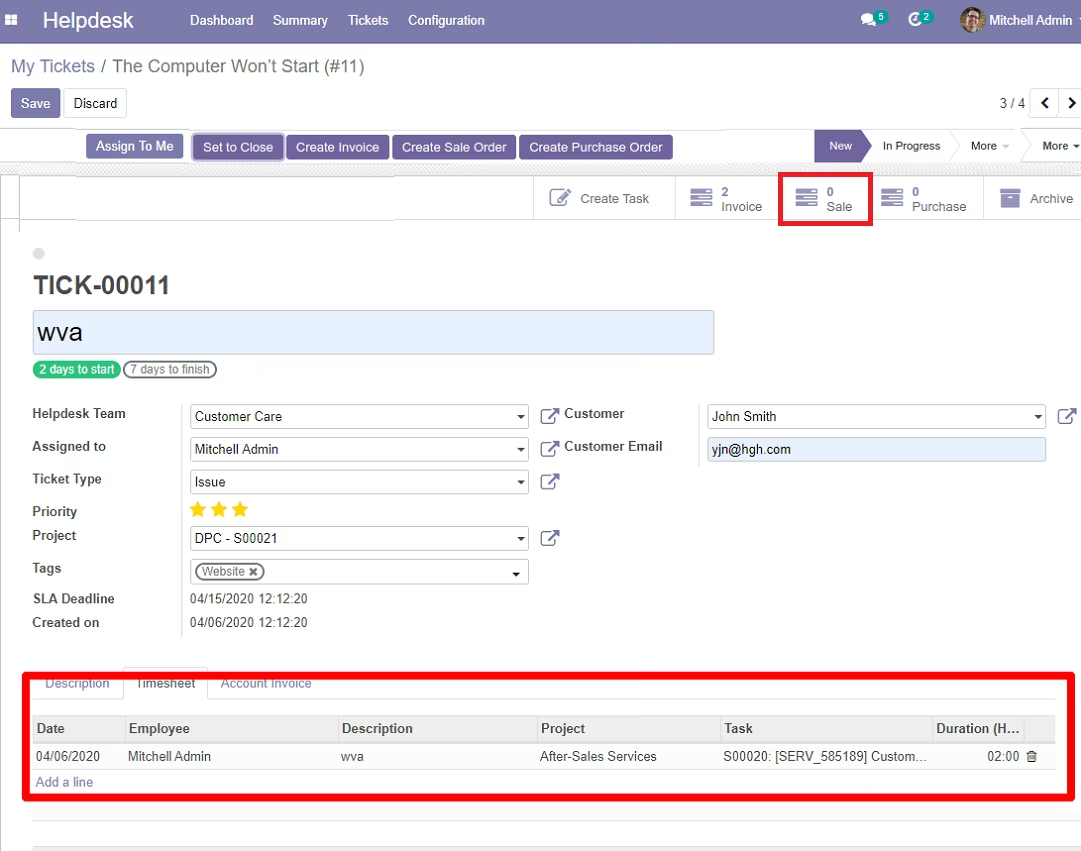
Manage Assign Support User for Assigned Ticket, Create Sale Order from ticket
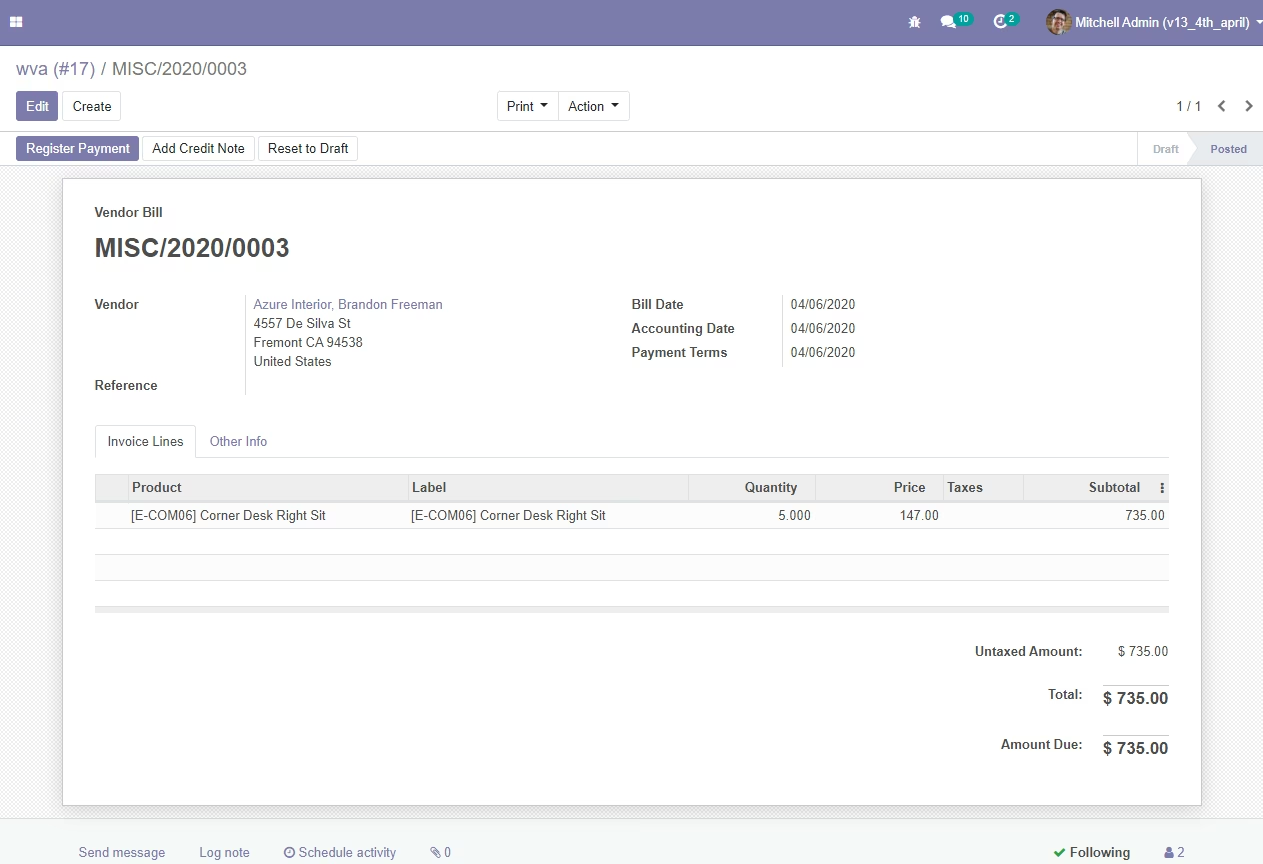
Support Manager can create and send Invoice/Bills to customer for payment
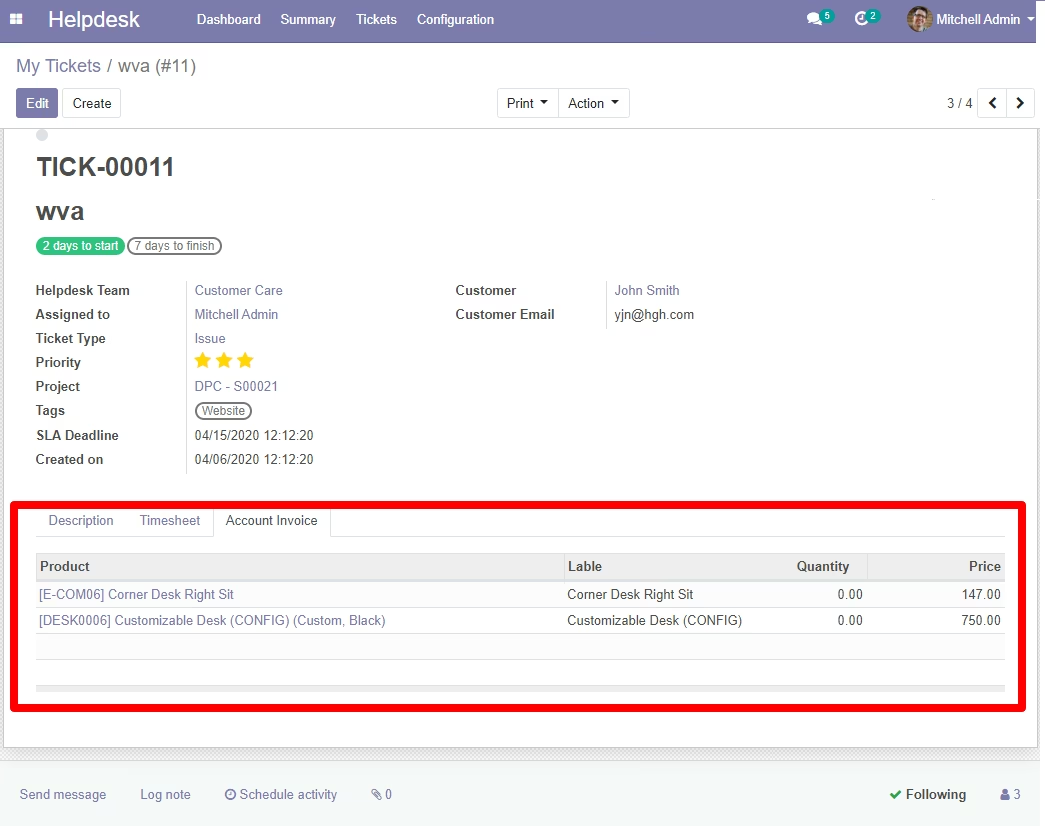
Invoice/Bill Sample
Status of Customer Ticket - (New, Pending, In Progress, Solved)
Manage Timesheet for Support User/Support Manager
Timesheet and Customer Support Ticket Hours
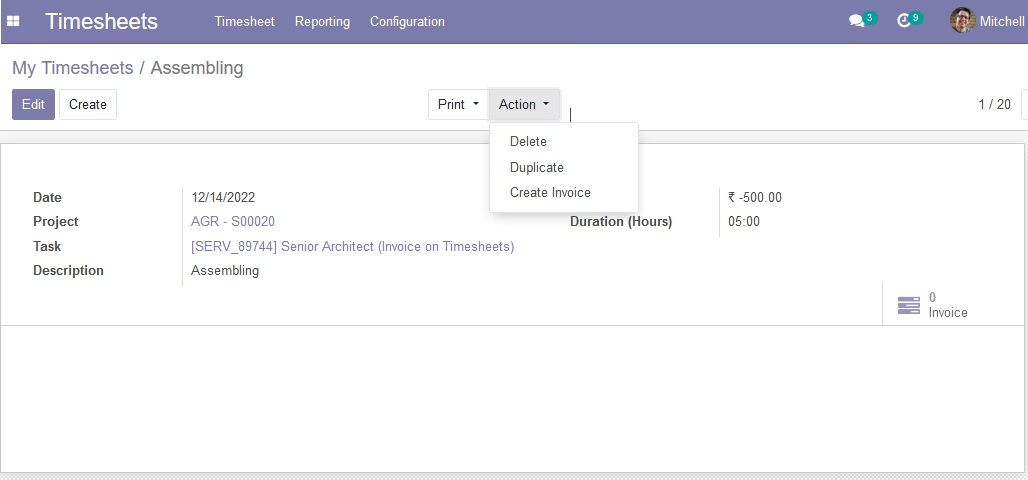
Create Invoice from Timesheet
Close Support ticket
Close Your Ticket
Filter your Closed ticket in Backend
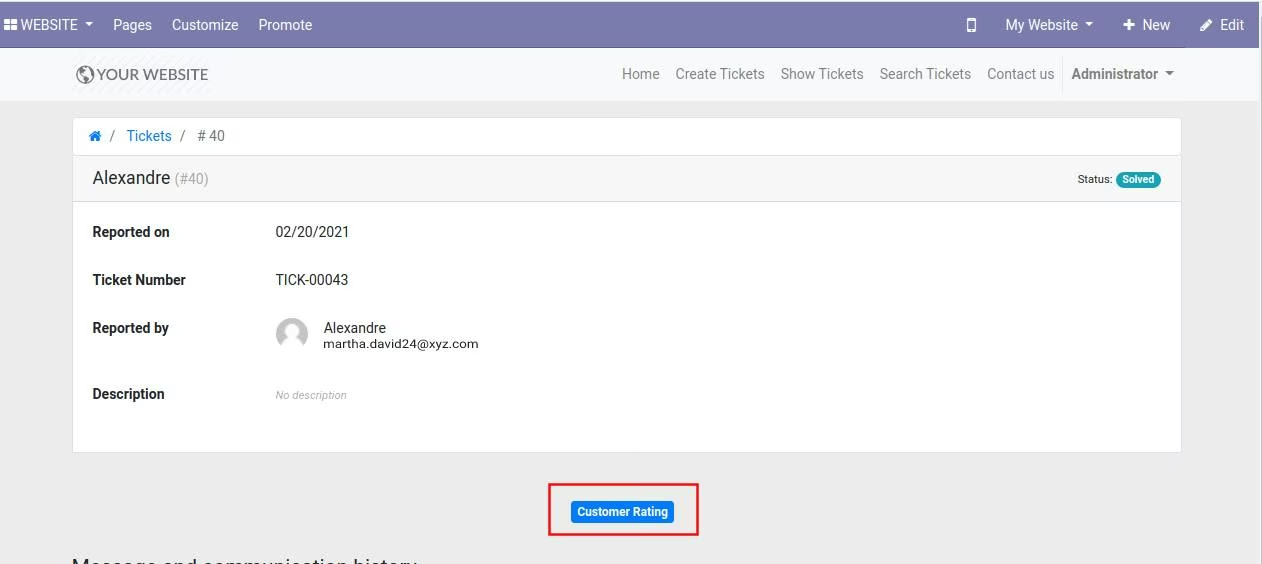
Add Customer Ratings
Add Your Rate and Comment
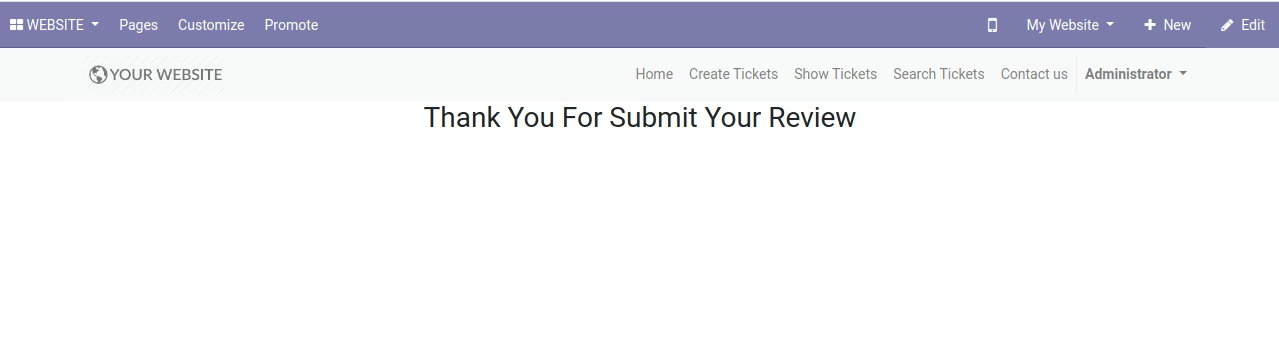
Thank you Page of Submit Rating
Show Rating in Backend
Merge Tickets with any stage like New, InProgress, Closed
Reopen Closed Tickets with Description
Manage Tickets Report
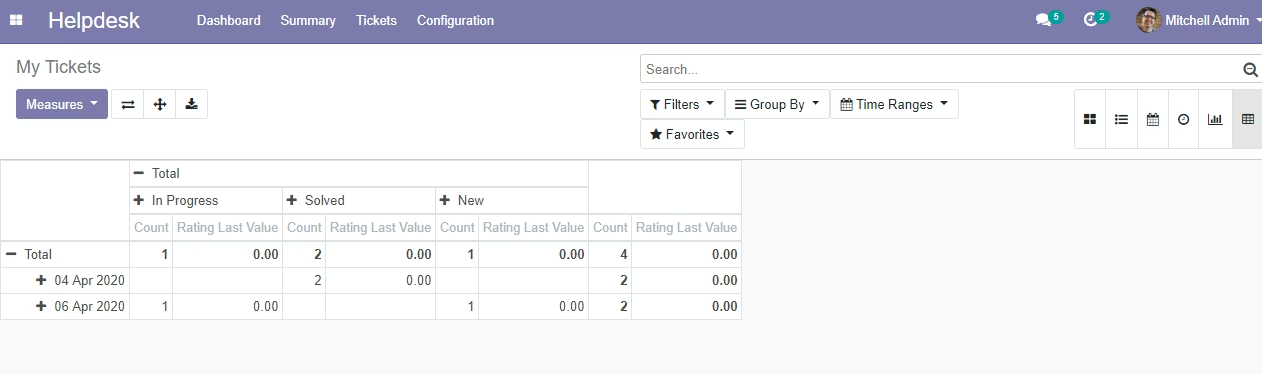
Mass ticket update with Team, Status
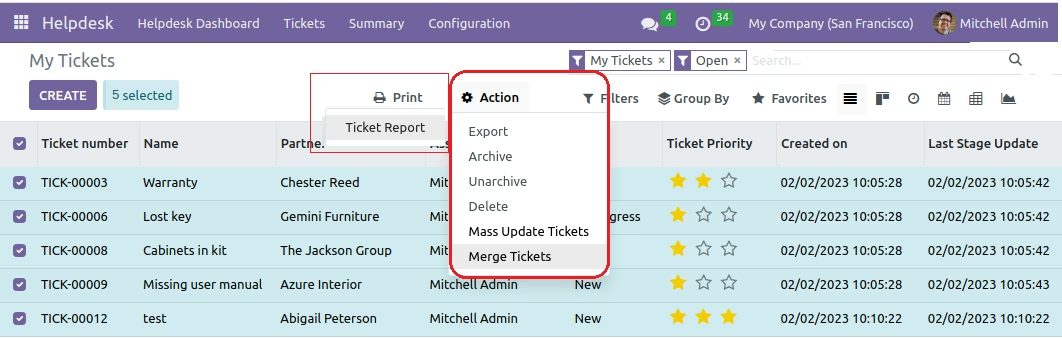
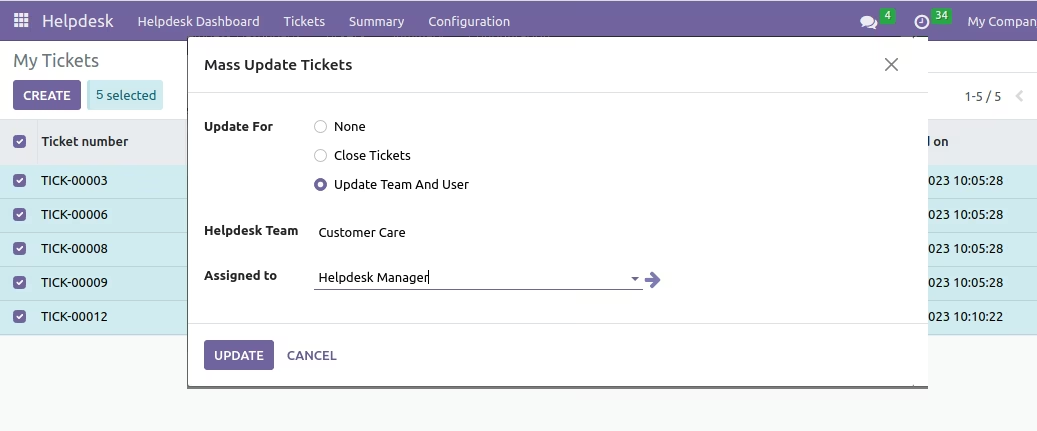
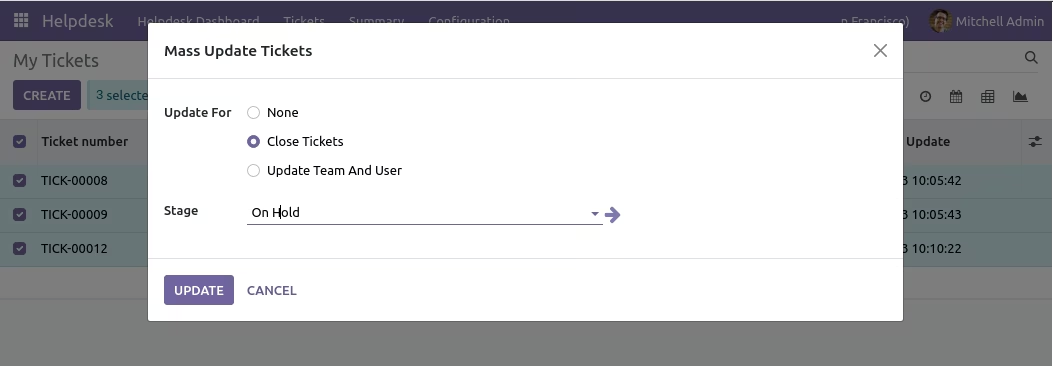
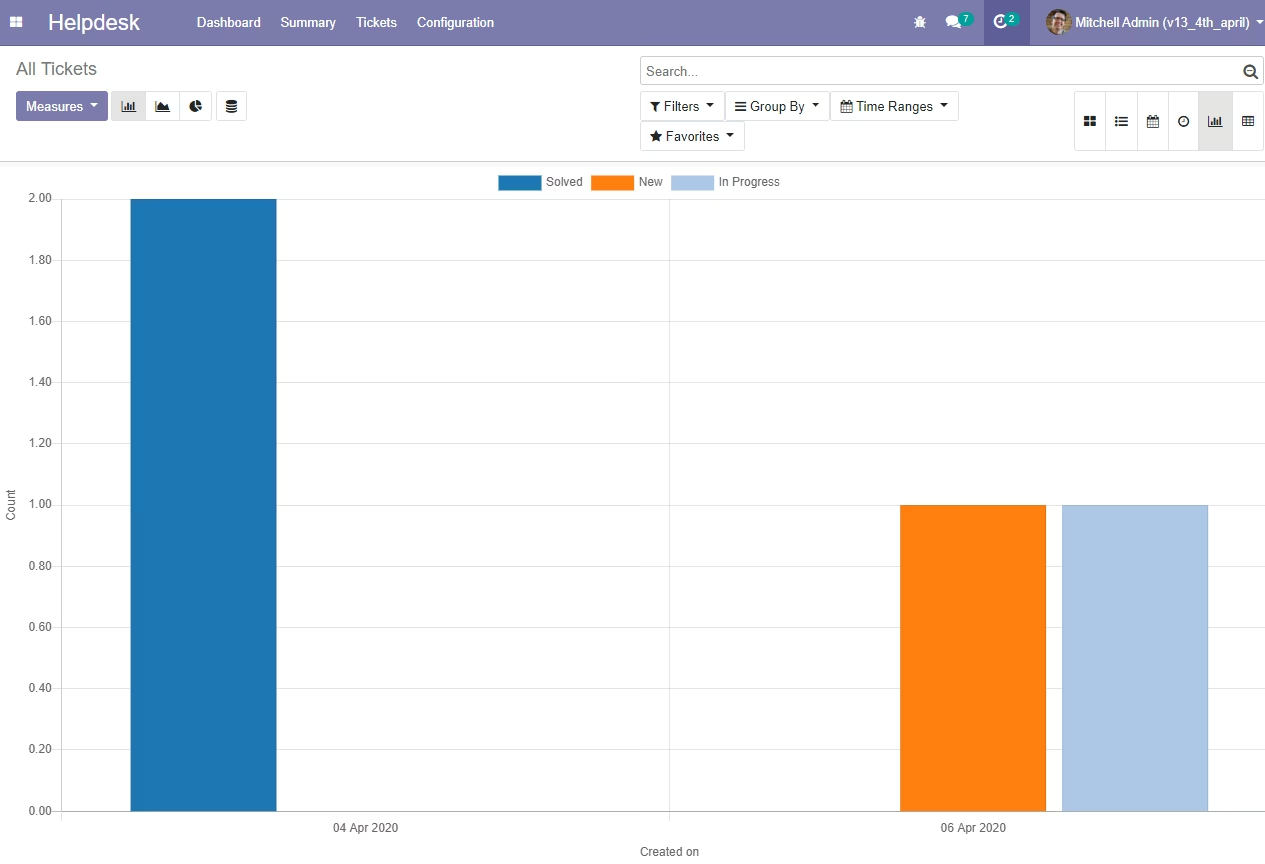
Report view in Bar Chart
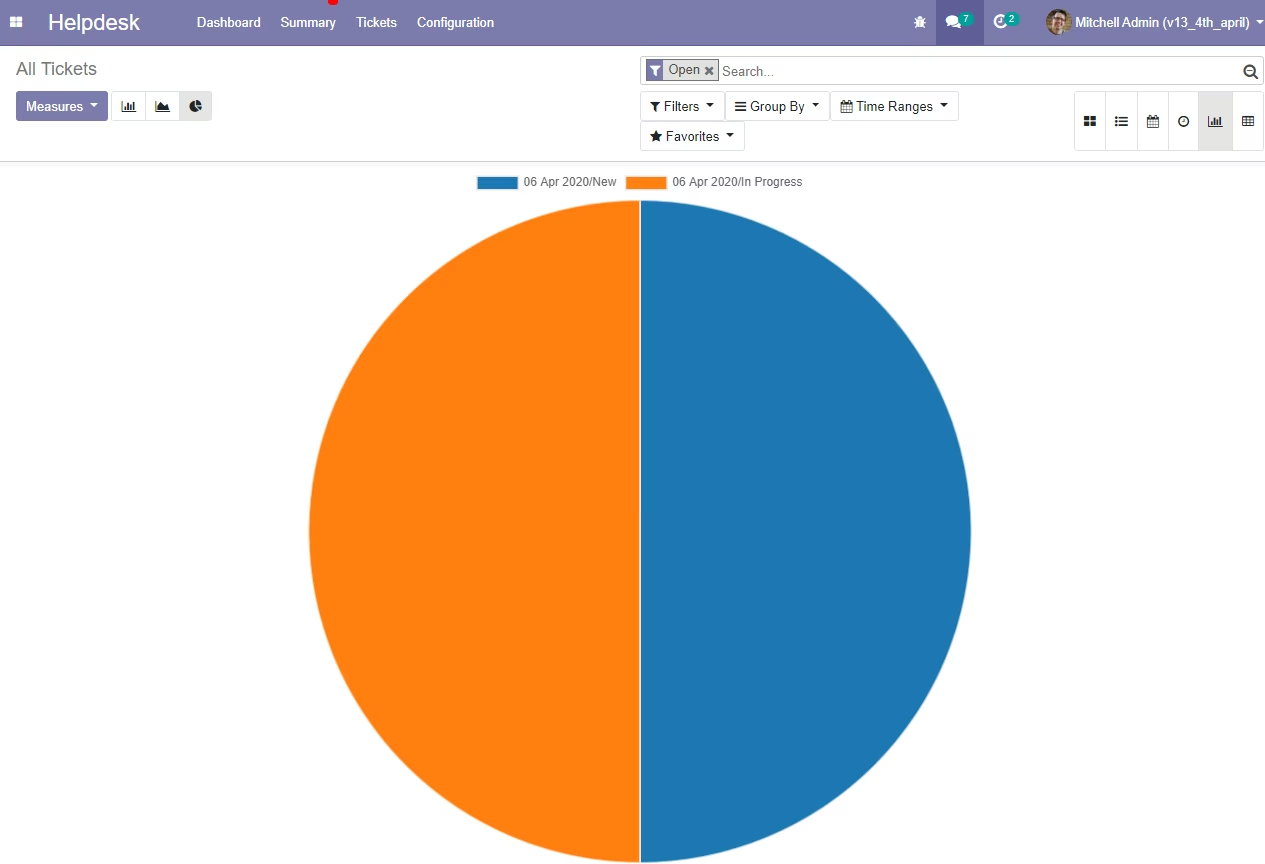
Report view in Pie Chart
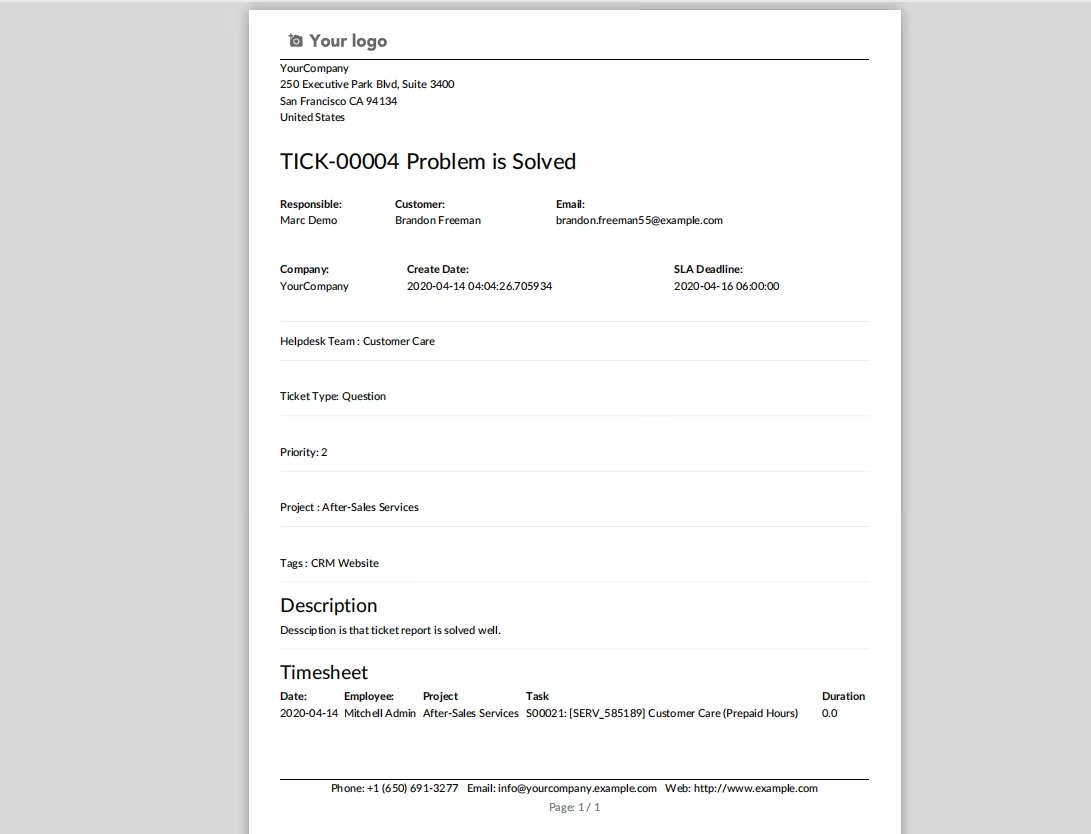
Print PDF Support Ticket Report
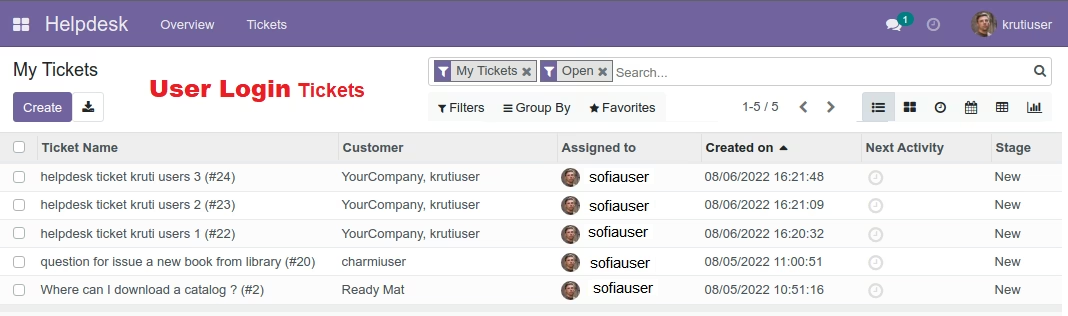
Tickets view for User login
Tickets view for Team user login