
The Advance Down Payment on Sales Order allows businesses to manage advance payments on sales orders effectively. This module integrates seamlessly with Sales, Inventory, and Invoicing modules, enabling users to record and track advance payments received from customers. By automating the process of handling advance payments, businesses can improve cash flow management and streamline their sales operations.
Key Features
Advance Payment Recording: Easily record advance payments received from customers against sales orders.
Integration with Sales Orders: Automatically link advance payments to the corresponding sales orders for accurate tracking.
Cash Flow Management: Monitor advance payments to better manage cash flow and financial planning.
Seamless Integration: Works smoothly with Sales, Inventory, and Invoicing modules.
User-Friendly Interface: Intuitive interface that simplifies the process of managing advance payments.
Automated Accounting Entries: Automatically generate accounting entries for advance payments, ensuring accurate financial records.
Flexible Payment Terms: Define and manage various payment terms for advance payments.
Multi-Currency Support: Handle advance payments in multiple currencies, accommodating international transactions.
Customizable Settings: Customize settings to align with your business's specific requirements.
Comprehensive Reporting: Generate reports to analyze advance payments and their impact on sales and cash flow.
Benefits
Improved Cash Flow: By managing advance payments effectively, businesses can enhance their cash flow and financial stability.
Streamlined Sales Process: Automating the recording and tracking of advance payments simplifies the sales process and reduces administrative workload.
Accurate Financial Records: Automated accounting entries ensure that financial records are accurate and up-to-date.
Enhanced Customer Satisfaction: Clear tracking of advance payments helps in providing better service to customers and reduces disputes.
Better Financial Planning: Monitoring advance payments provides insights into future cash inflows, aiding in better financial planning.

Make an Advance Payment from Sale Order
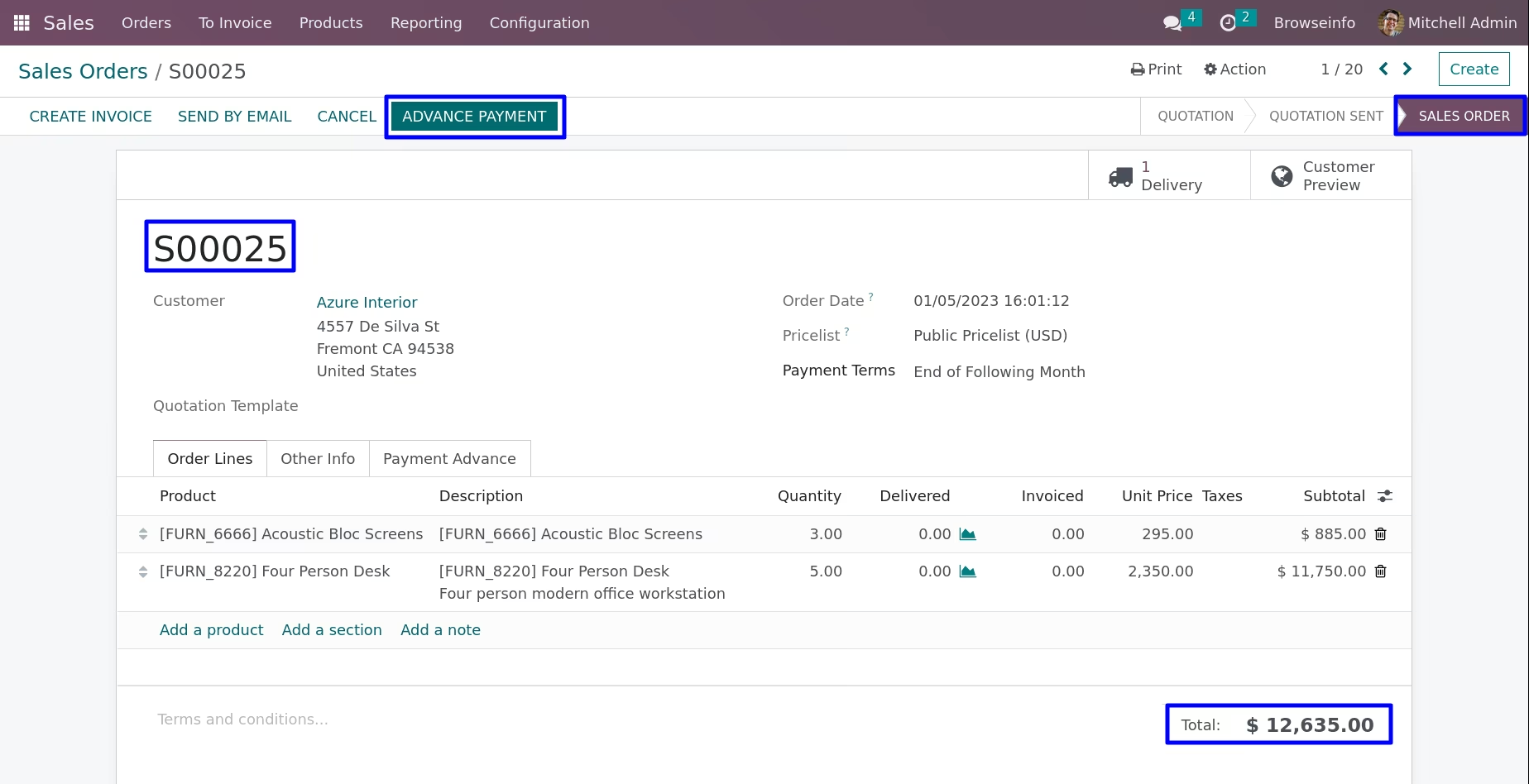
User can make an advance payment from sale order with using advance payment button.

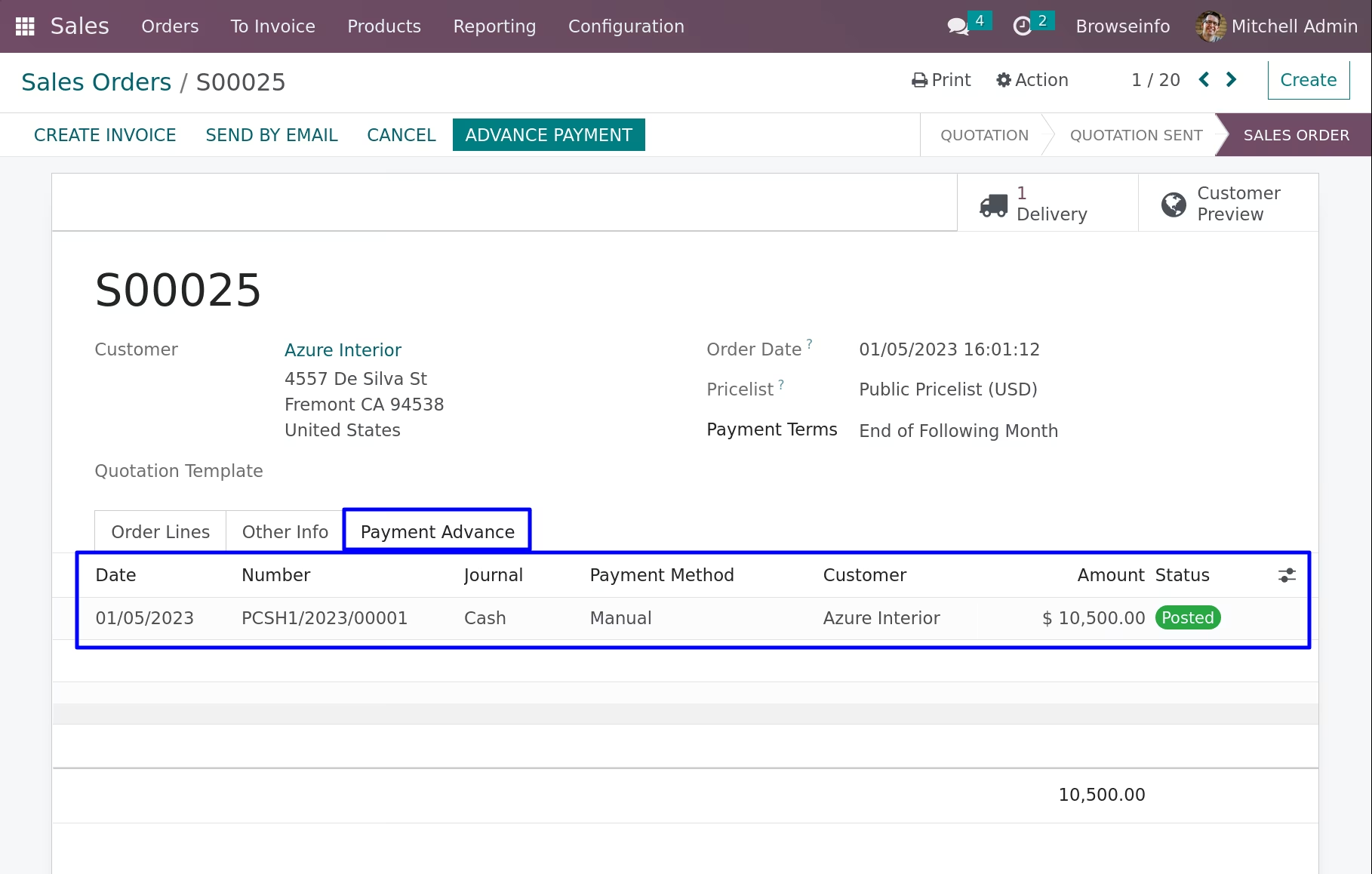
Advance Payments will be Listed in Payment Advance Tab
User can see all advance payments will be listed in payment advance tab under sale order.
Advance Payment in Sale Order
User can click on advance payment button in sale order.
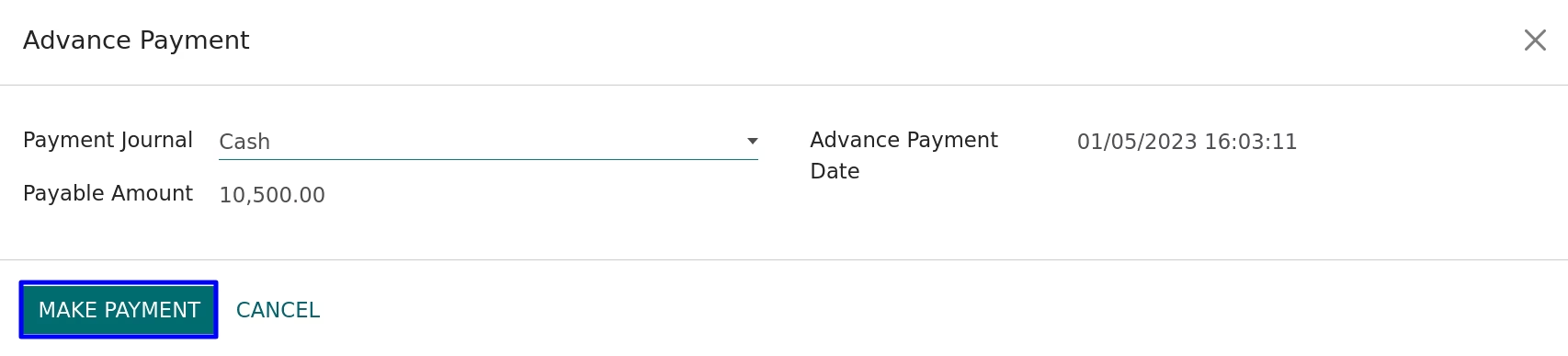
Advance Payment Wizard
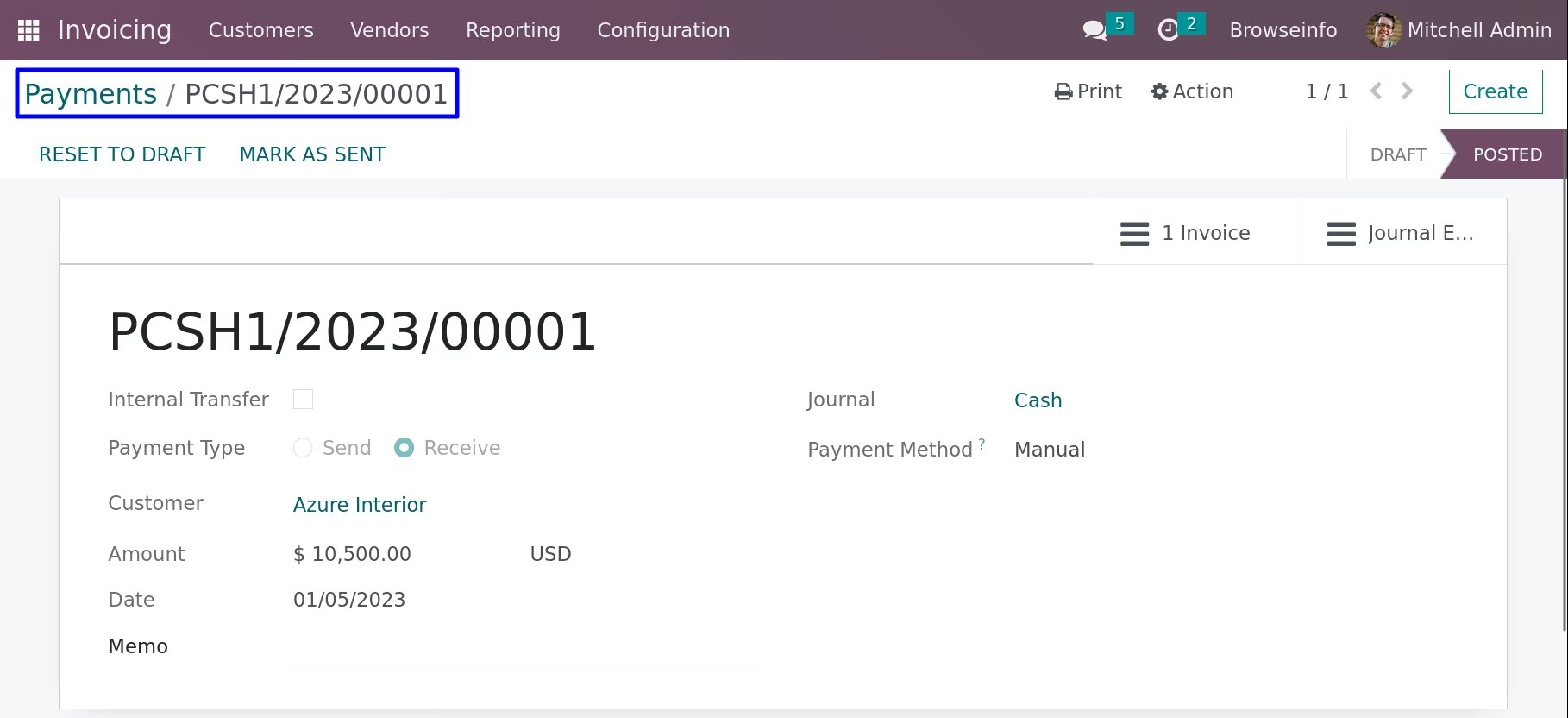
When click on advance payment button, Advance payment wizard open and select payment journal with payable amount and click on make payment button.
Payment Advance Tab
Under payment advance tab you can see advance payment line in sale order.
Under customer invoice you can see advance payment transfer in outstanding credits balance and click on add button for make payment.
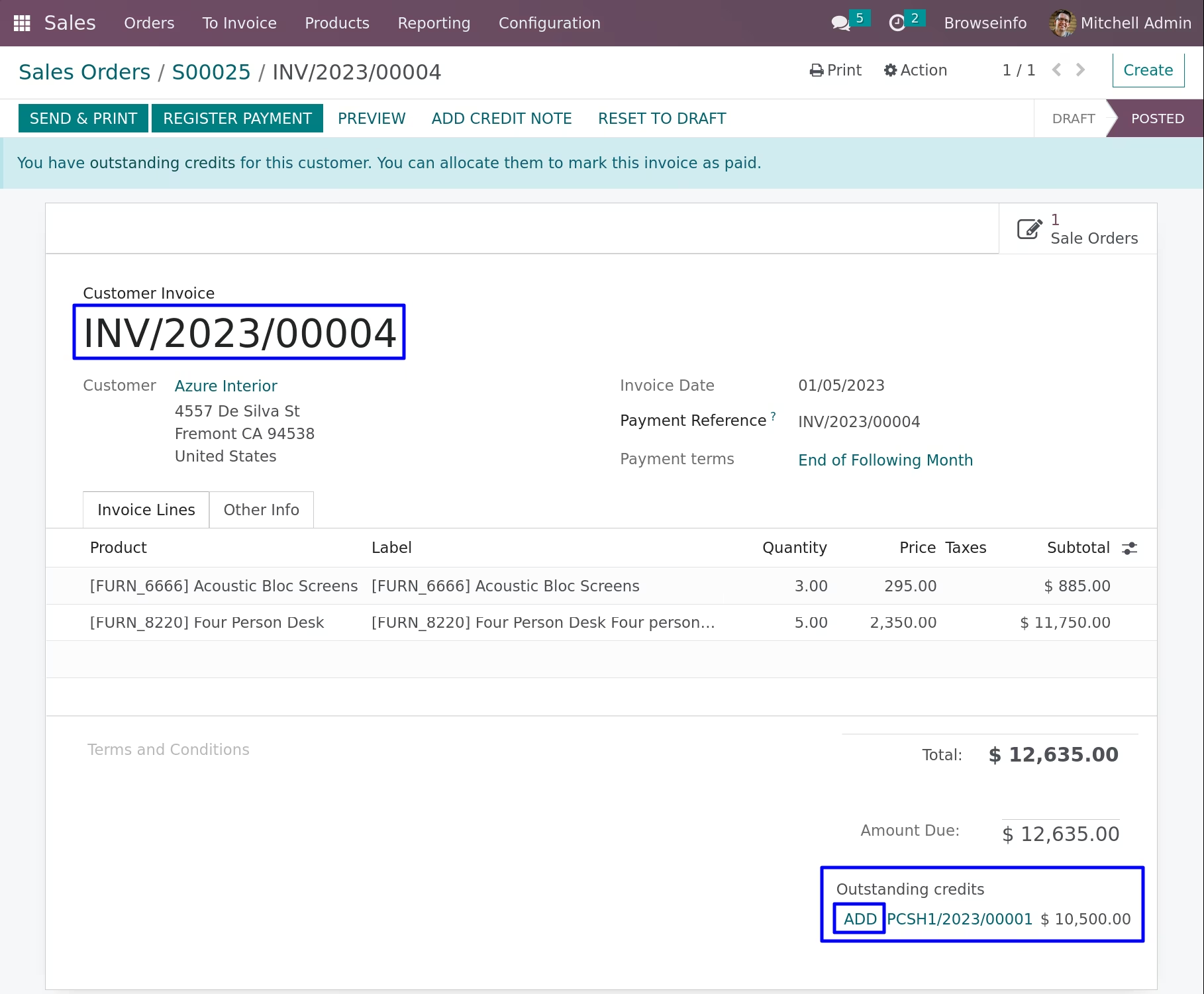
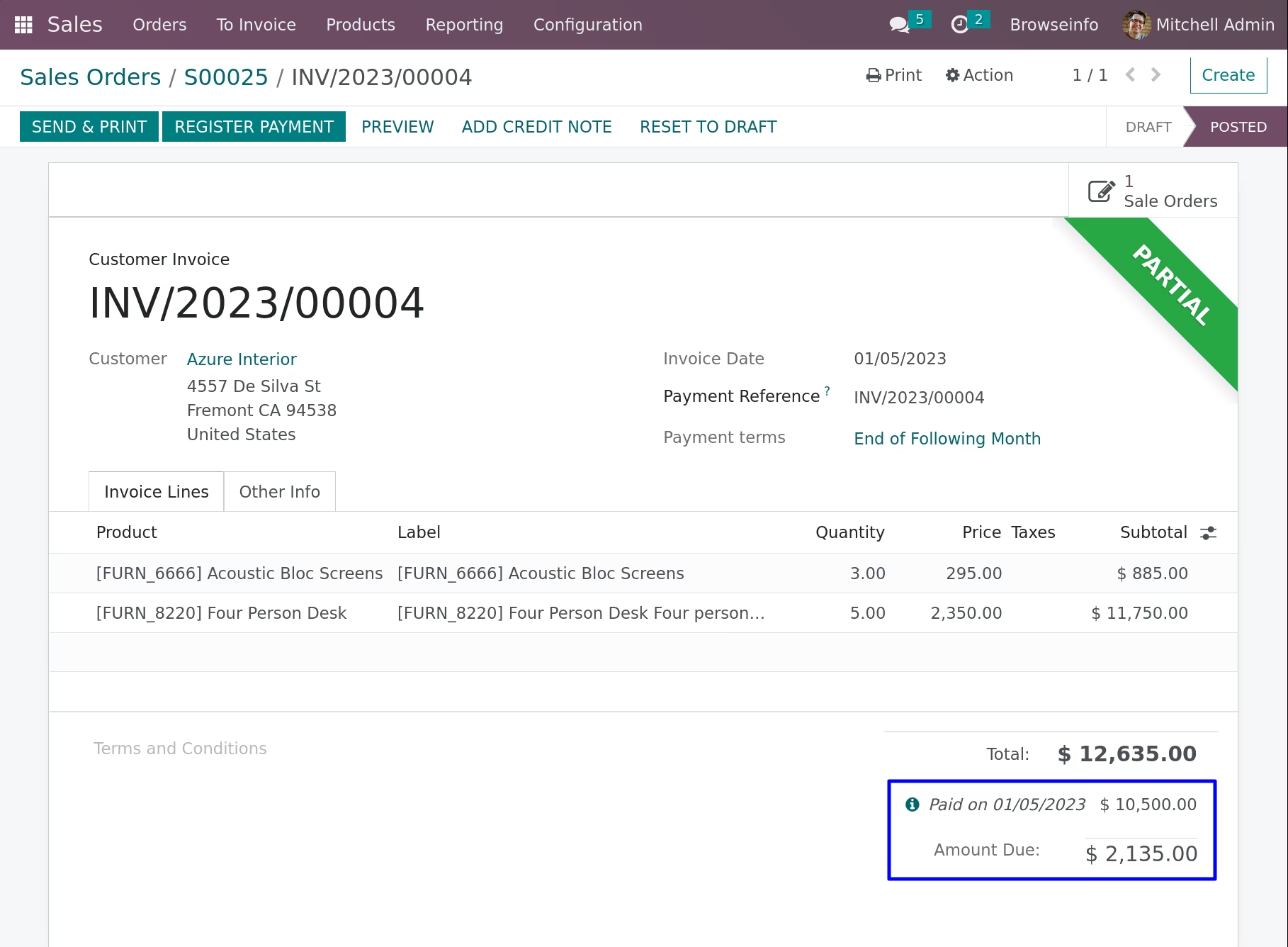
Advance Payment of Sale Order
Version :
16.0.0.0
20 Jan 2026
Initial release of the app.