
Revolutionize your invoicing workflow with the Add Products by Barcode in Invoice module. This highly efficient tool is designed to accelerate the invoicing process by integrating barcode scanning functionality directly into the invoice form. Say goodbye to tedious manual product searches and data entry errors. With a simple scan, you can instantly add products to any customer or vendor invoice, automatically updating quantities for existing items. This module is an essential asset for any business seeking to improve the speed, accuracy, and overall efficiency of its billing operations.
Key Features
Barcode Scanning on Invoices: Use a barcode scanner to add products directly to invoice lines.
Automatic Quantity Updates: If a scanned product is already on the invoice, its quantity is automatically increased by one.
Effortless Product Addition: Quickly populate invoices with the correct products without manual searching or typing.
User-Friendly Interface: A simple and intuitive design that requires no complex configuration.
Audible Feedback: The system provides sound notifications for successful scans and error alerts.
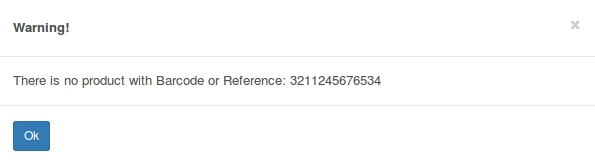
Error Handling: Displays clear warning messages if a product is not found or if the invoice is in a state that prevents editing.
Benefits
Accelerated Invoicing: Drastically reduce the time it takes to create and process customer invoices and vendor bills.
Enhanced Accuracy: Eliminate data entry errors and ensure that the correct products and quantities are always on the invoice.
Increased Productivity: Free up your accounting team from manual data entry, allowing them to focus on more value-added tasks.
Streamlined Billing Process: Simplify your entire invoicing workflow from start to finish.
Easy to Use: A plug-and-play solution that is easy for any user to learn and adopt.
Add Products by Barcode in Invoice.
Add Products by scanning barcode to avoid mistakes and make work faster in Sale order. When barcode is scanned it will First search for related barcode and after that it will check for matching Internal reference.
You can add multiple qty of same product also by scanning same barcode multiple time.
Just Scan Bar-code in form view of Invoice(Product Bar-code/Reference) and it will add new line. If there is already line with same product it will increase qty by plus one.
Other Configuration
To use this module no technical knowledge is required even no configuration is needed. Just install module and functionality is ready to use. For more customization and help contact us.