
Empower your business with the ability to capture more detailed information at the point of sale with the Add POS Extra Fields module. This versatile tool allows you to create and add custom fields to your POS interface, enabling you to gather specific information for each order. Whether you need to record delivery instructions, special requests, or any other unique data, this module provides the flexibility to tailor your POS system to your exact business needs. The collected information is then seamlessly integrated into the POS order and can be printed on the receipt for clear communication and record-keeping.
Key Features
Create Custom Fields: Easily create and manage custom fields to capture extra information on your POS orders.
Display on POS Interface: The custom fields are displayed in a user-friendly pop-up on the POS screen, making it easy for cashiers to input data.
Print on Receipts: Option to print the collected extra information directly on the POS receipt for customer and staff reference.
Backend Integration: The extra information is saved on the POS order in the backend, providing a complete record of each transaction.
Enable/Disable Functionality: Easily enable or disable the extra information feature as needed from the POS configuration settings.
User-Friendly Configuration: A simple and intuitive configuration process allows you to select which custom fields to display on the POS.
Benefits
Enhanced Data Capture: Capture valuable, specific information at the point of sale that is not available in the standard POS.
Improved Customer Service: Better cater to customer needs by recording special requests and instructions directly on the order.
Streamlined Operations: Improve communication between your front-end and back-end teams with more detailed order information.
Increased Flexibility: Tailor your POS system to meet the unique requirements of your business and industry.
Better Record-Keeping: Maintain a more complete and detailed record of each POS transaction.
POS - Point of Sale Extra Field Info Apps
POS Extra Information On Receipt Apps
Show Custom Info on POS Receipts – App
POS Additional Product & Promo Details Apps
Point of Sales Custom Field Informations Apps
Point of Sale Extra Information app improves business's checkout experiences by enabling them to present additional details about their products, services, or ongoing promotions. This app provides customers with valuable details at the crucial point of purchase. Furthermore, this information integrates into the point-of-sale order itself. Users have the option to activate or deactivate this feature based on their specific requirements. Ultimately, this functionality enriches the overall customer journey and allows businesses to convey relevant information during the checkout process.

Enable/Disable Extra Info
User can enable or disable extra information functionality as per need.

Extra Information On Receipt
User can see added extra information on order as well as order receipt.
POS Extra Information
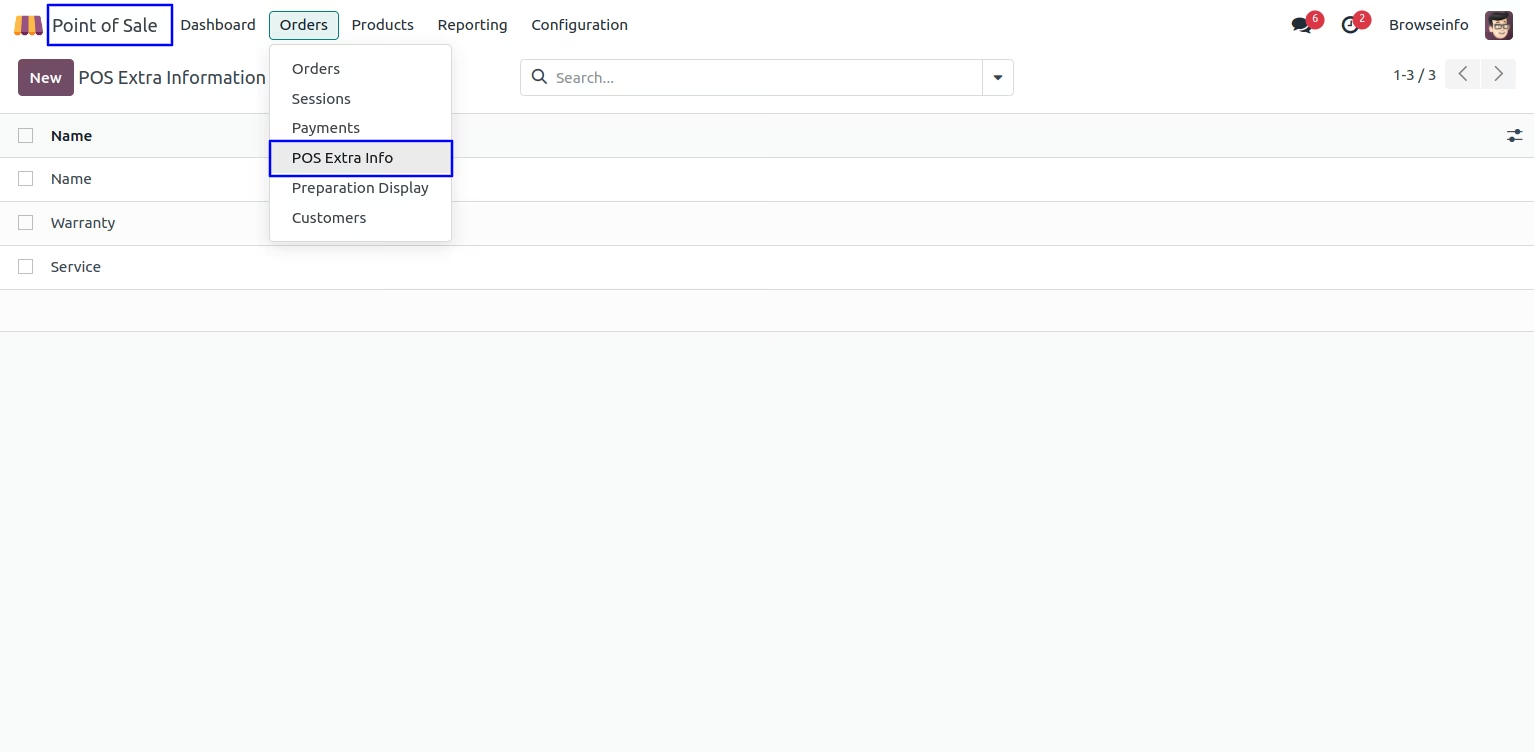
Under Point of Sale > Order > POS Extra Info menu user can create fields to add extra information to point of sale.
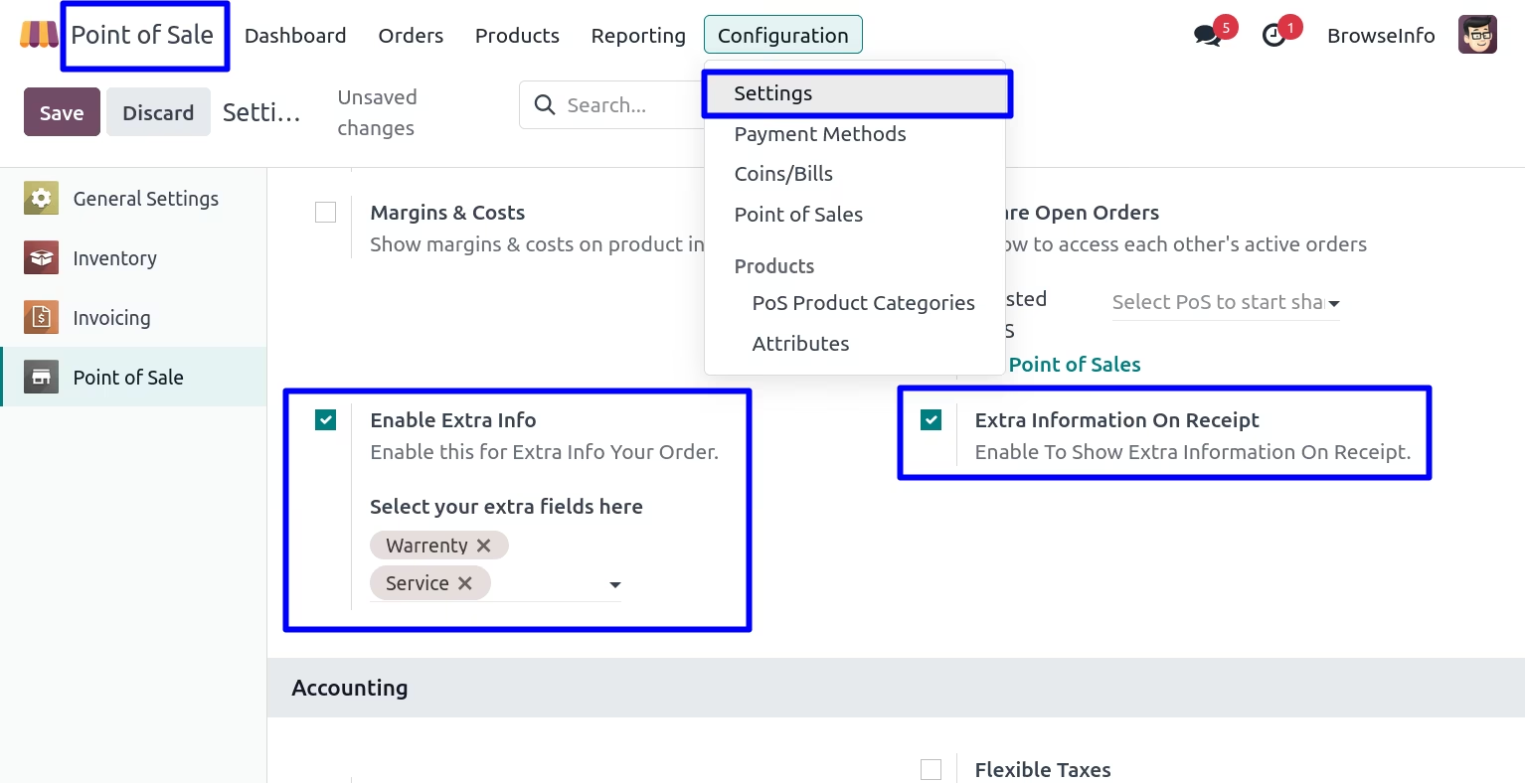
Configuration
User need to check "Enable Extra Info" option and select fields.
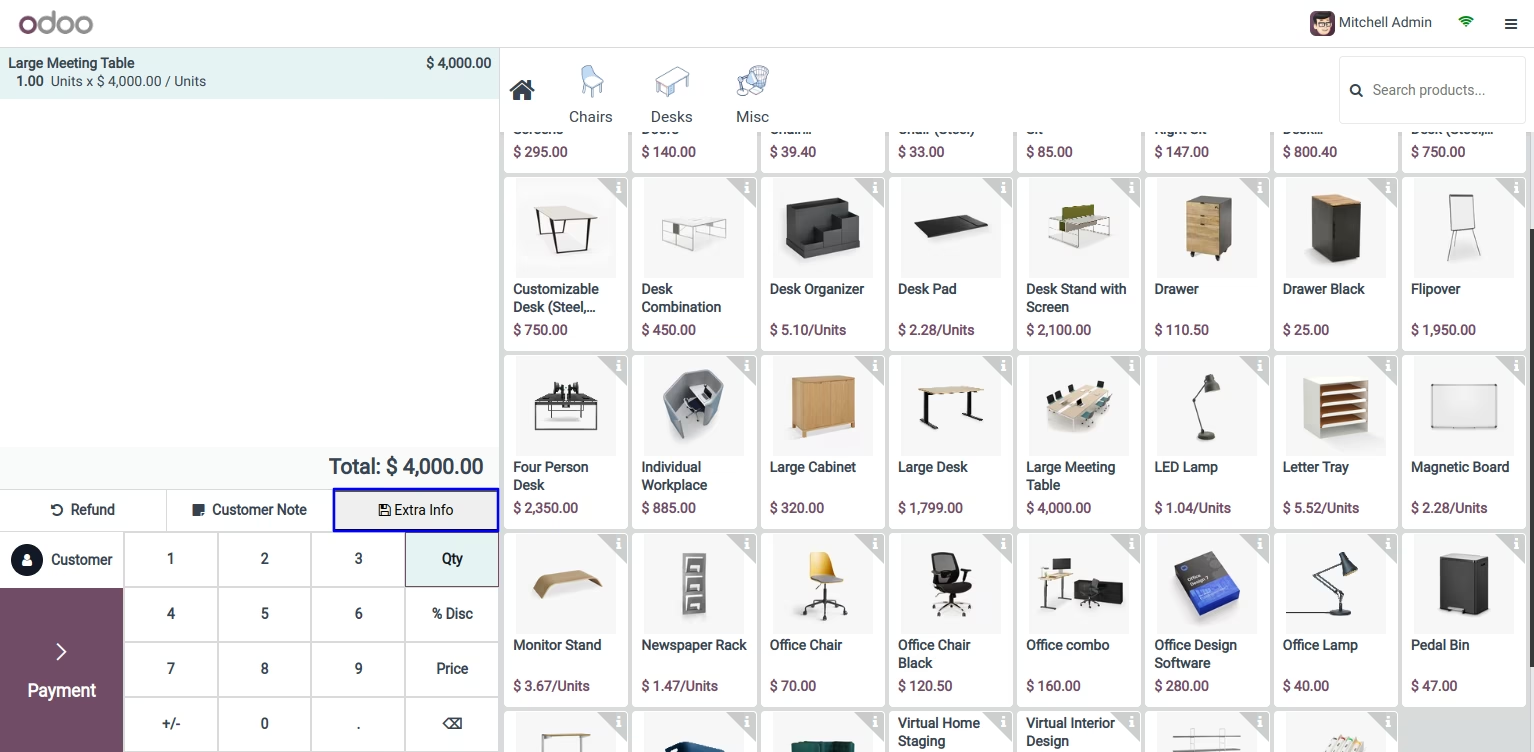
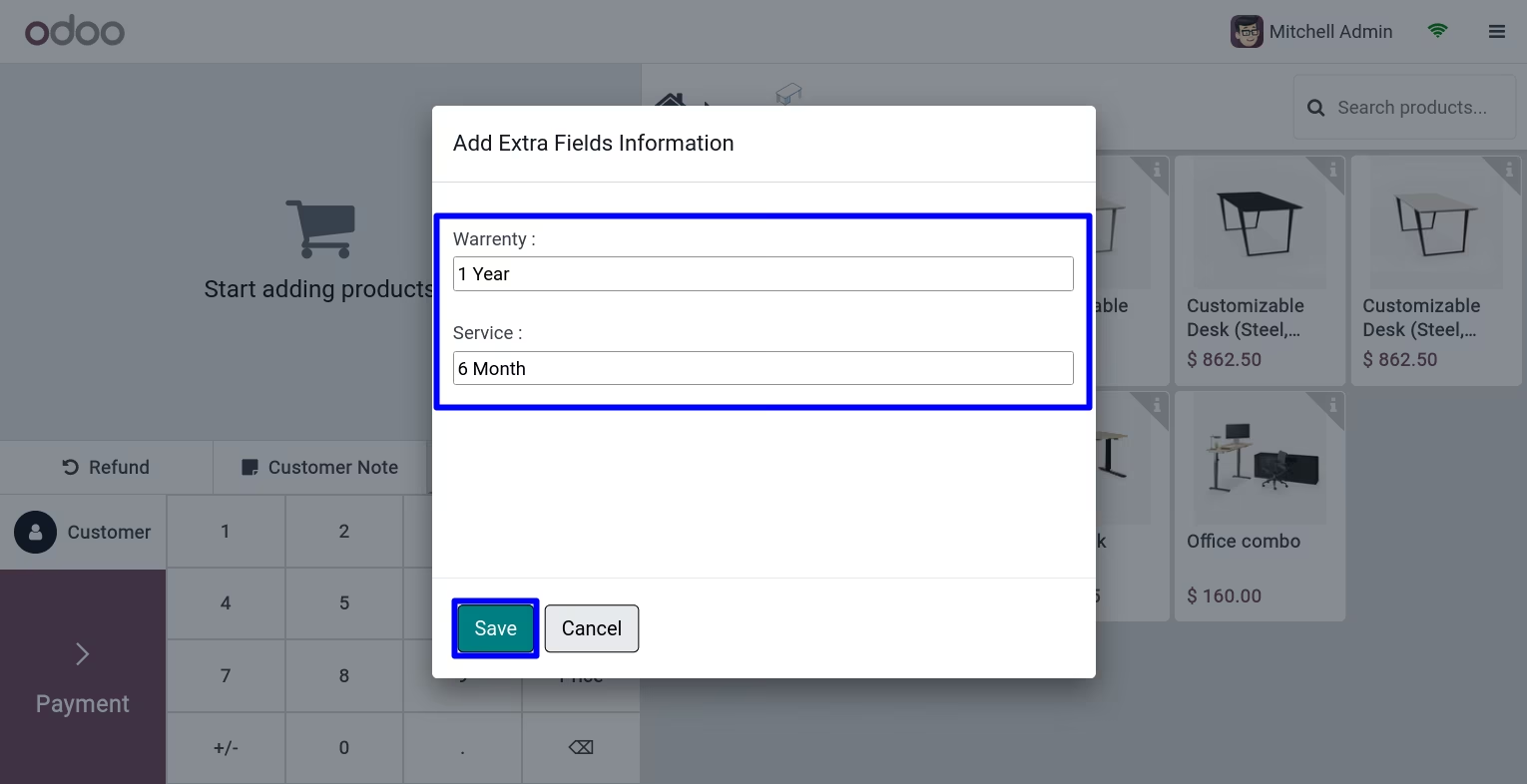
Add Extra Information
User can see "Extra Info" button on POS screen, on clicking that pop up will open, here user can add extra information for point of sale order.
Extra Information On Receipt
User can see added extra information on point of sale receipt.

Extra Information On POS Order
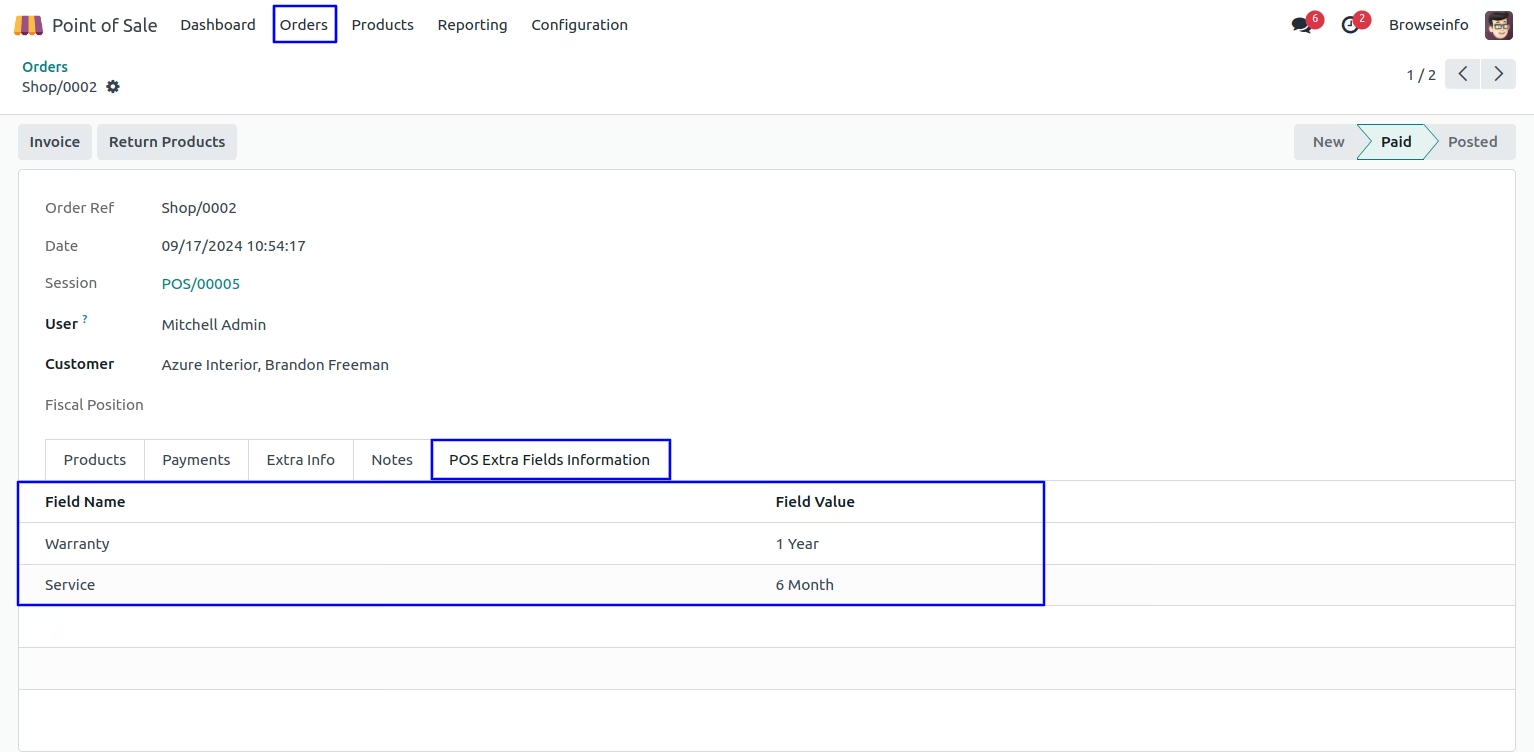
User can see added extra information on point of sale under "POS Extra Fields Information" tab.
Version :
17.0.0.0
20 Jan 2026
Initial release of the app.