Enhance your payment tracking and record-keeping with the Add Manual Cheque Number module. This straightforward and user-friendly tool adds the functionality to manually input cheque numbers and even upload cheque images when registering payments for invoices. Whether you are processing a payment at the time of invoice validation or for an already validated payment, this module provides the flexibility to add essential cheque details, ensuring a more complete and accurate financial record.
Key Features
Manual Cheque Number Entry: Add a unique cheque number to each payment transaction.
Cheque Image Upload: Option to upload an image of the cheque for complete record-keeping.
Flexible Workflow: Add cheque details both when registering a new payment and for already validated payments.
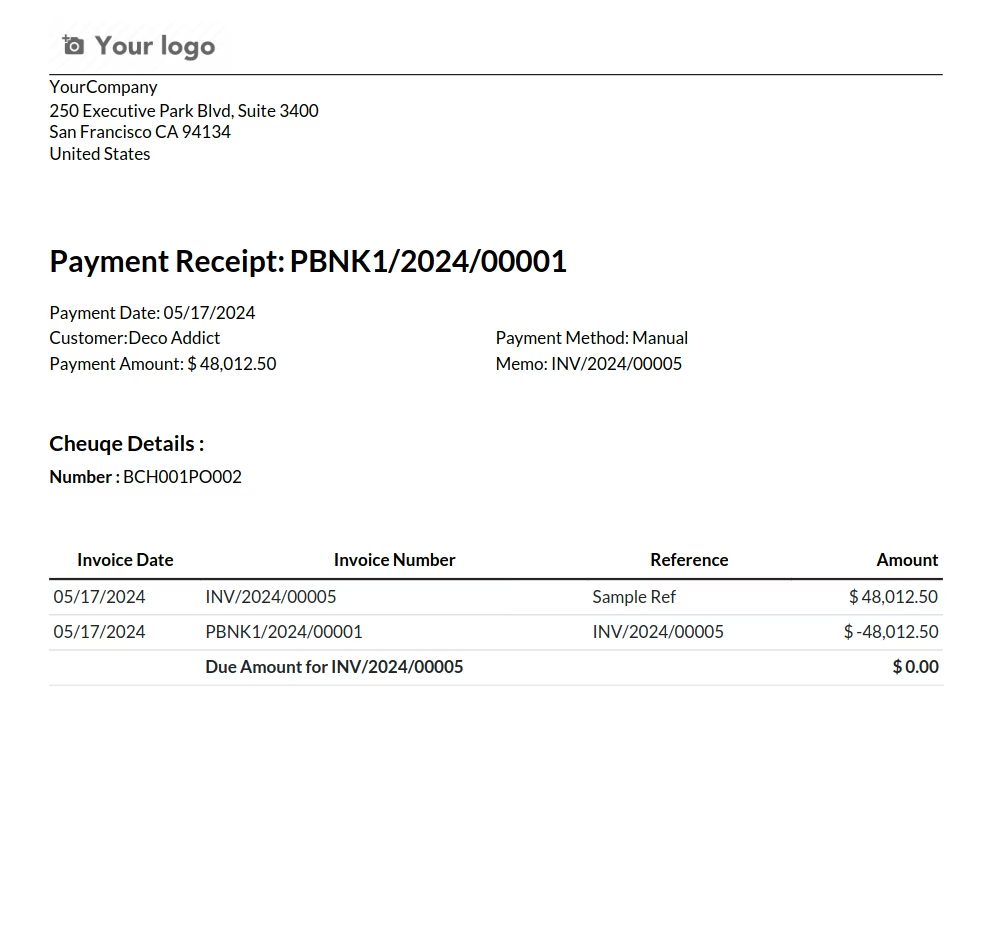
Payment Report Integration: The added cheque number is automatically included in the printed payment report for easy reference.
Seamless Integration: Works smoothly with invoicing and accounting modules.
Benefits
Improved Tracking: Easily track and reconcile cheque payments with a dedicated cheque number field.
Enhanced Record-Keeping: Maintain a more complete and accurate record of all your financial transactions.
Reduced Errors: Minimize the risk of errors and discrepancies in your accounting records.
Increased Transparency: Provide a clear and transparent audit trail for all cheque payments.
Streamlined Reconciliation: Simplify the bank reconciliation process by easily matching cheque numbers.
Add Cheque Number and Image on Payment App
Add Cheque Details on Payment
Add Cheque Number and Image to Payments
Attach Cheque Image to Account Payment Apps
Add Manual Check Number on Account Payment Apps

Add Cheque Number and Image on Account Payment app helps user to add cheque number and image on payment, User can add both cheque number and image while registering payment for invoice and also can add for validated payment, Added check number can printed on payment report.

Add Cheque Number on Payment.
User can add cheque number on payment.

Add Cheque Image on Payment.
User can add cheque image on payment.

Print Cheque Number on Payment Report.
Added cheque number also printed on payment report.

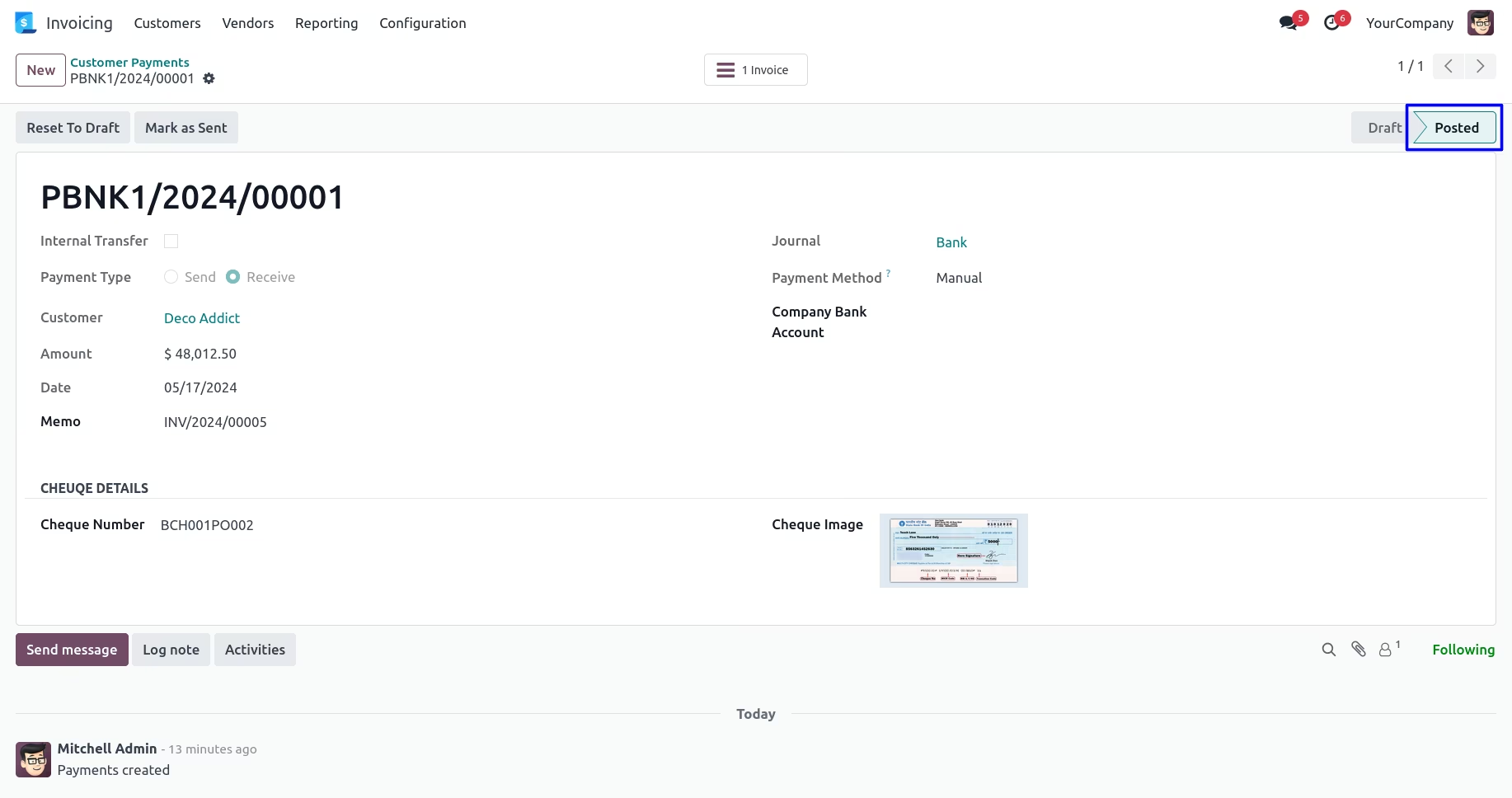
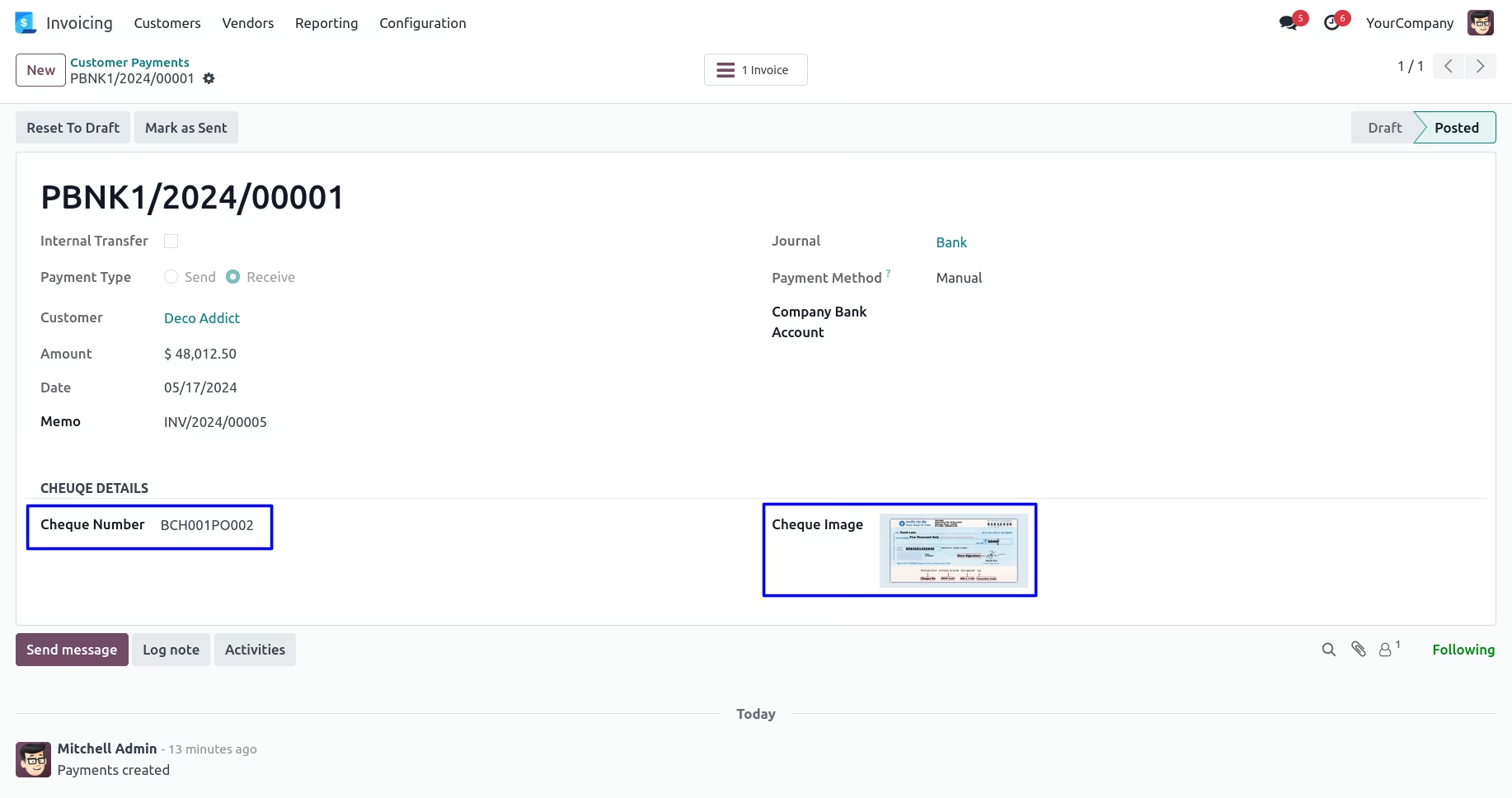
Add Cheque Number & Image for Validated Payment.
User can add cheque number and image while registering payment or validated payment.
Add Cheque Number and Image while Registering Payment
Add Cheque Number and Image
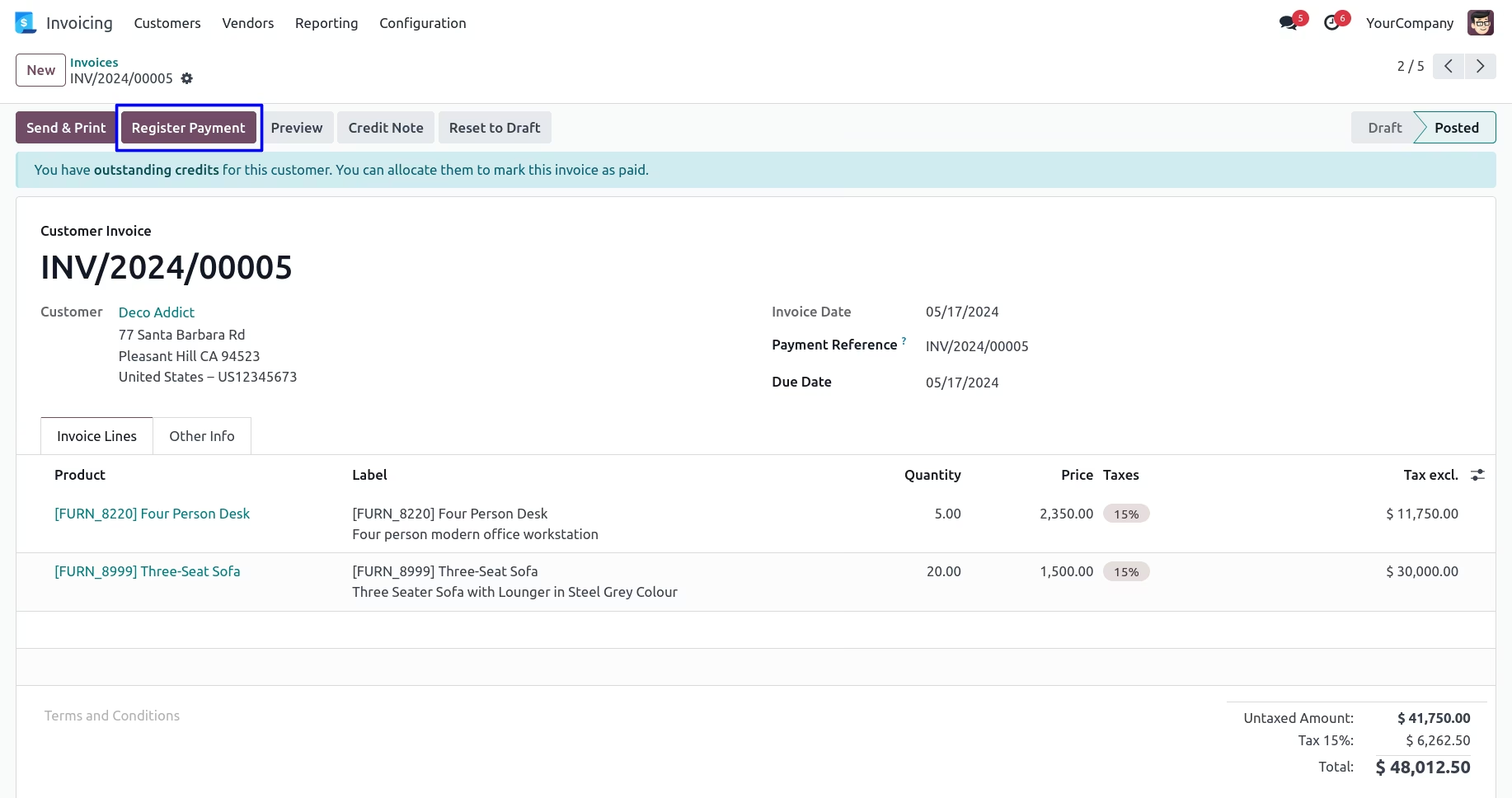
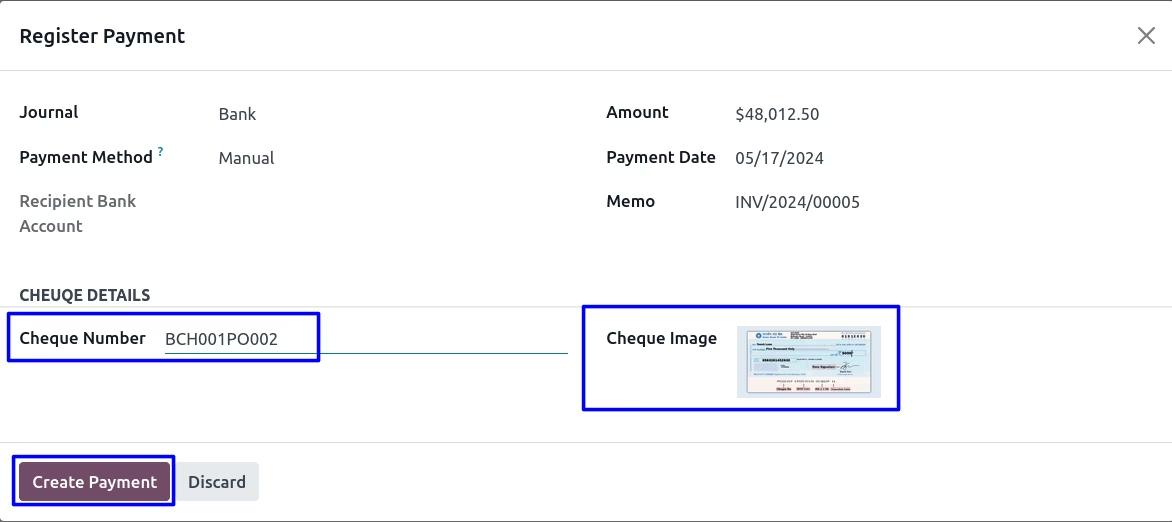
On Register Payment wizard user can add "Cheque Number" and "Cheque Image" for a payment.
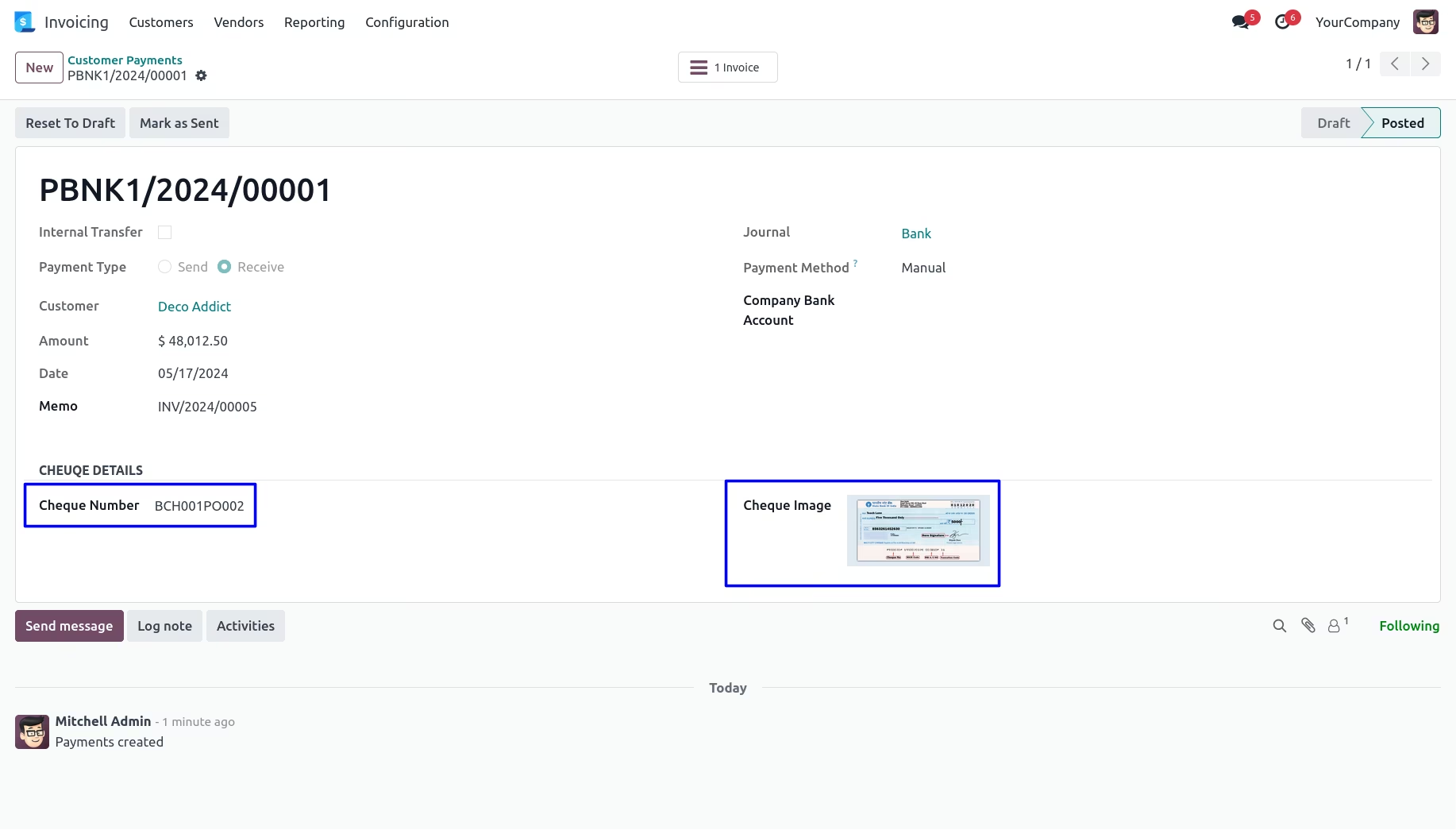
Cheque Number and Image on Payment
User can see added cheque number and image on create payment.
Cheque Number on Payment Report
User can see printed payment report with added check number.
Add Cheque Number and Image for Validated Payment
User can add cheque number and image even payment is validate as shown bellow.
Version :
17.0.0.0
20 Jan 2026
Initial release of the app.