Elevate your team's productivity and task management with the all-in-one Activity Management. This comprehensive tool is designed to administer, track, and monitor all activities assigned to employees across your organization. From a centralized dashboard, you can gain a clear overview of your daily to-dos, prioritize tasks, and monitor progress through various intuitive views like kanban, calendar, pivot, and graph. By providing an efficient way to manage and assign activities, this module ensures seamless collaboration and helps keep your entire team aligned and on track.
Key Features
Centralized Activity Dashboard: Get a complete overview of all activities, including tiles for planned, completed, overdue, and today's tasks.
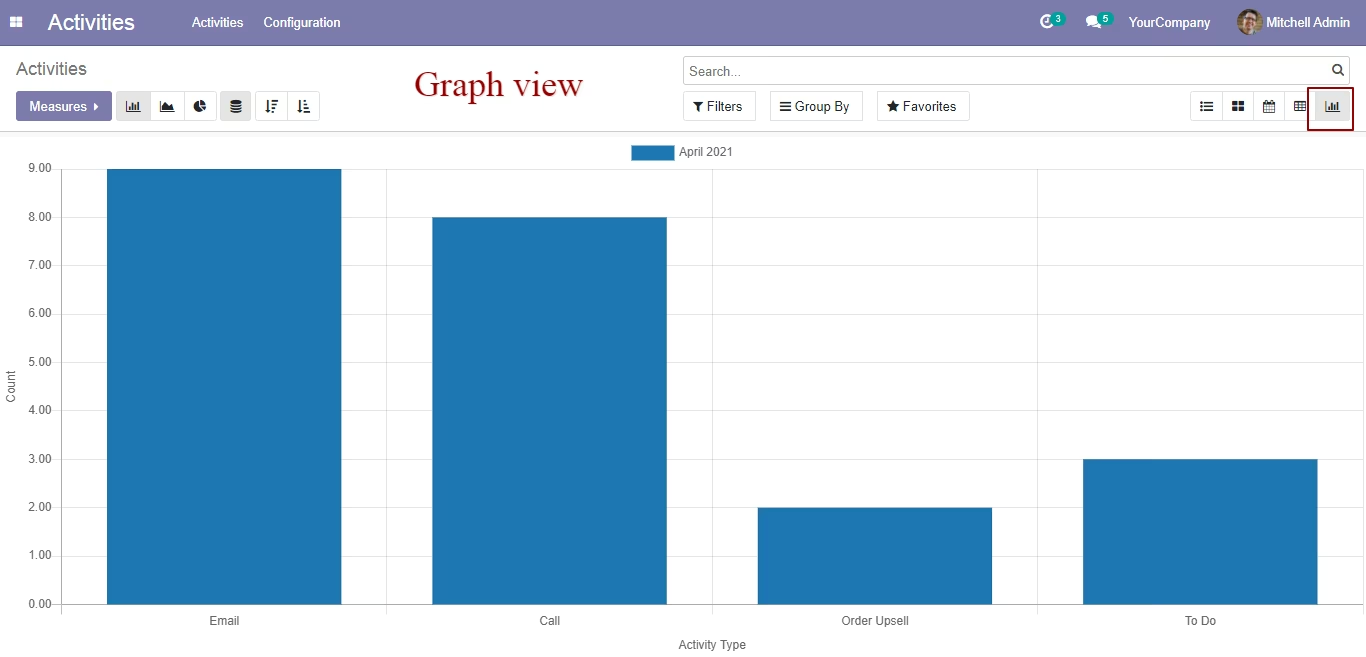
Multiple Views: Track and manage activities using a variety of views, including list, kanban, calendar, pivot, and graph, to suit your workflow.
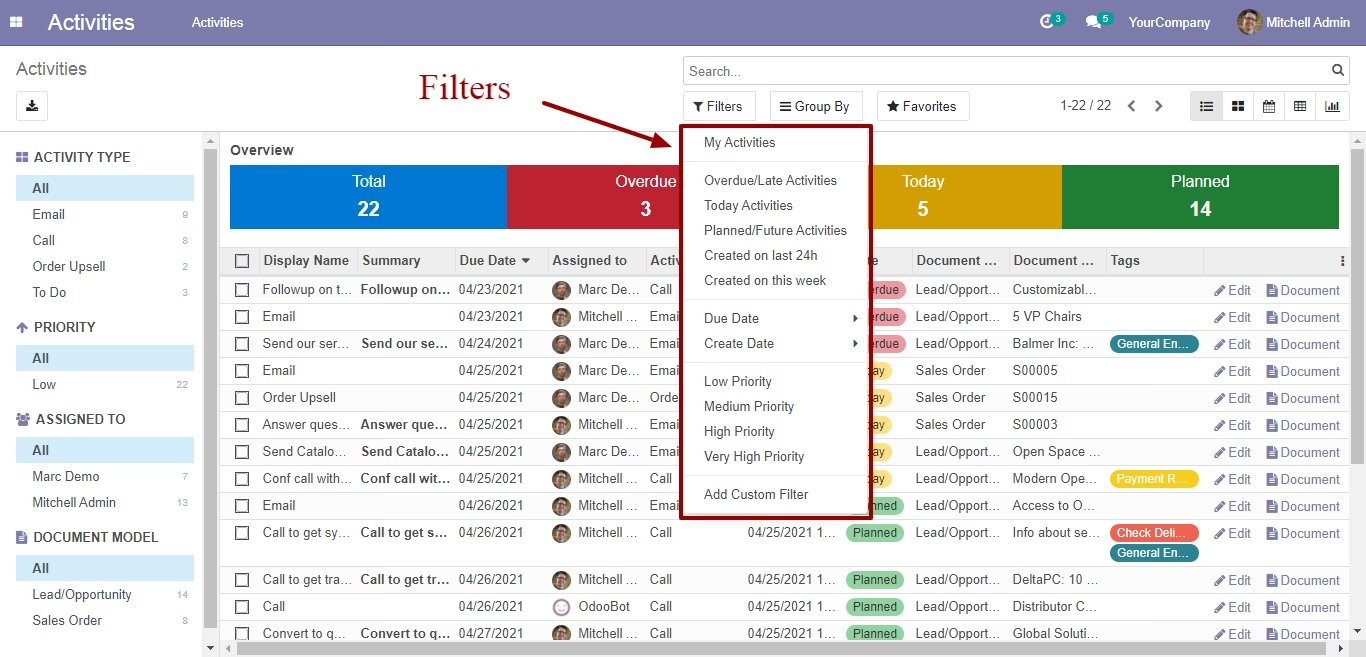
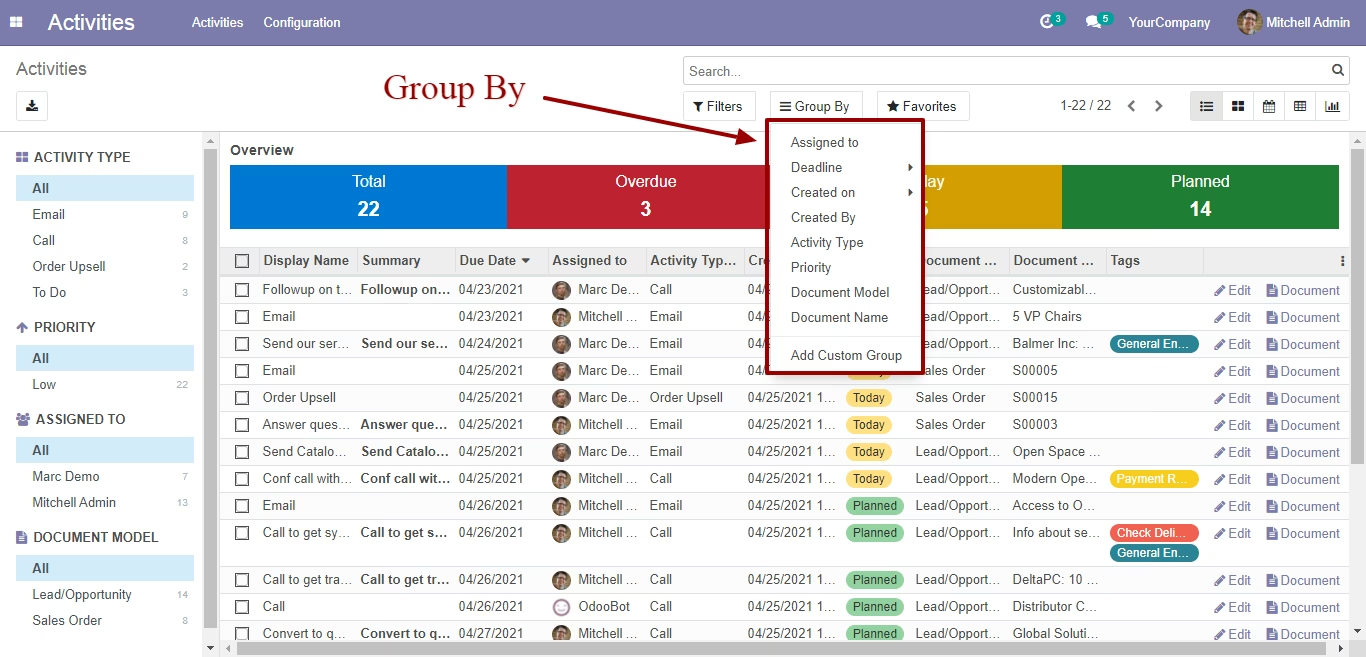
Advanced Filtering and Grouping: Easily filter and group activities by user, status, due date, tags, and more for targeted analysis.
User and Administrator Roles: Control data visibility with user and administrator security groups, allowing users to see their own activities and managers to see all activities.
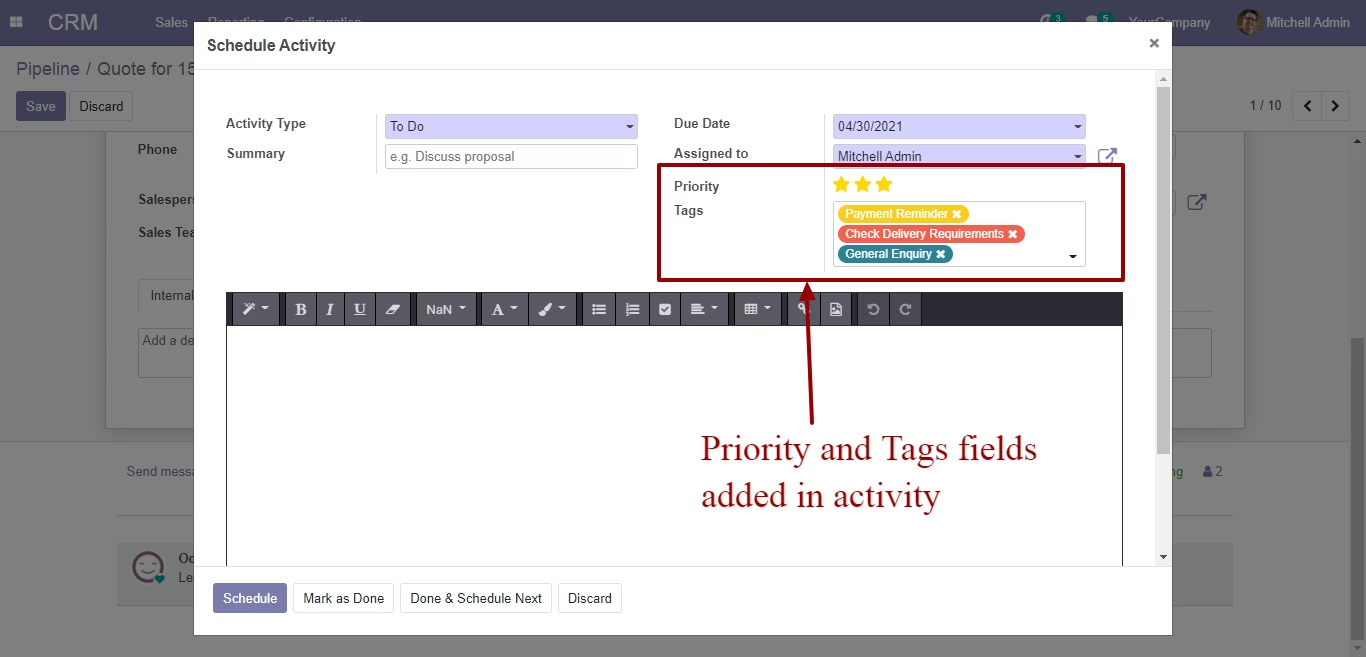
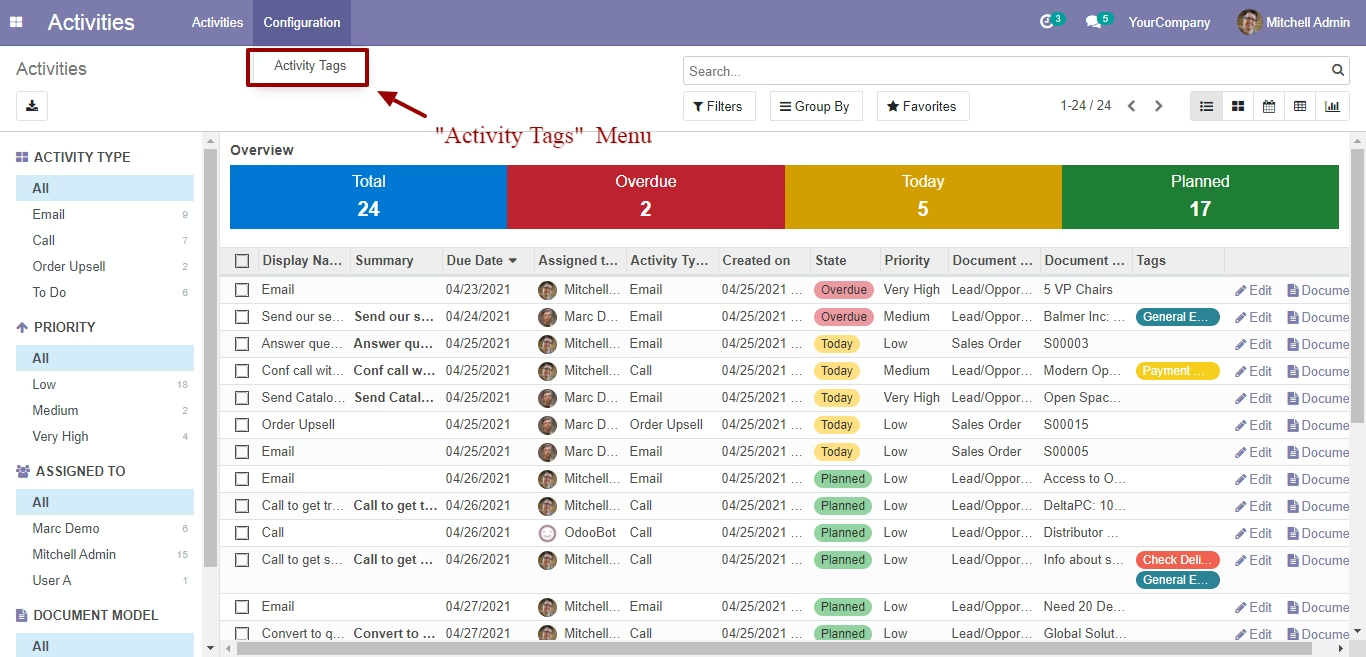
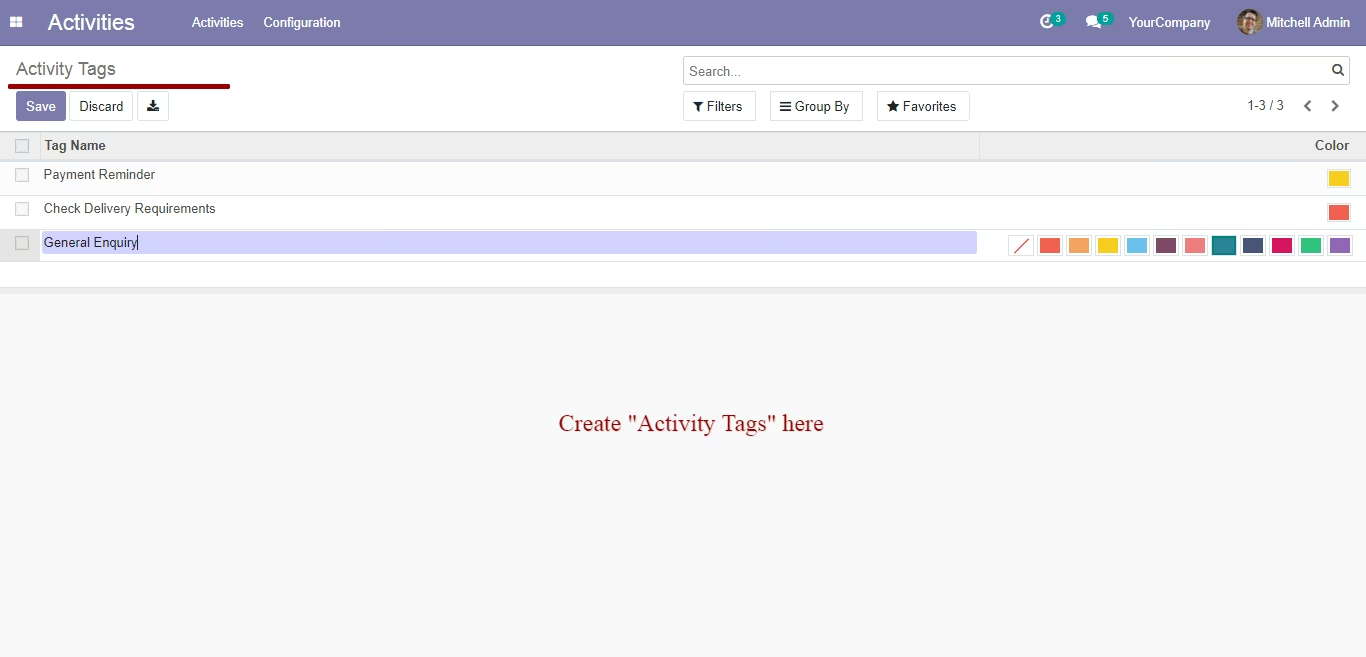
Activity Tags and Priority: Organize and prioritize your tasks with customizable activity tags and priority levels.
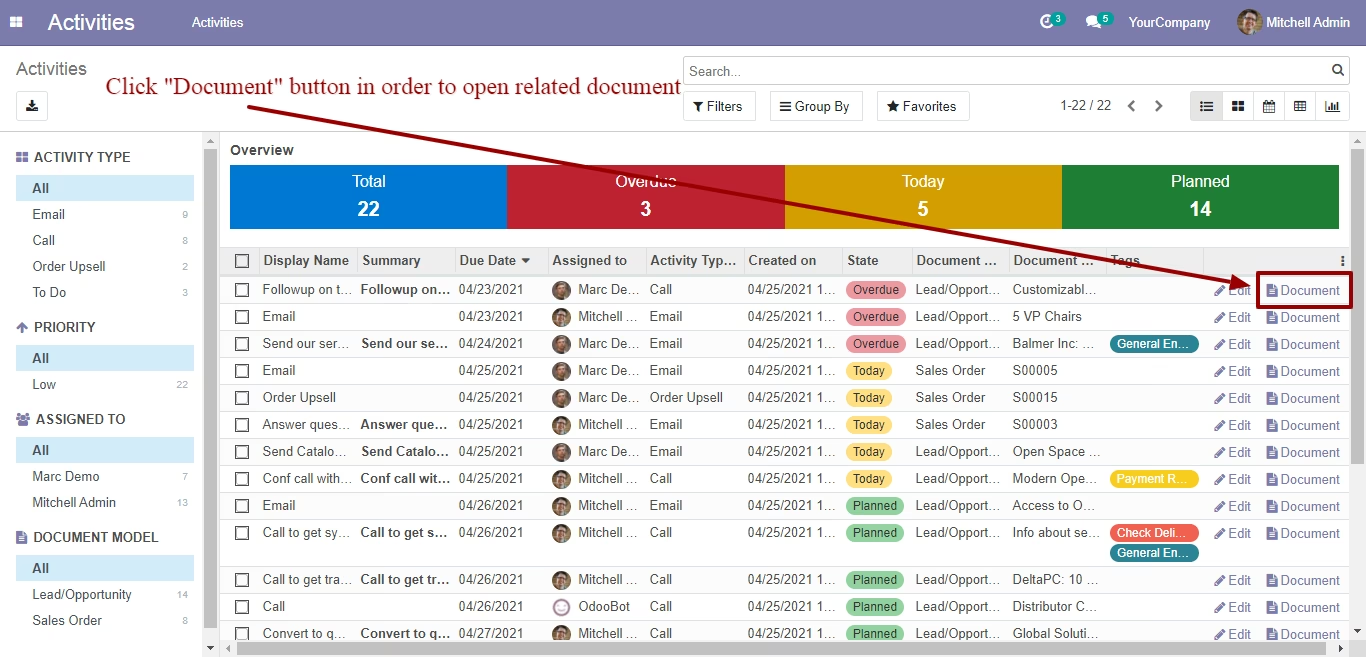
Direct Document Access: Quickly access the source document of any activity with a single click.
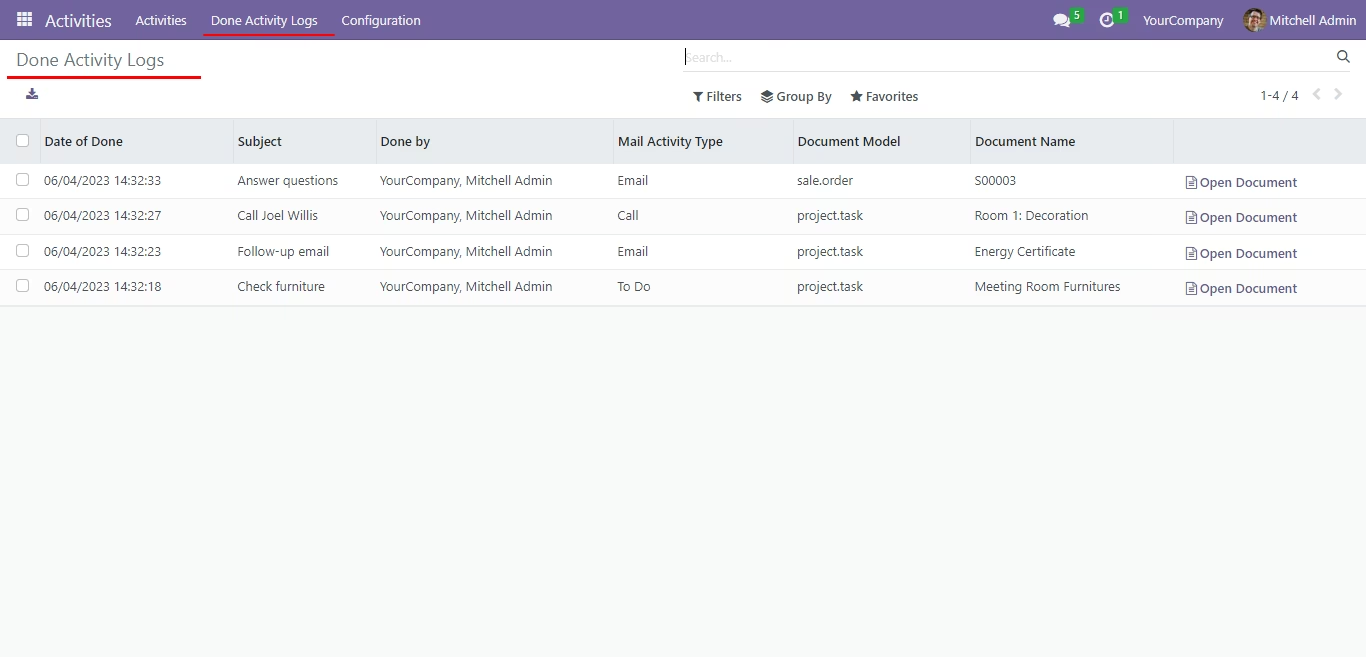
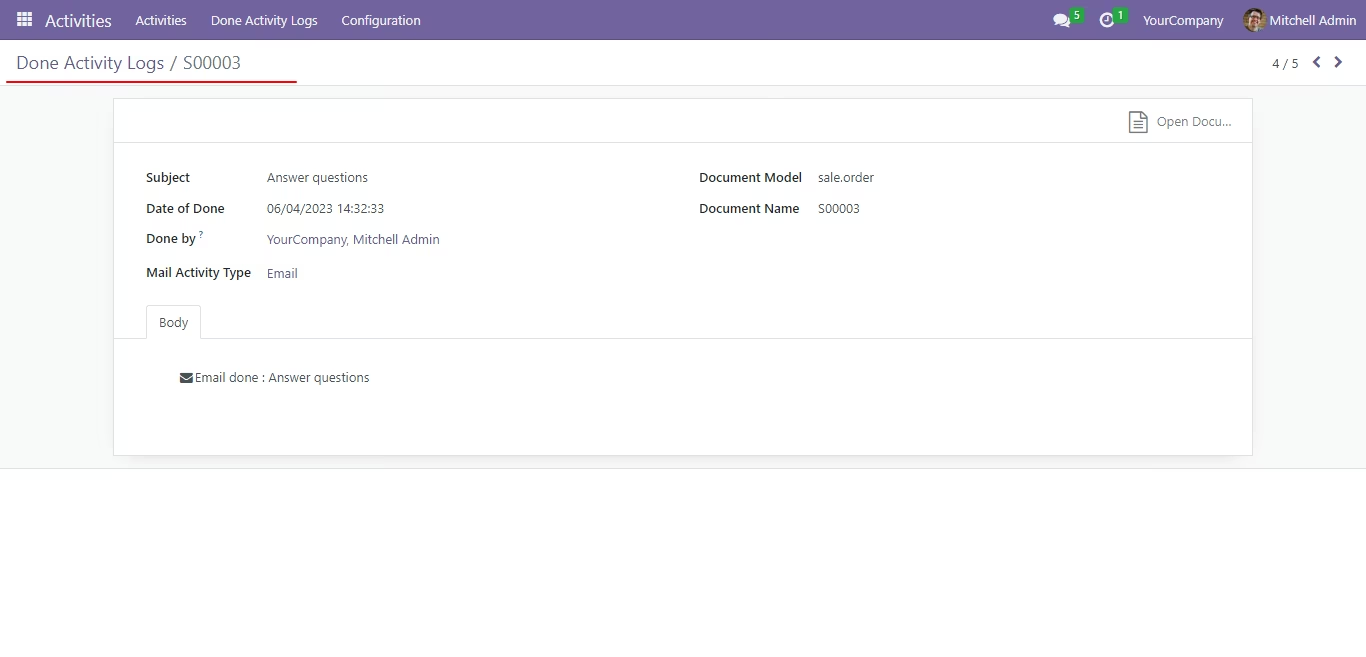
Done Activity Logs: Keep a complete history of all completed activities for future reference and analysis.
Benefits
Enhanced Productivity: Streamline your task management and improve team productivity with a centralized and organized system.
Improved Visibility and Control: Gain a clear and comprehensive overview of all activities across your organization.
Better Task Prioritization: Easily prioritize tasks and focus on what's most important with customizable tags and priority levels.
Seamless Collaboration: Foster better teamwork and communication by providing a single source of truth for all scheduled activities.
Data-Driven Insights: Use powerful reporting and analysis tools to gain insights into your team's performance and workload.
User-Friendly Interface: An intuitive and easy-to-use interface that makes activity management a breeze for all users.
Activity Management | Activity Dashboard | Activity Monitoring | Activity Views
Activity management is used to administer the activities assigned to employees in an organization. Prioritize your day and work the way you work then track them through views like list, kanban, calendar, pivot, graph and dashboards. Activity management provides an efficient way to manage and assign activities across the team to ensure harmony.
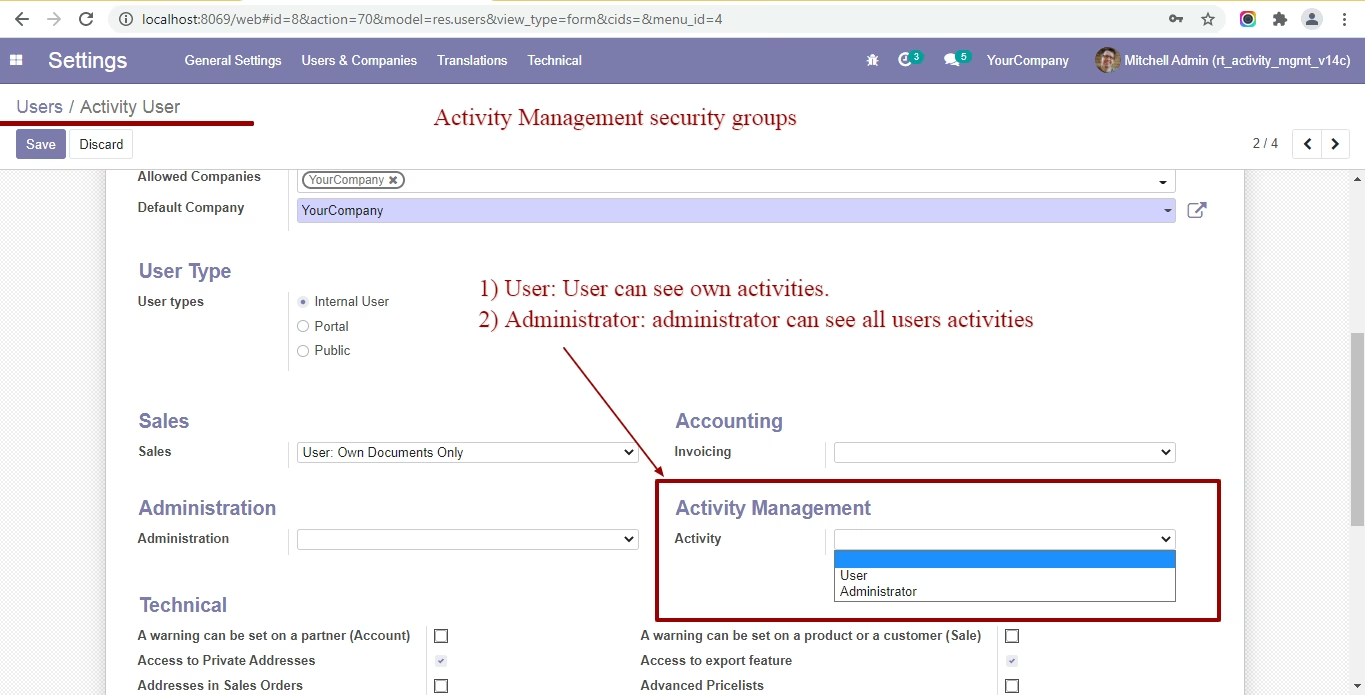
activity management security groups
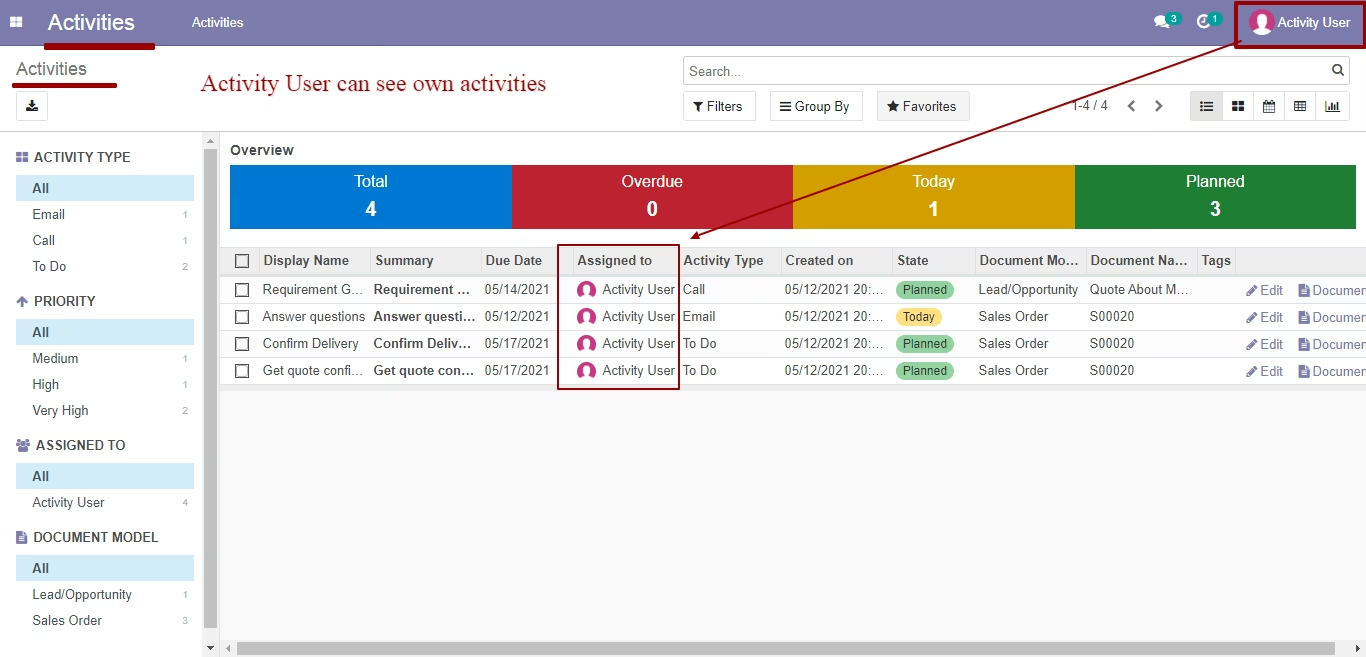
User: can see own activities
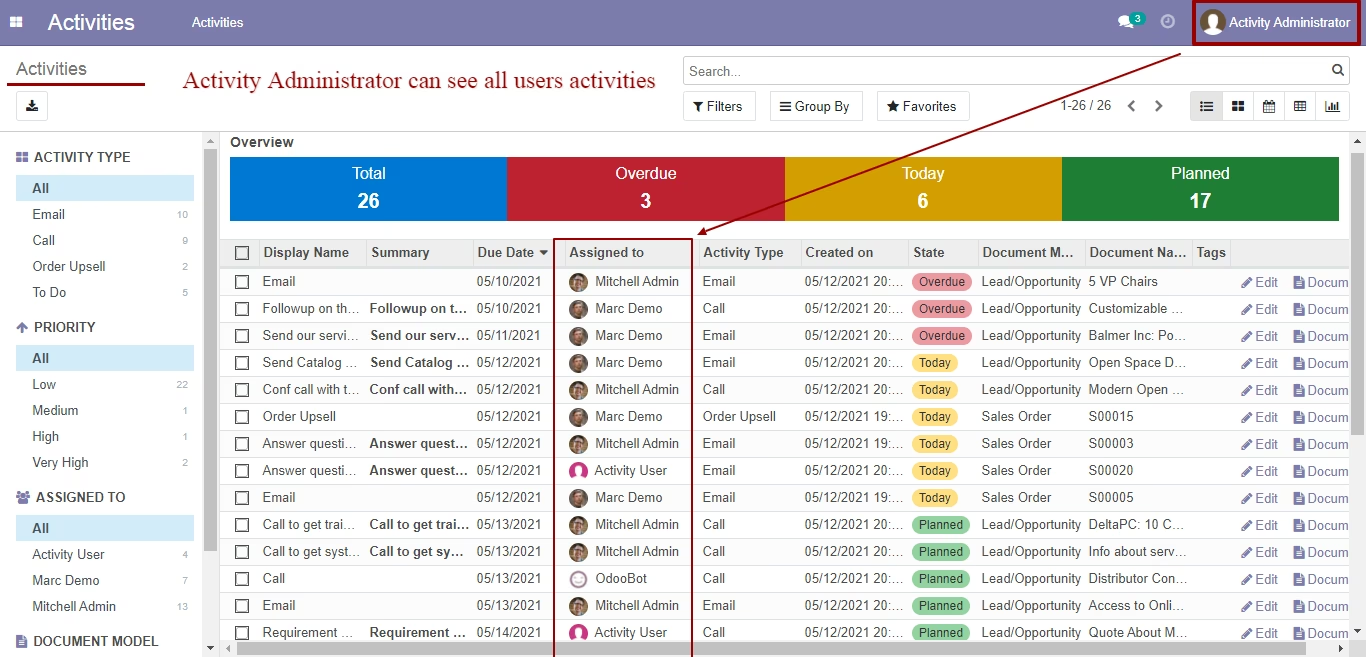
Administrator: can see all user activities
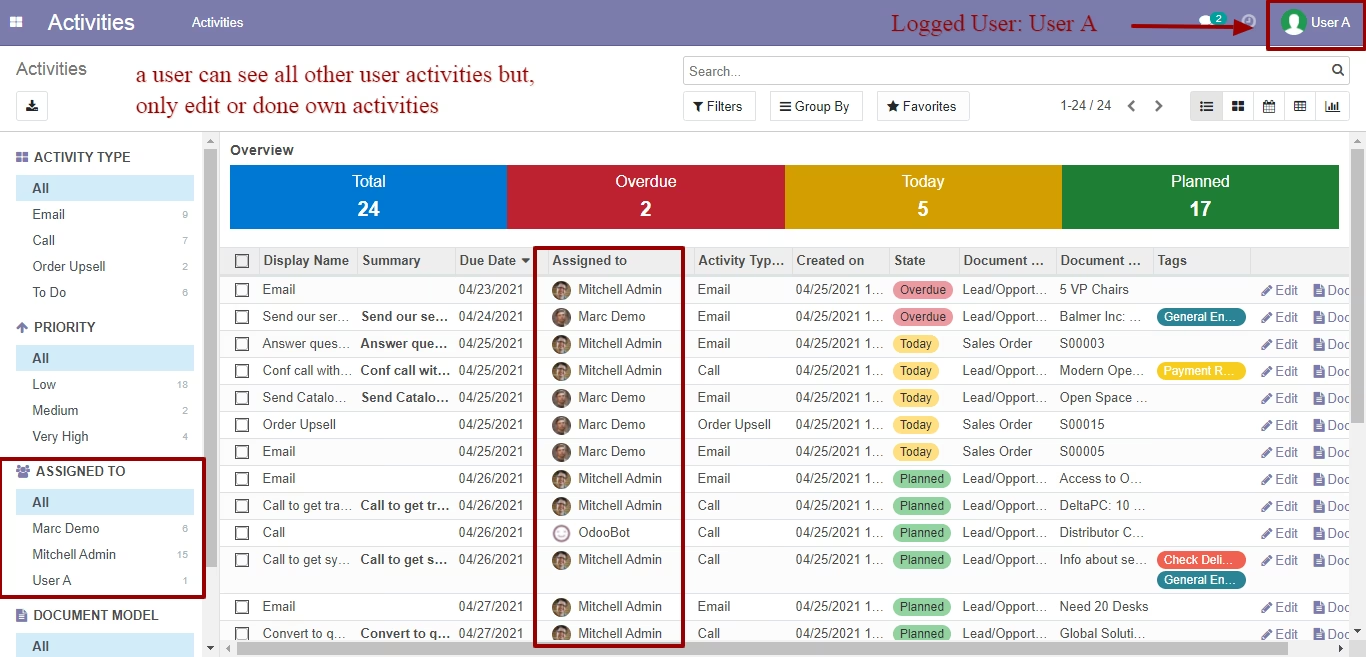
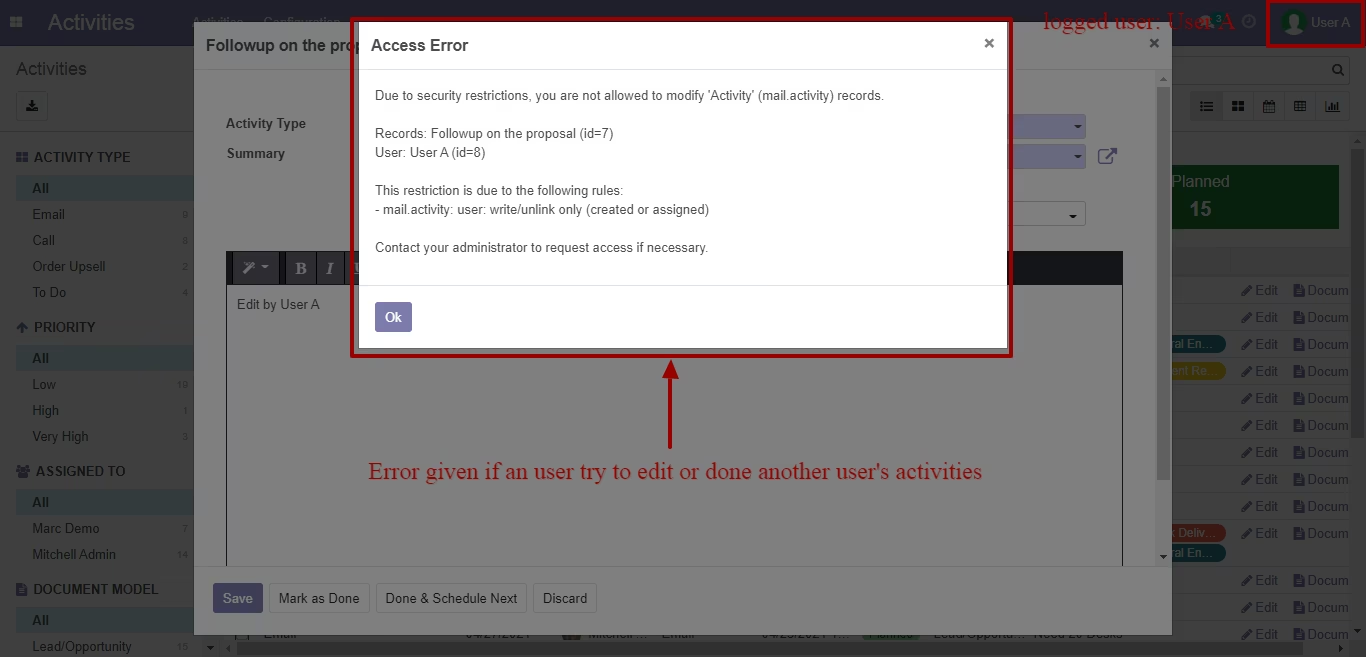
Note: if you don't' choose any security groups means standard odoo flow (A user can see all other user activities but, only edit or done own activities).
Activity User can see own activities
Activity Administrator: can see all user activities
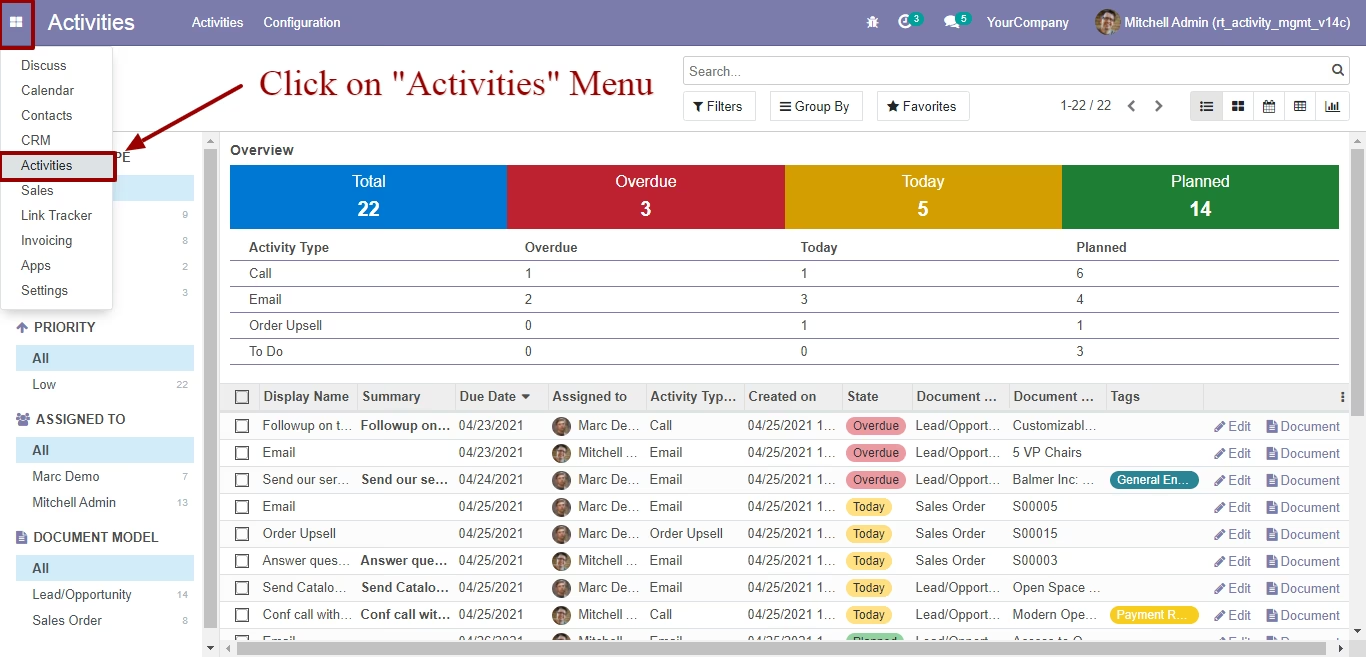
Click on "Activities" Menu
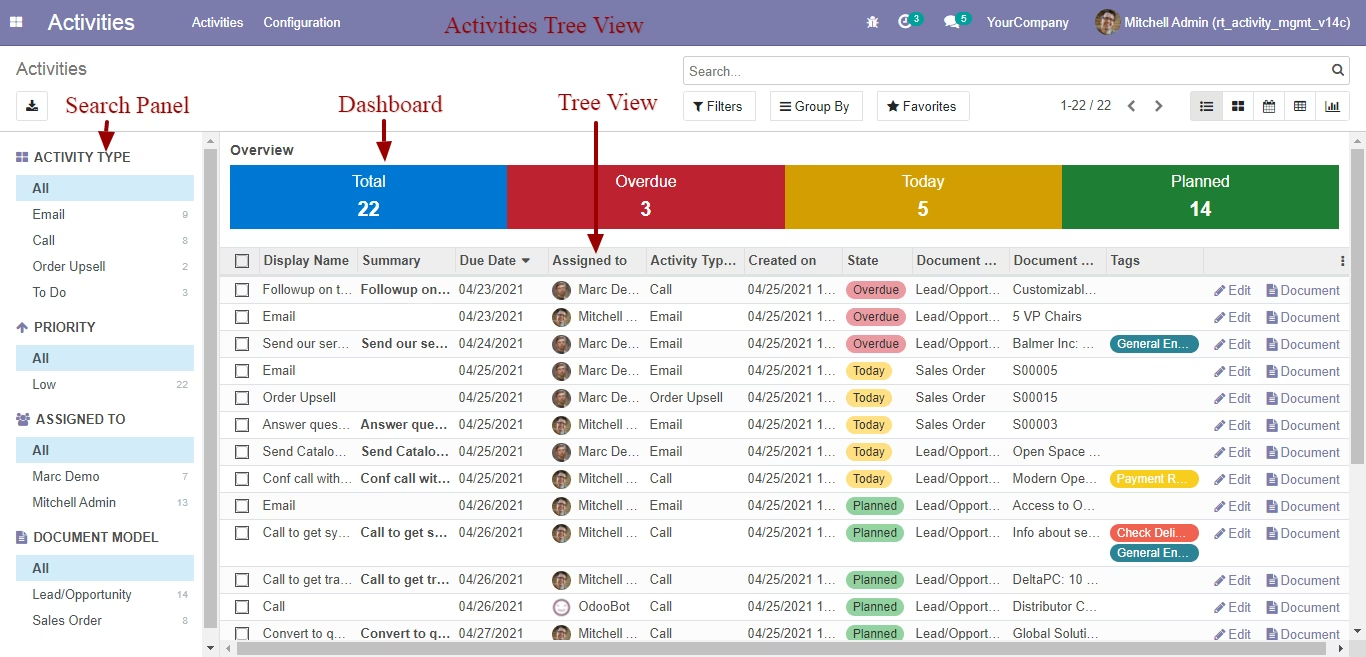
Activity Tree View
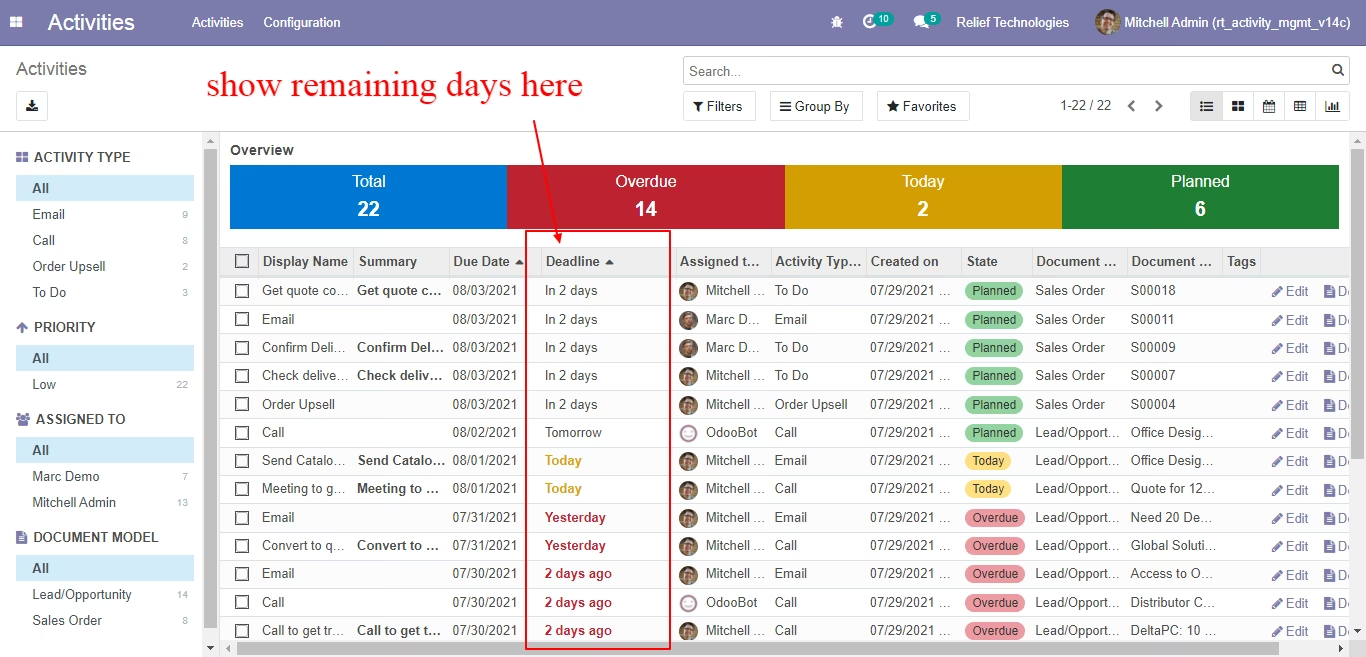
Show remaining days in tree view
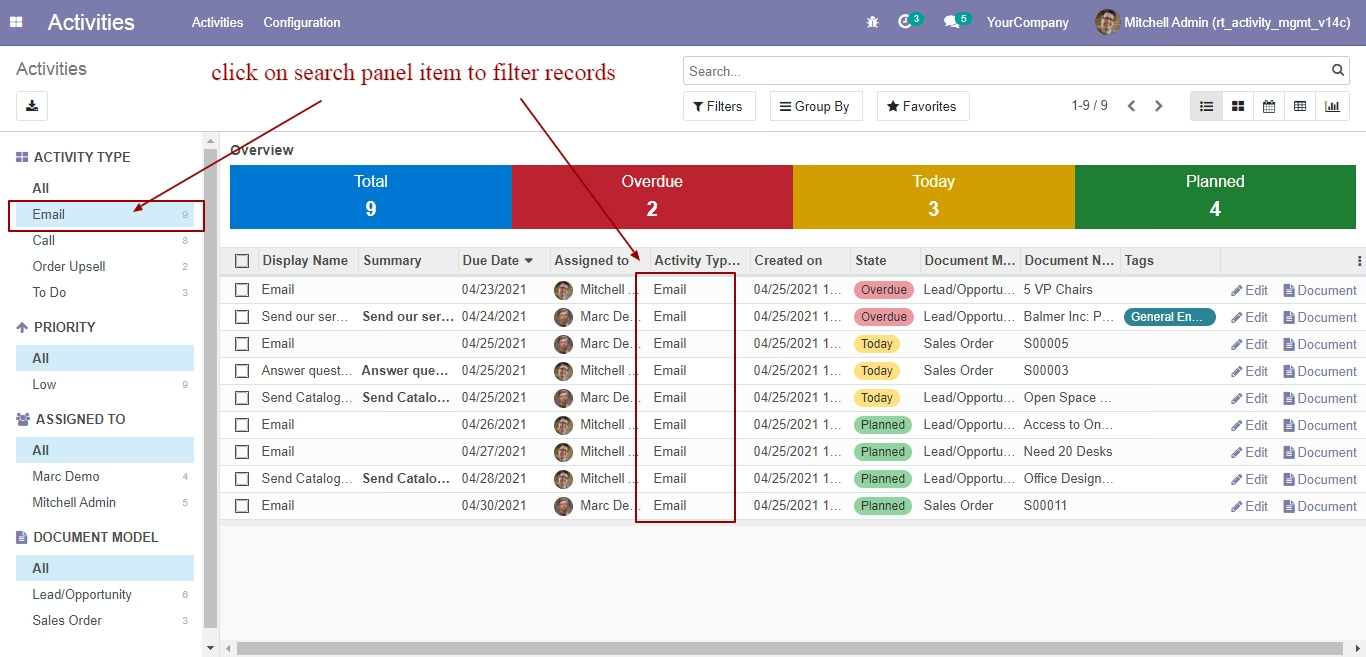
Click on search panel item to filter records
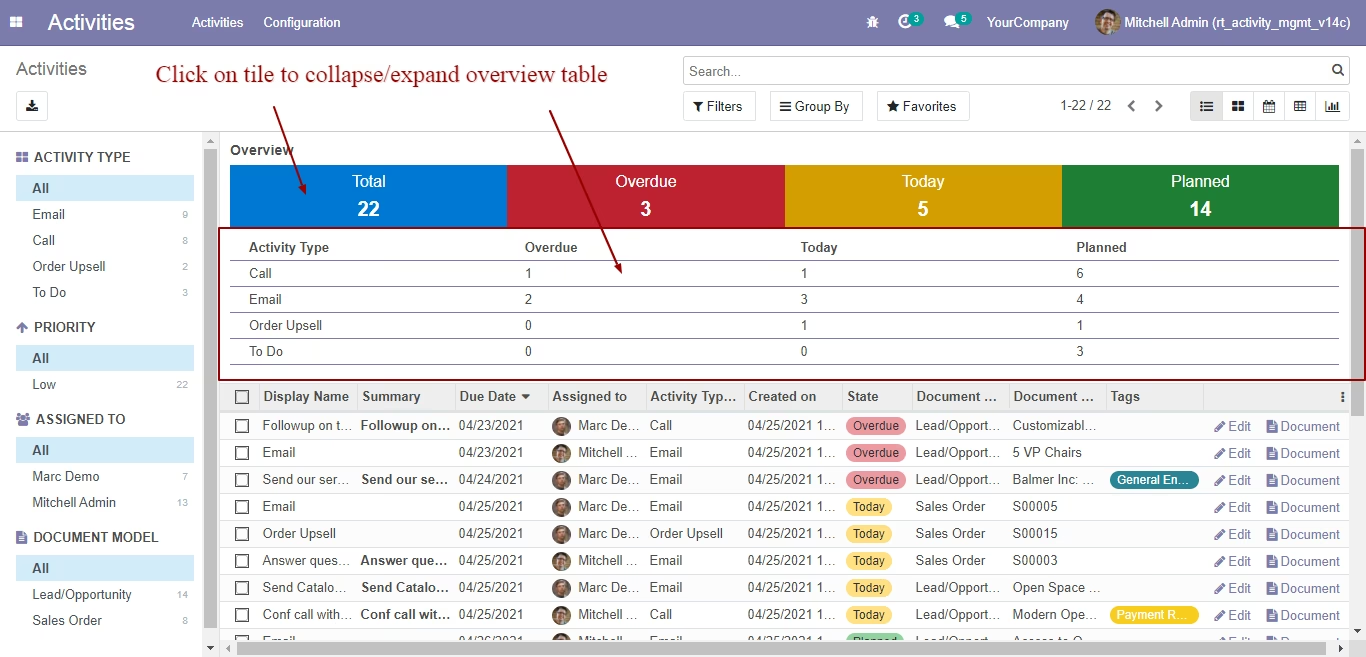
Click on tile to collapse/expand overview table
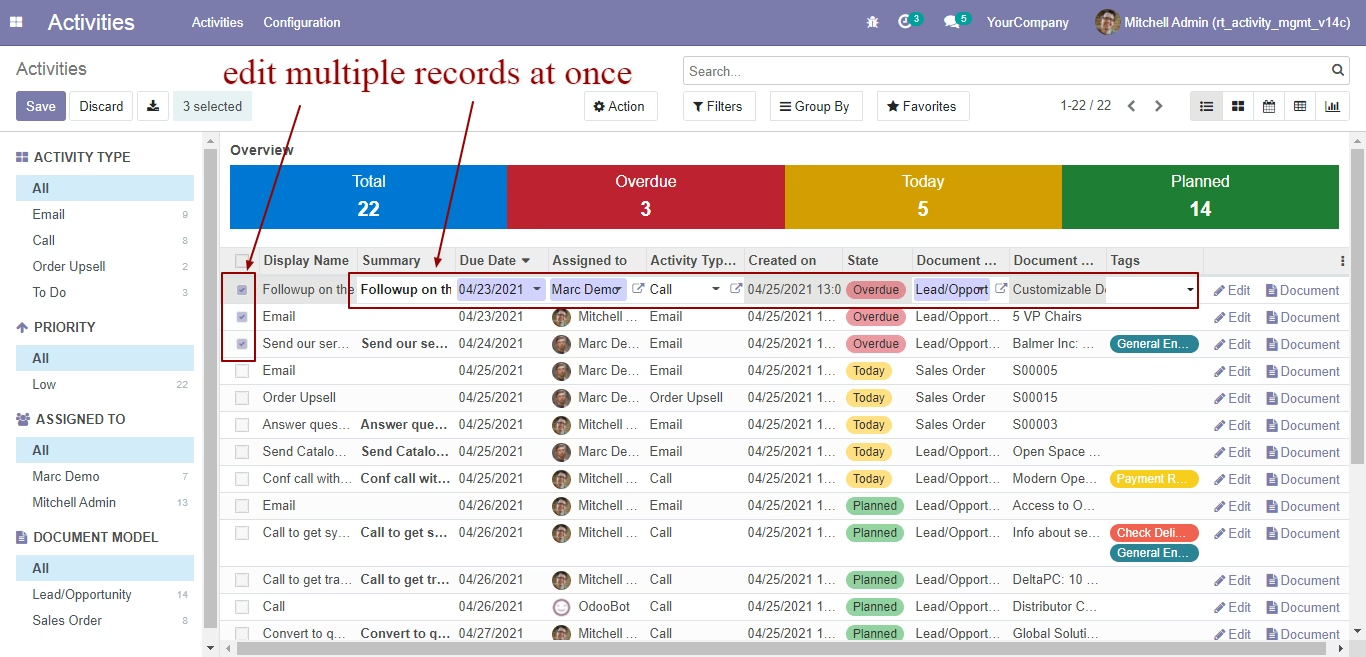
Edit multiple records at once
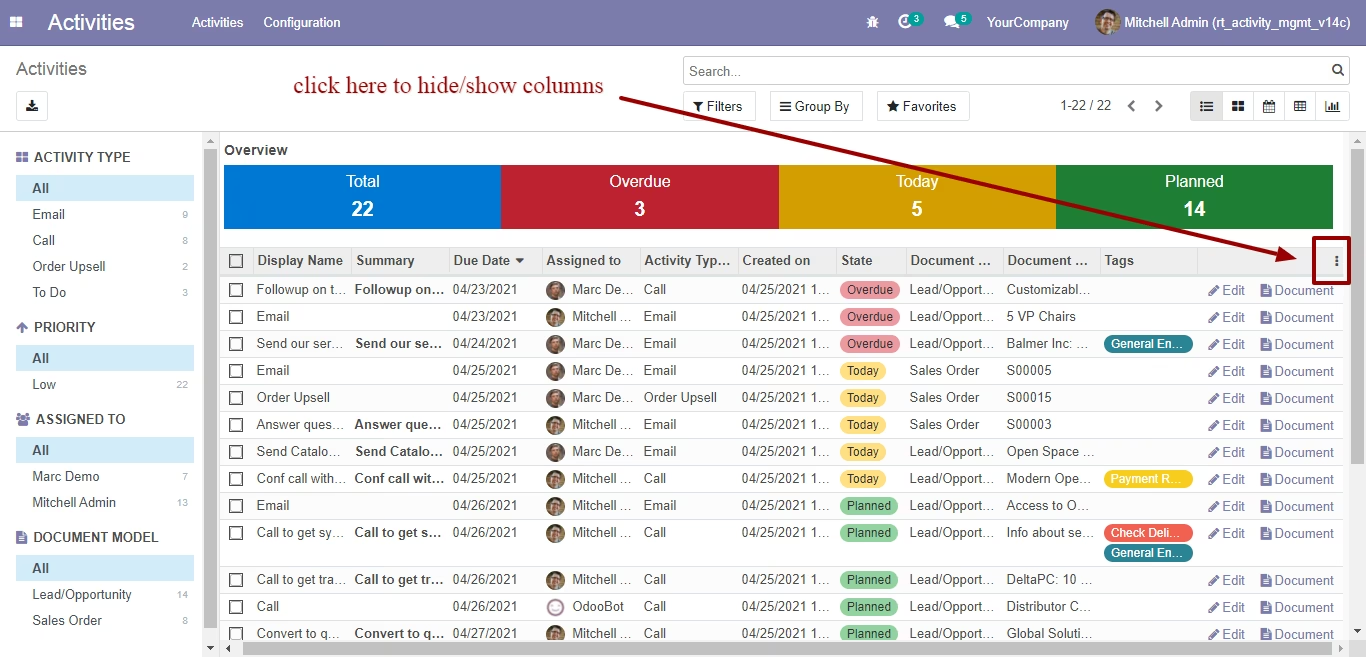
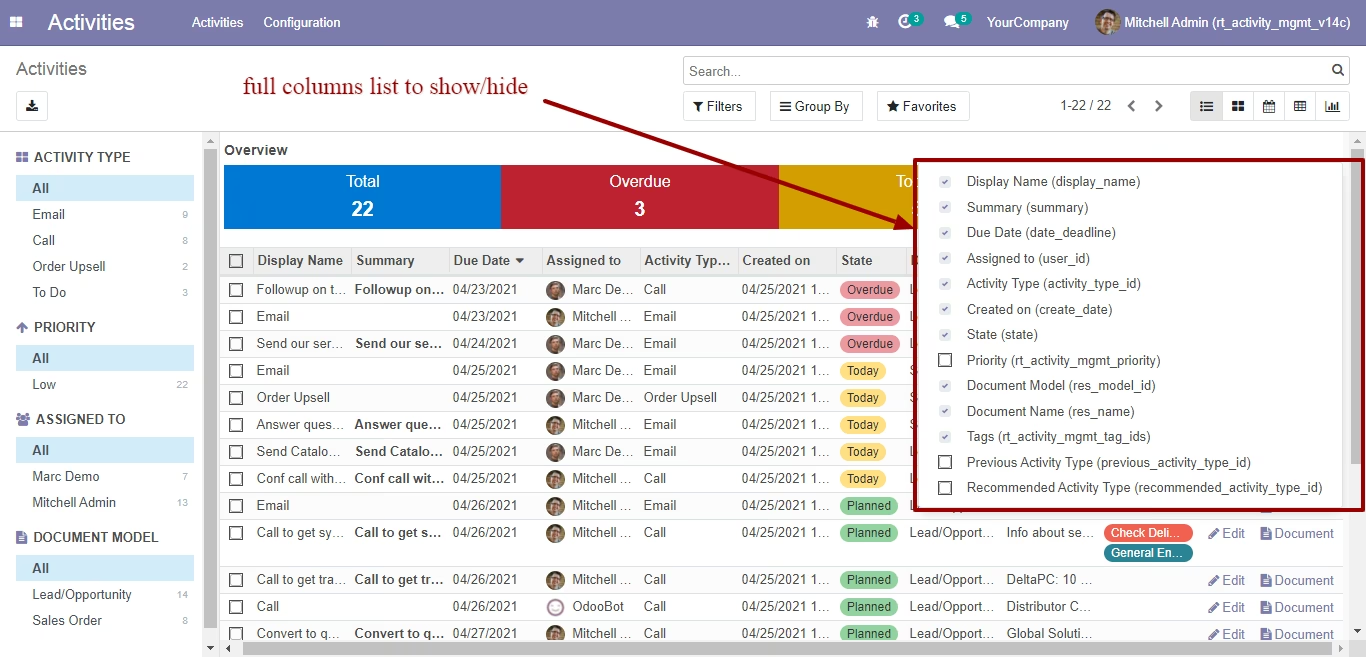
Click here to hide/show columns
full columns list to show/hide
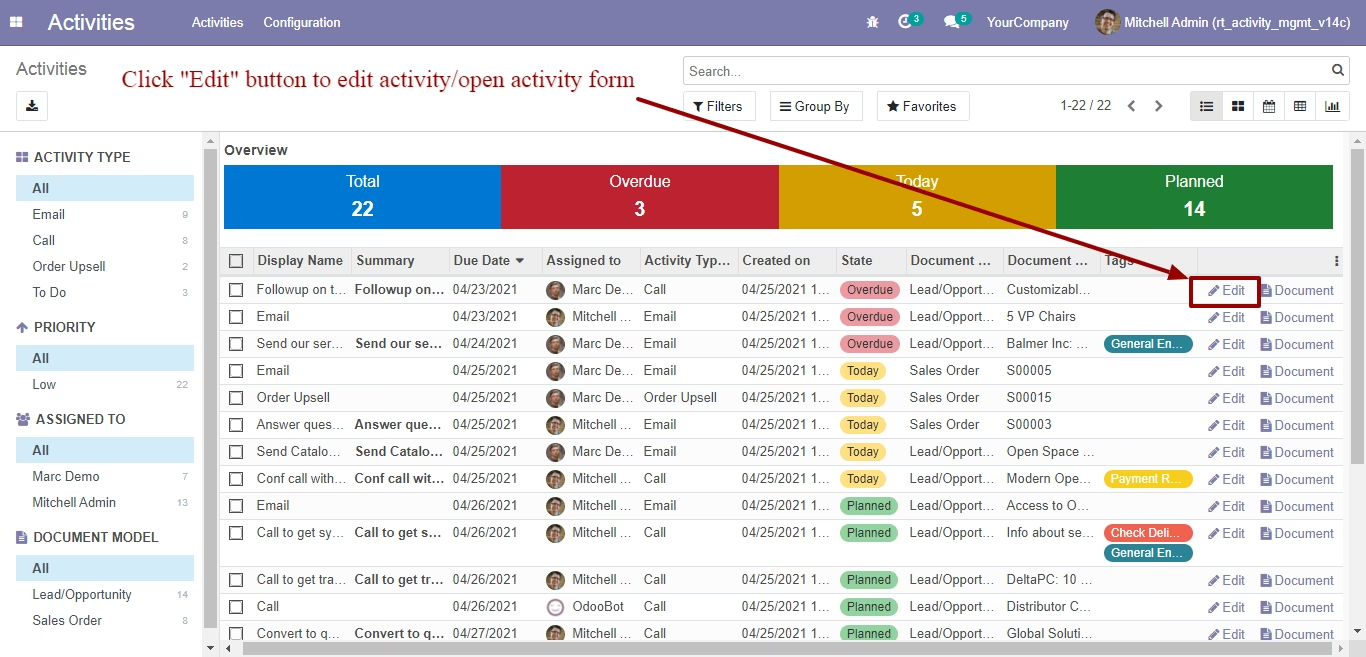
click "Edit" button to edit activity/open activity form
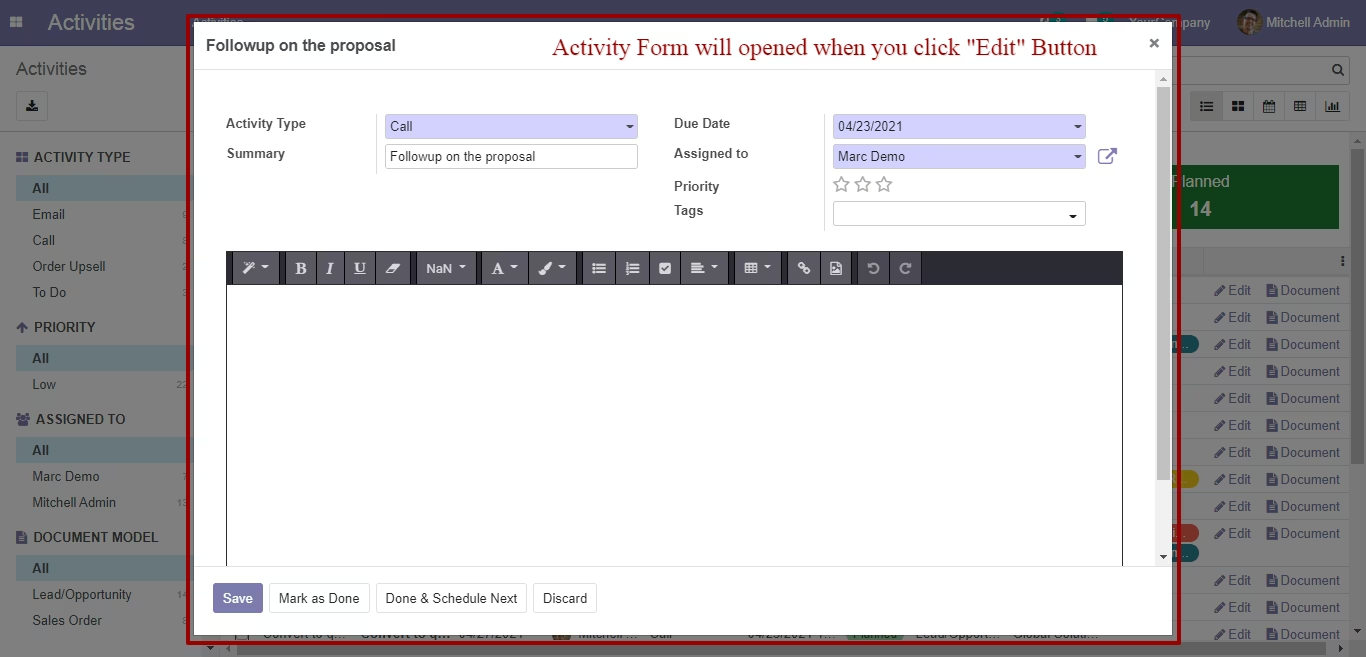
Activity form will opened when you click "Edit" button
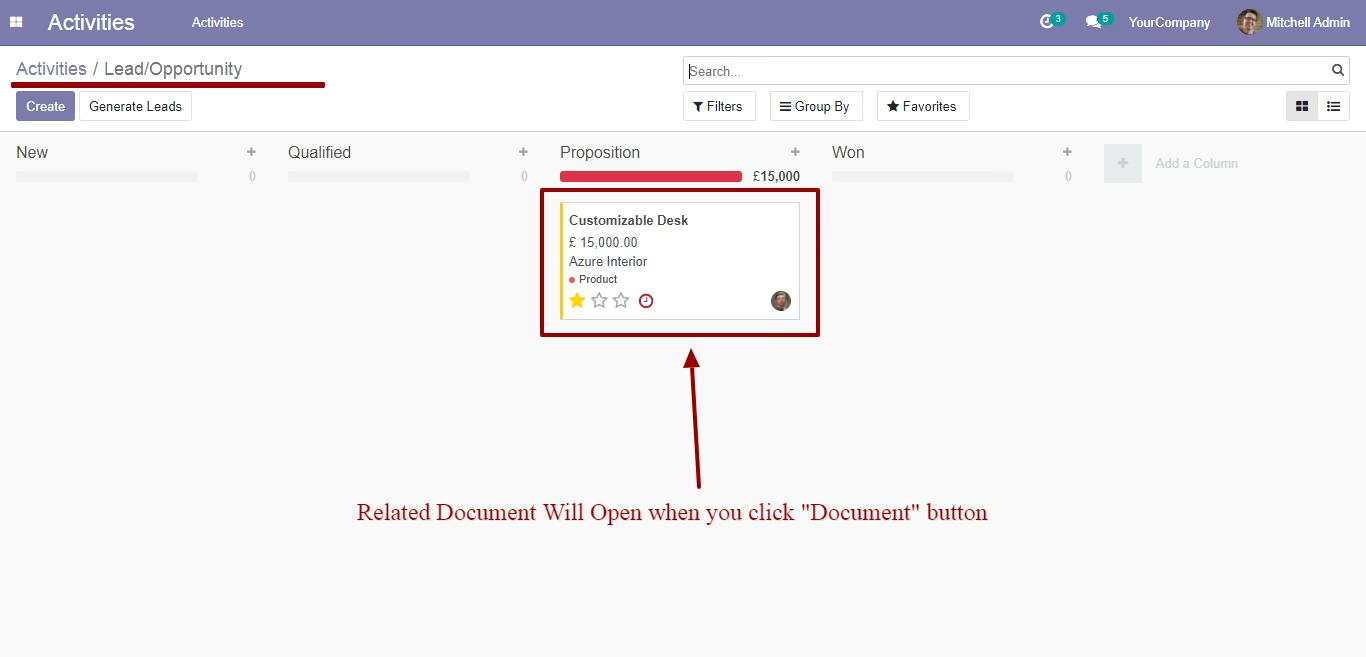
Click "Document" button in order to open related document
Related document will open when you click "document" button
Tons of "Filter" in search view
Tons of "Group by" in search view
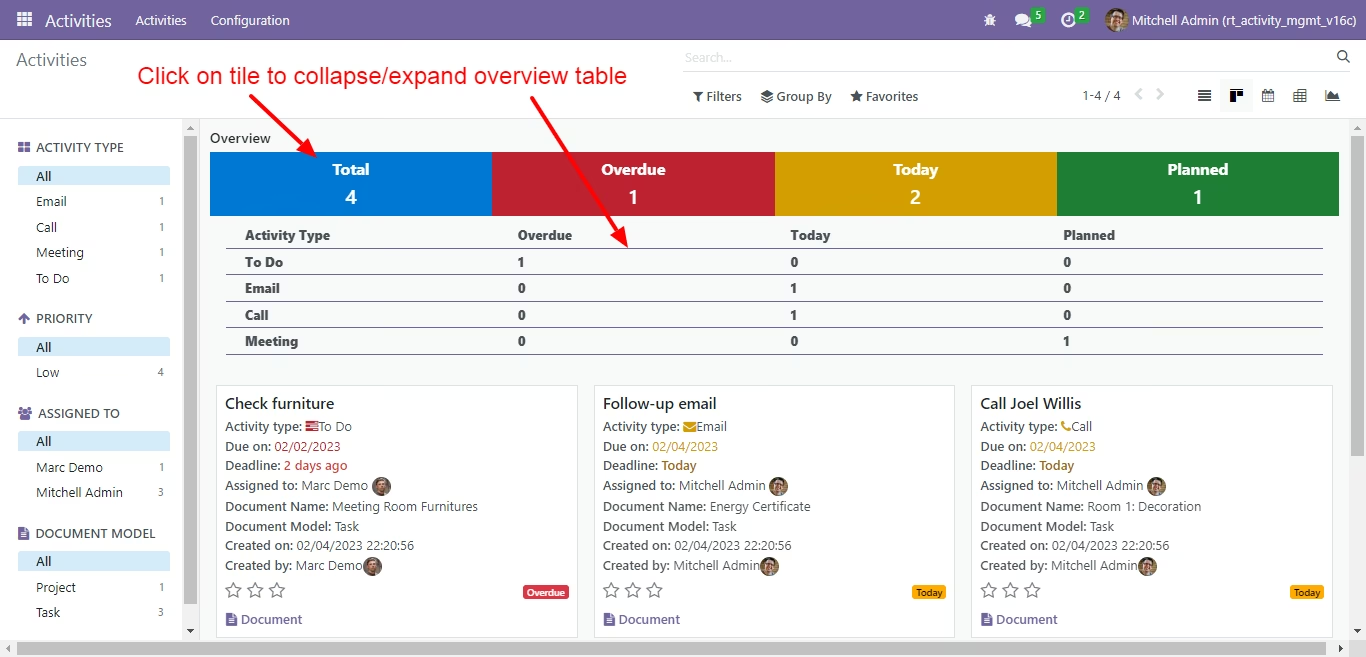
Kanban view with dashboard
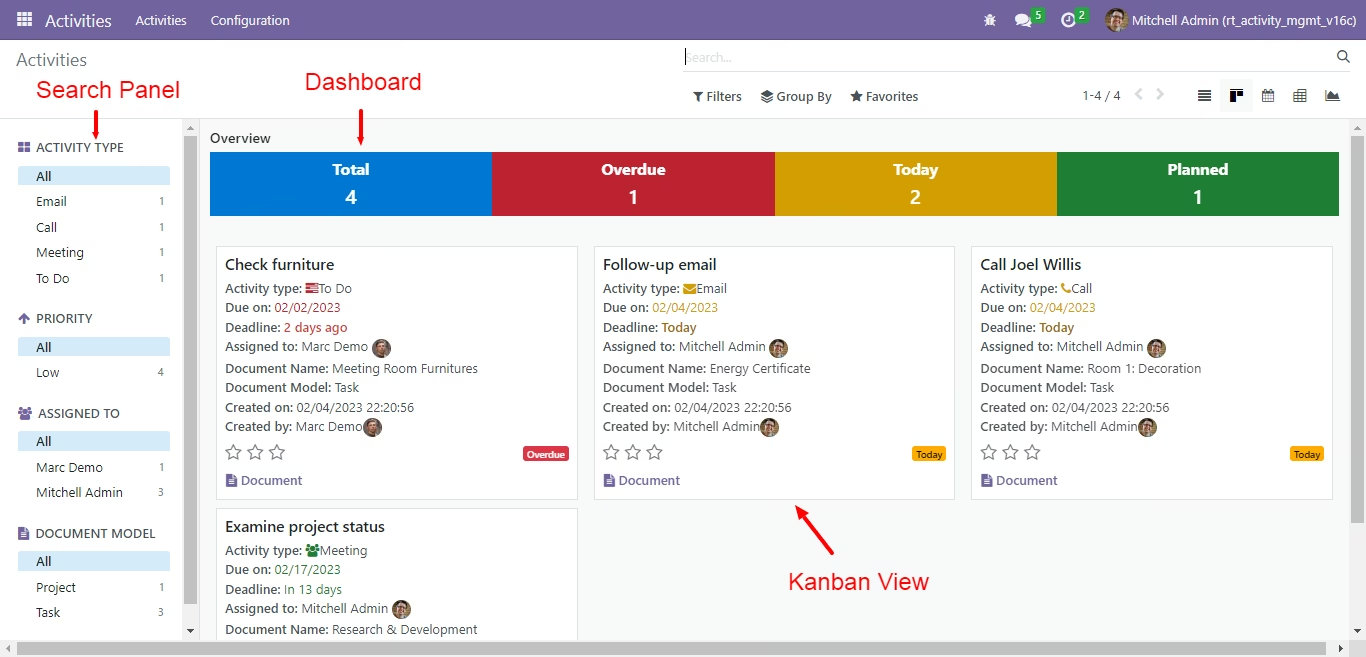
Click on tile to collapse/expand overview table
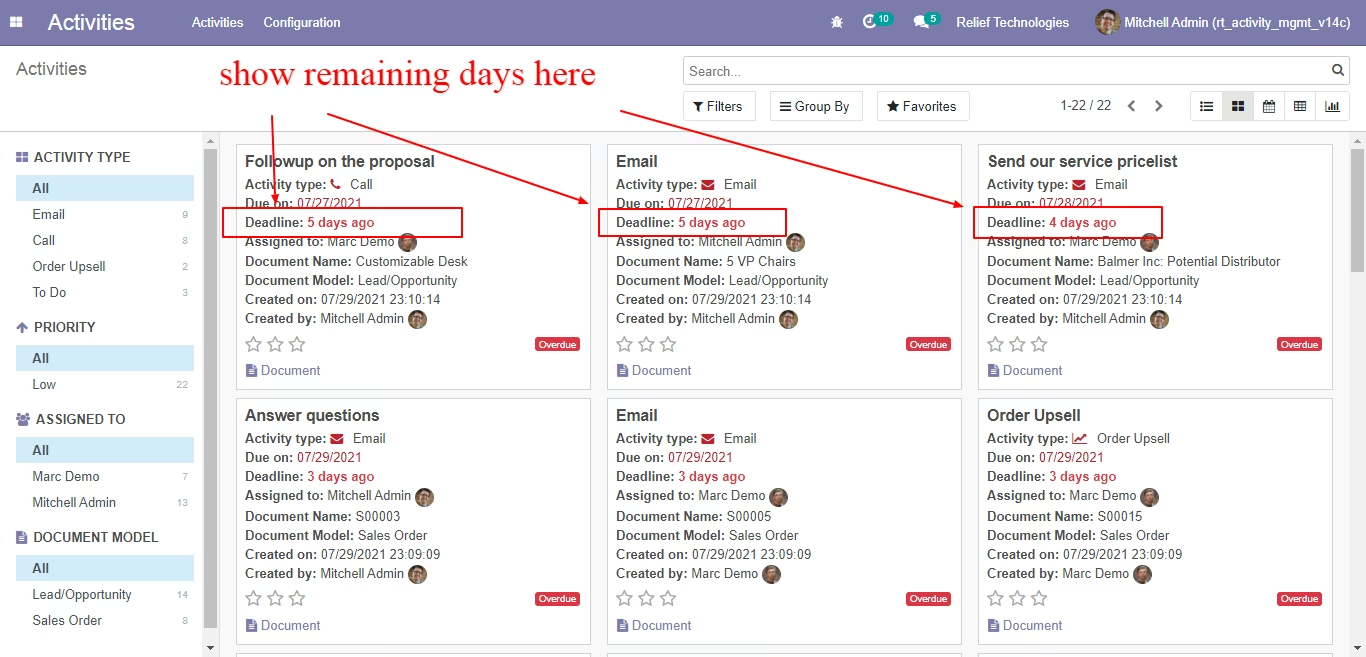
Show remaining days in kanban view
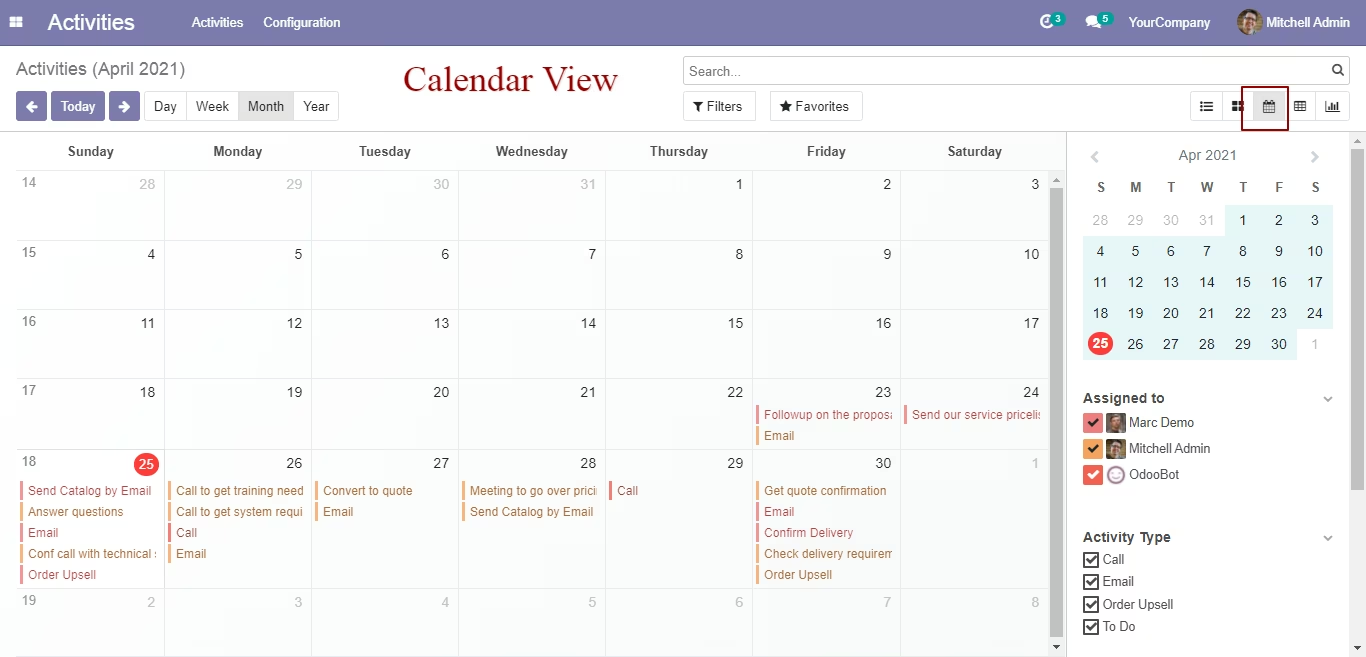
Calendar view
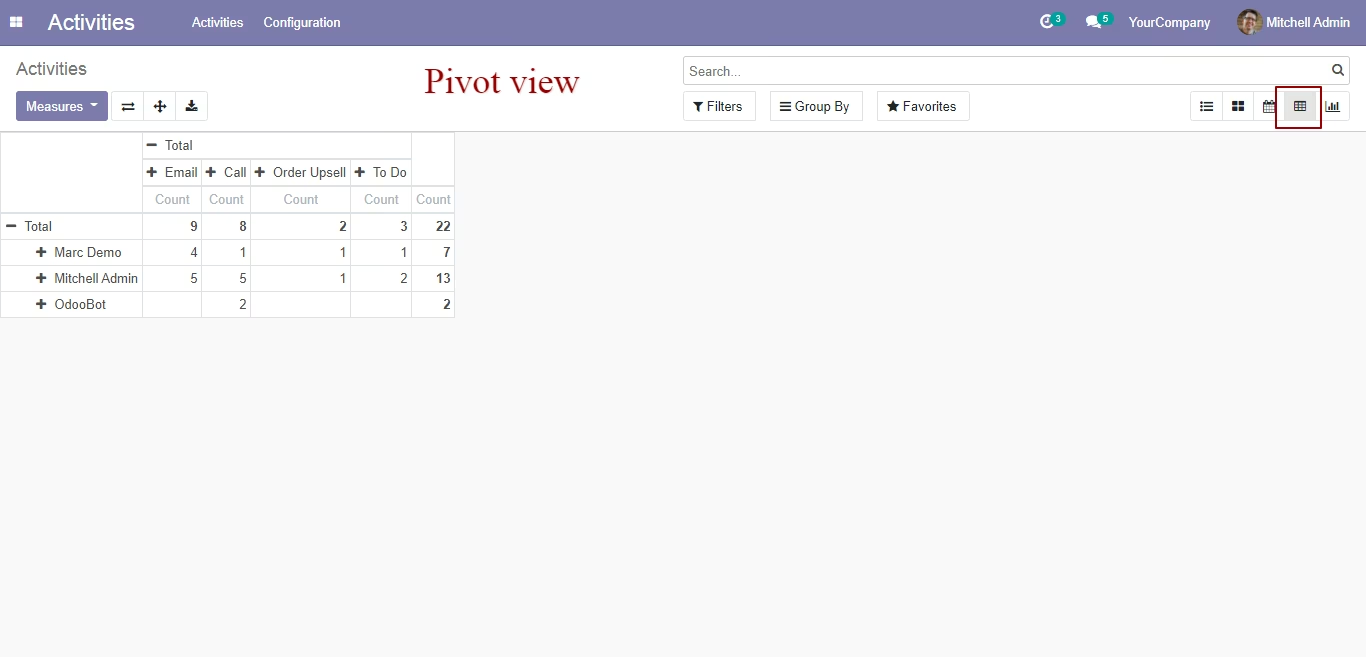
Pivot view
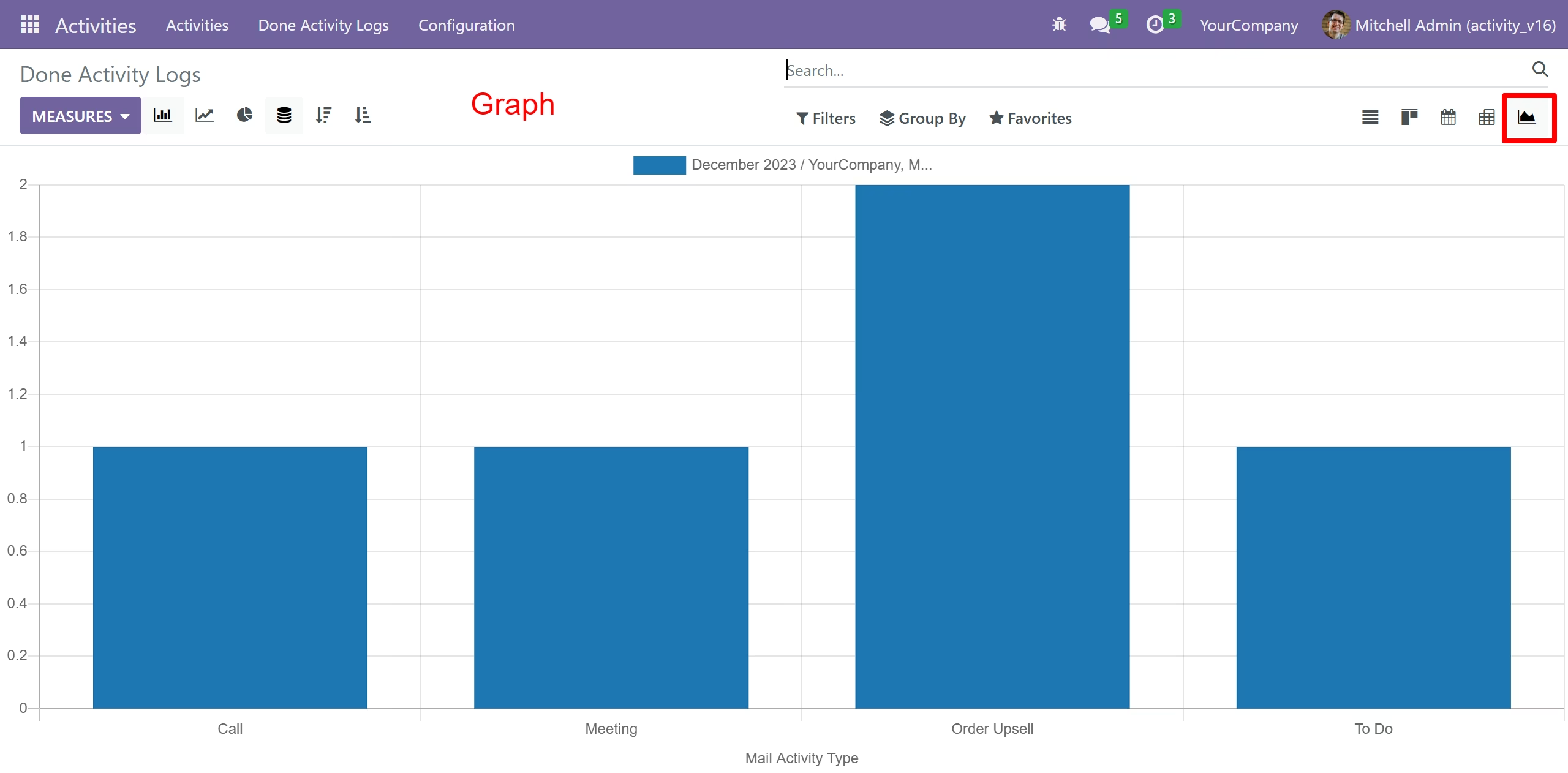
Graph view
Priority and Tags fields added in activity
"Activity tags" menu
Create "Activity tags" here
A user can see all other user activities but, only edit or done own activities
Error given if an user try to edit or done another user activities
Done Activity Logs Tree
Done Activity Logs Form
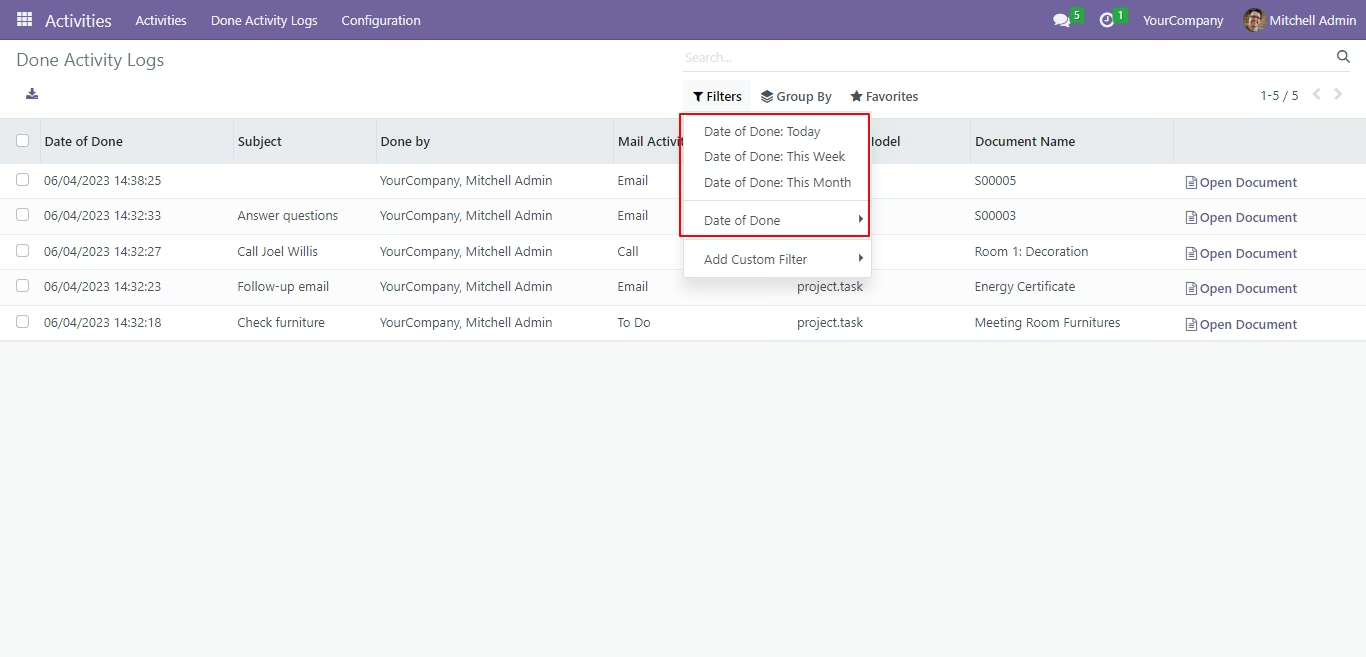
Done Activity Logs Filters
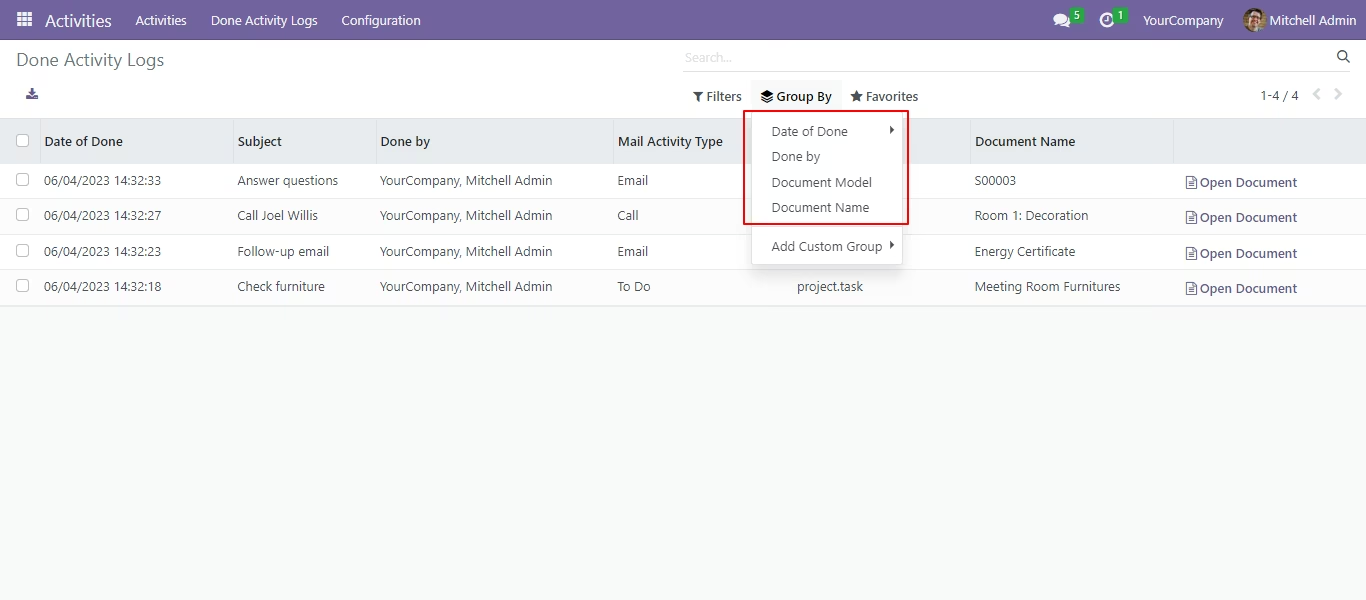
Done Activity Logs Group By
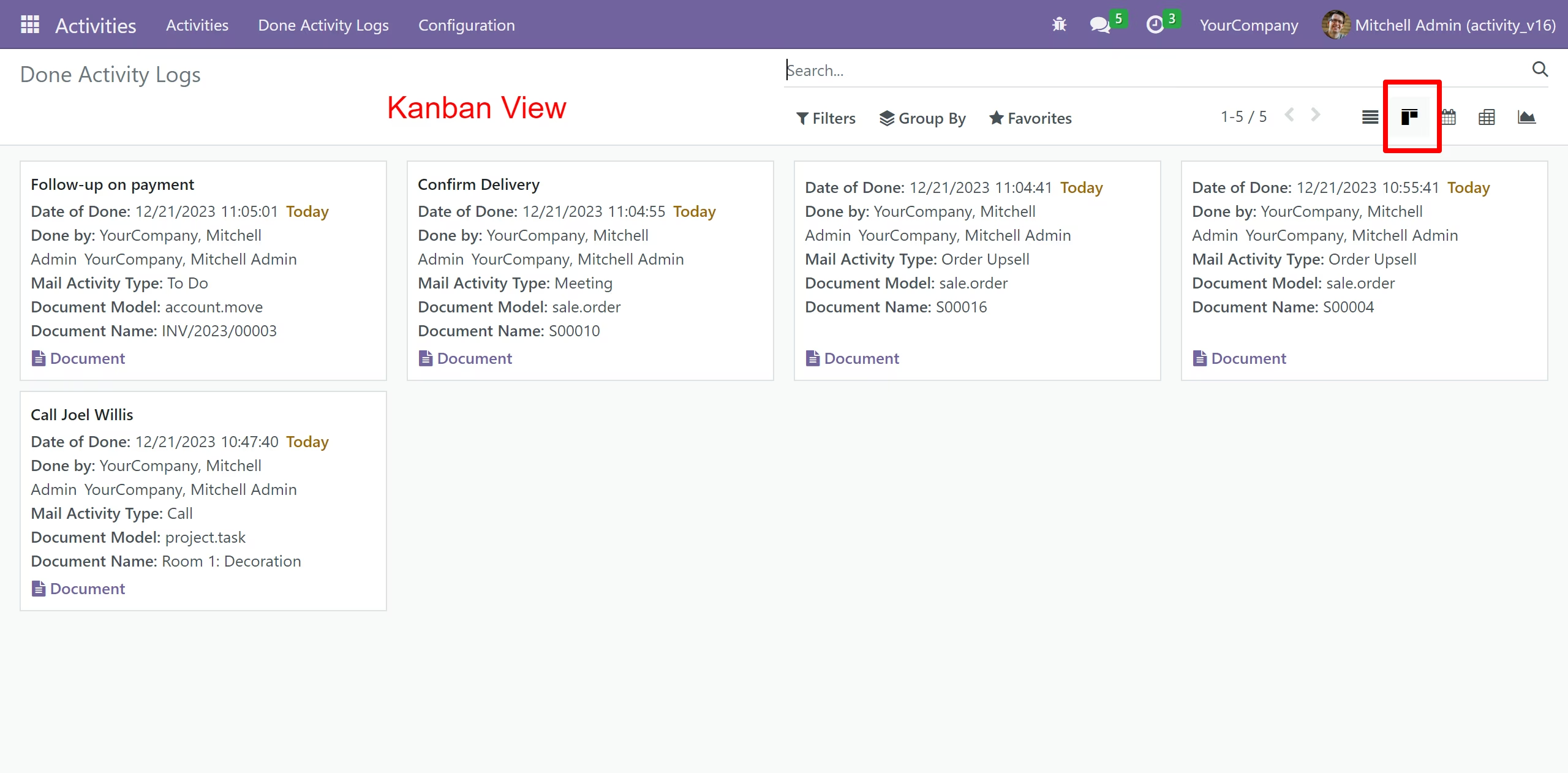
Done Activity Logs Kanban View
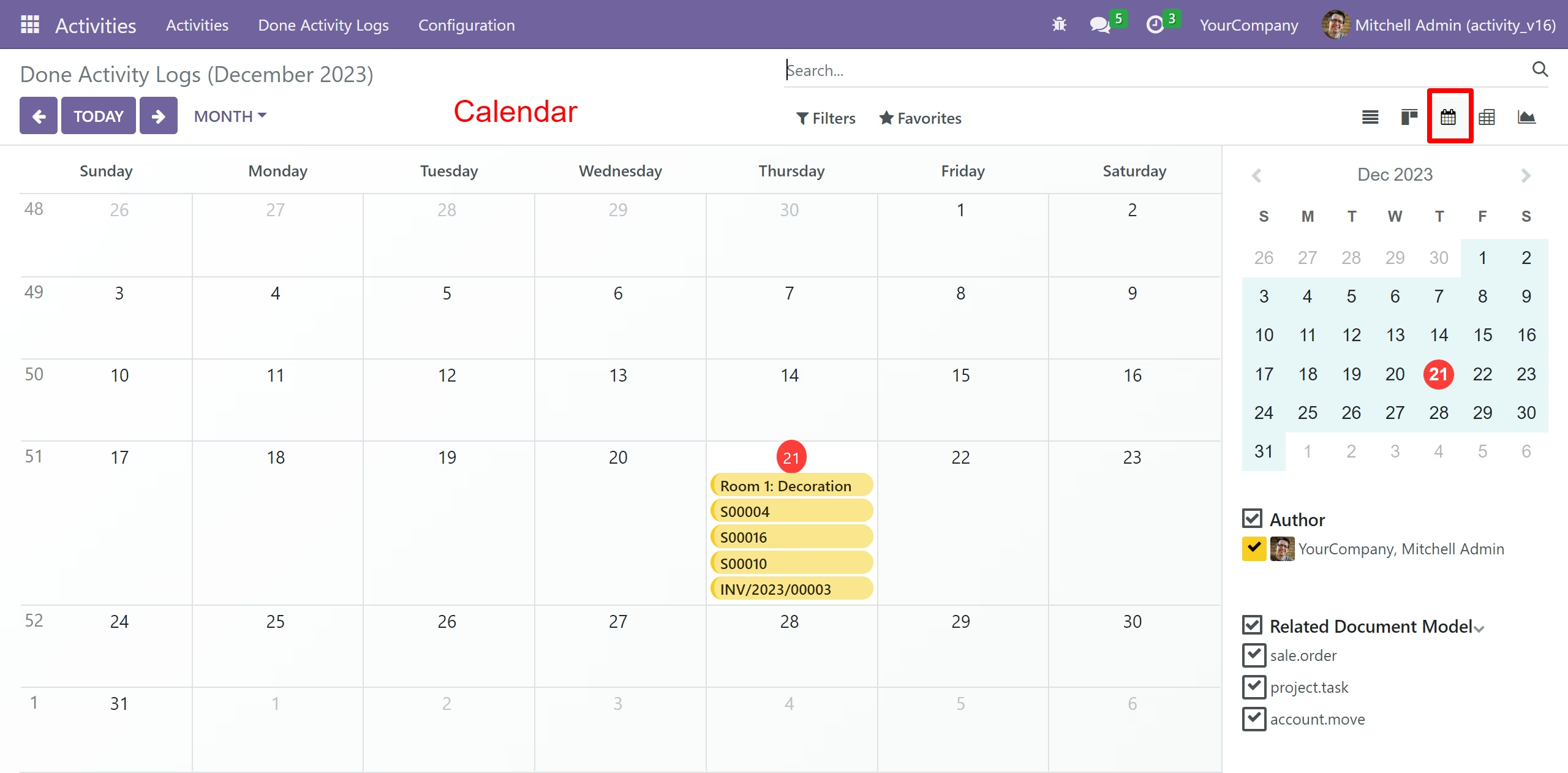
Done Activity Logs Calendar View
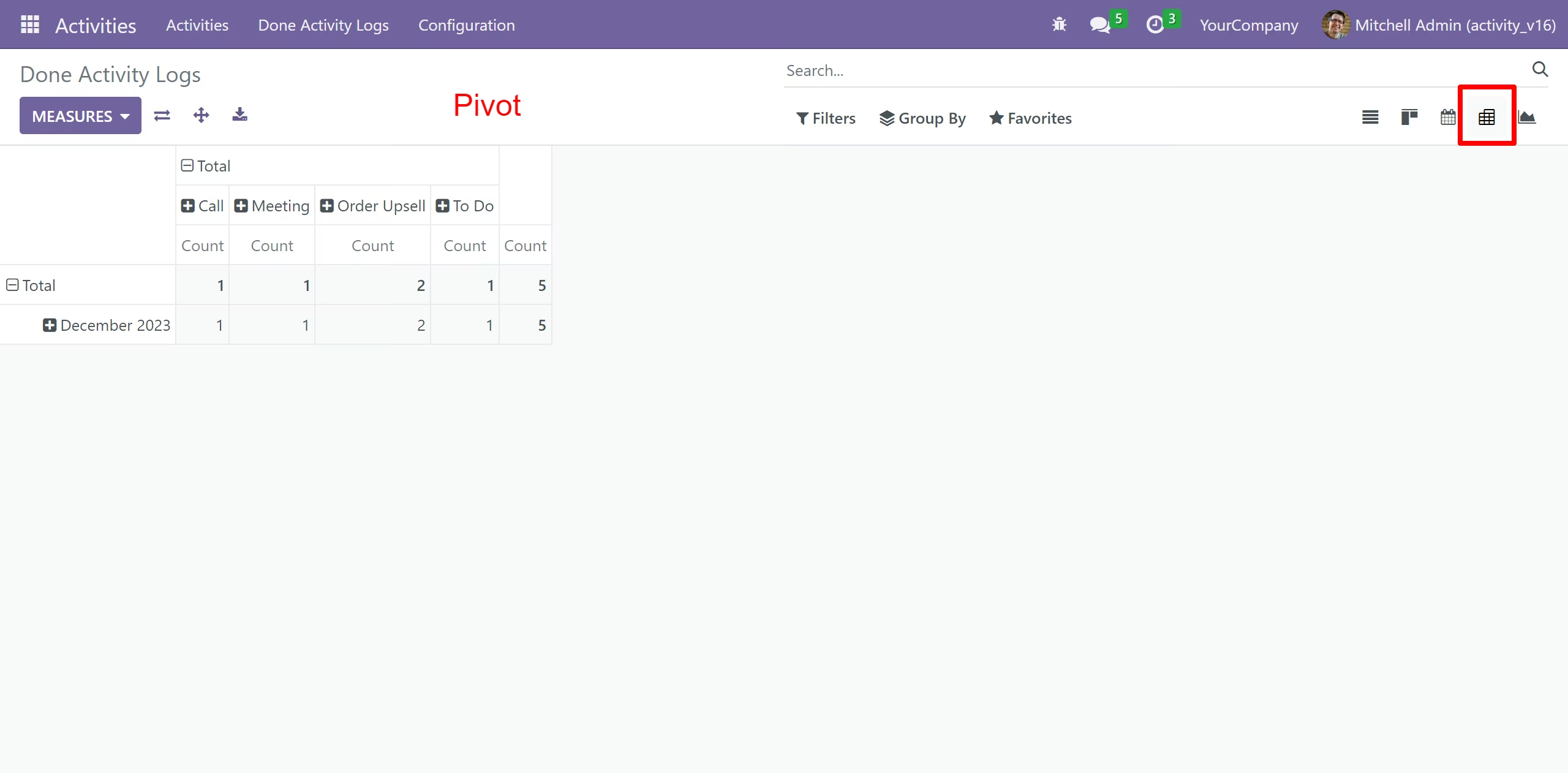
Done Activity Logs Pivot View
Done Activity Logs Graph View