The Activity Management Base module is the foundational core of an enhanced activity management system. This technical module does not introduce front-end features on its own but provides the essential framework, models, and logic required for a suite of advanced activity management applications. By laying the groundwork for features like centralized dashboards, advanced monitoring, and comprehensive activity views, it ensures a stable and integrated experience across all related modules.
Key Features
Core Framework: Establishes the essential data models and structures for advanced activity management.
Seamless Integration: Designed to integrate flawlessly with other activity-related modules, ensuring a unified and consistent user experience.
Technical Foundation: Provides the necessary backend logic to support a wide range of advanced activity management functionalities.
Stable and Reliable: Built to ensure the stability and reliability of all dependent activity management applications.
Benefits
Ensures Compatibility: Guarantees that all related activity management modules work together seamlessly and without conflict.
Provides a Stable Foundation: A solid and reliable base for building and extending advanced activity management features.
Simplifies Development: A common foundation for developers to build upon, ensuring consistency and reducing development time.
Optimized Performance: A well-designed core that ensures the efficient and optimized performance of all related activity management modules.
This is an tool to combine all user activities in a single to-do queue to process them one by one. It lets avoid excess browsing and allows users to fully focus on their tasks.
2 clicks to start working
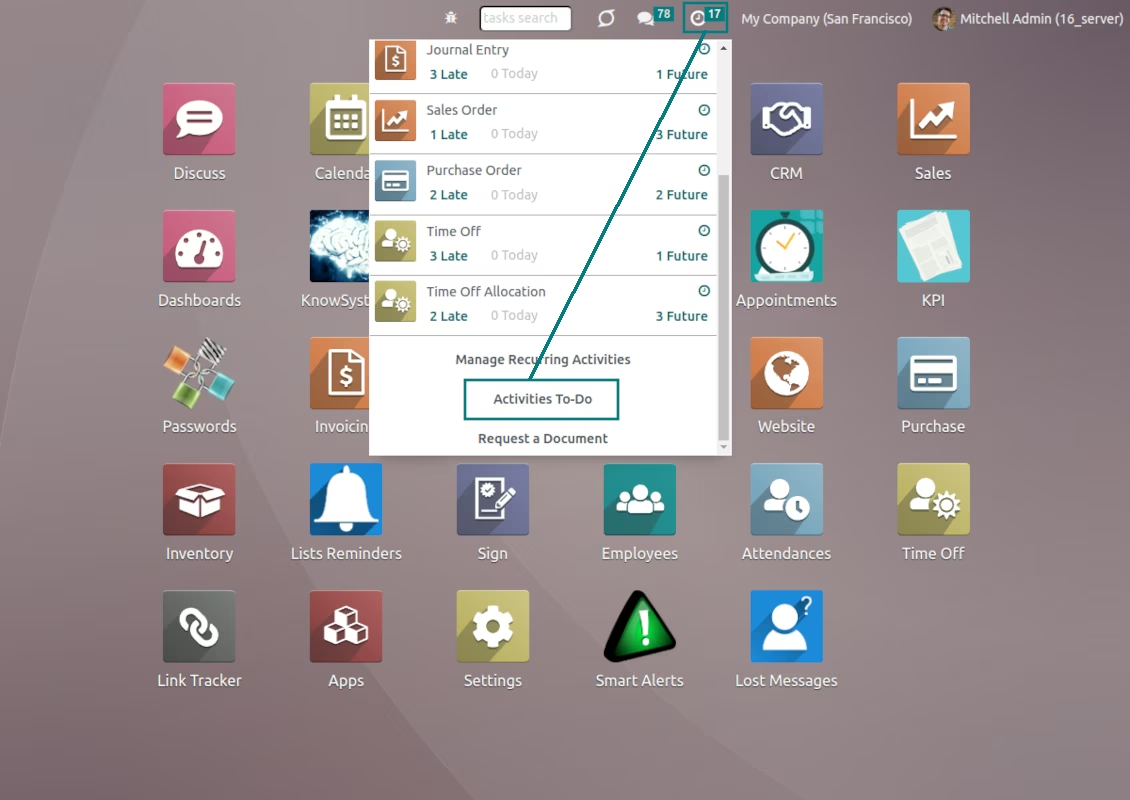
activities to-do list is available from any screen. Disregarding what you are doing right now, you may simply switch to activities right from the systray
Any decision by each activity
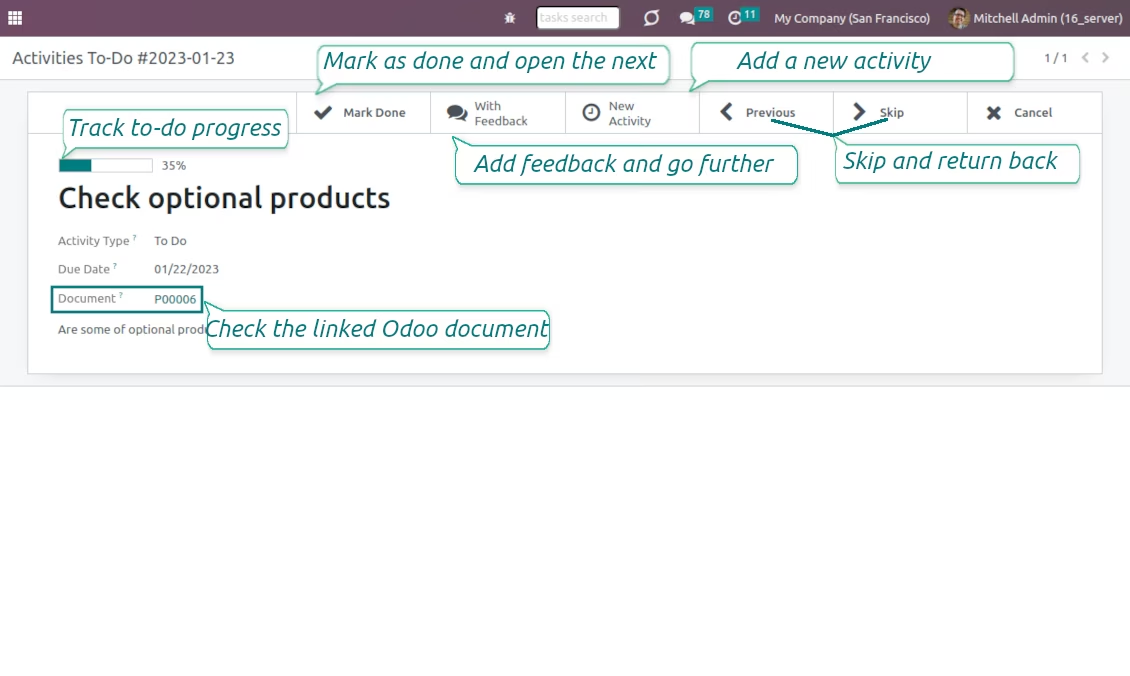
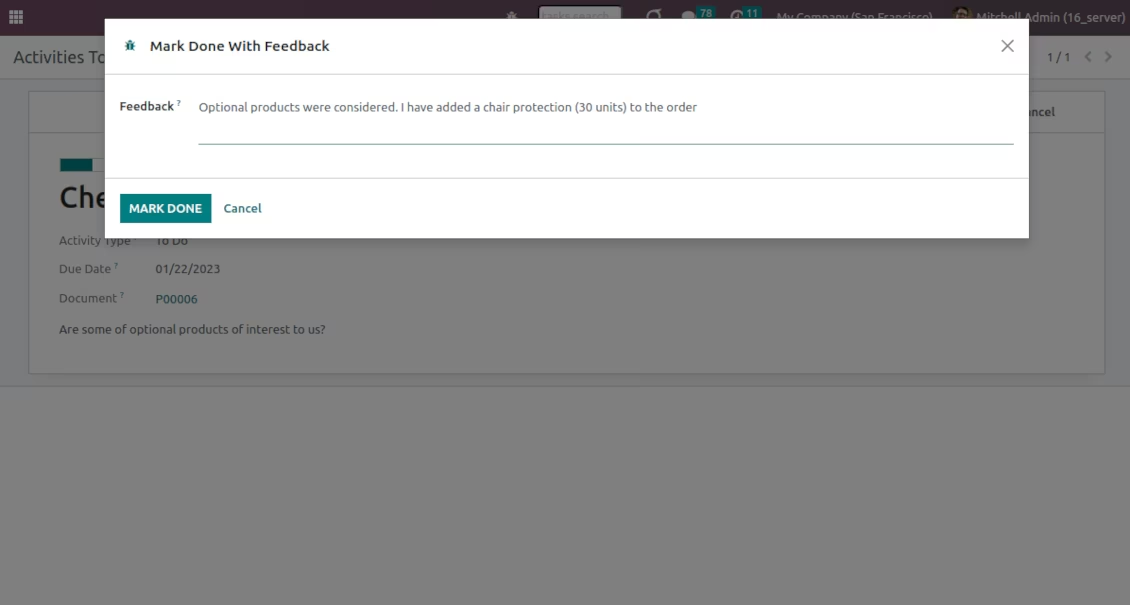
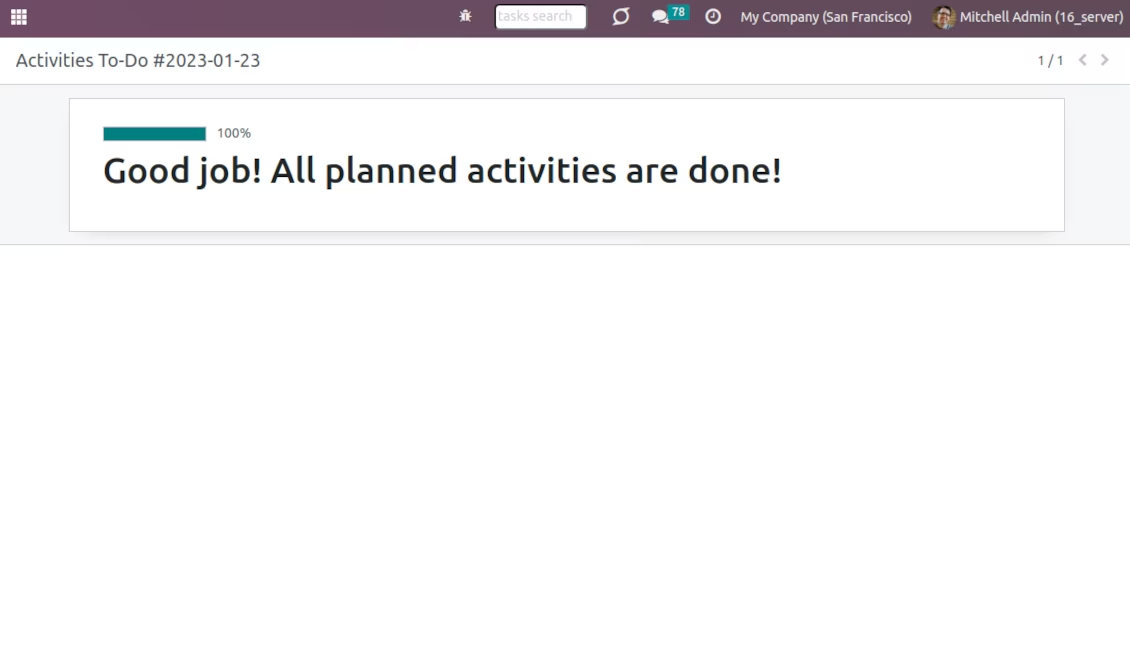
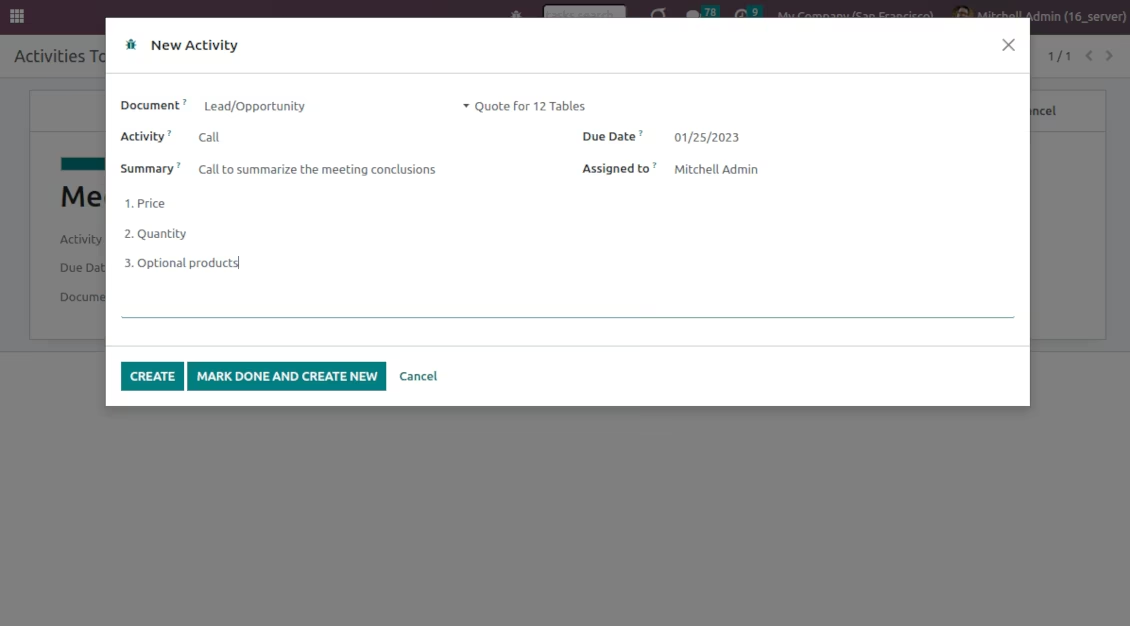
Quickly and comfortably process activities: mark activities done, finish with feedback, skip and switch to the next task or return to skipped actions, create a new activity based on results of a current one, cancel tasks
Full information to do a task
Access a related document (e.g. opportunity, task) in a single click right from a current activity step. Observe progress in real-time to feel satisfied with each action done
Only topical activities
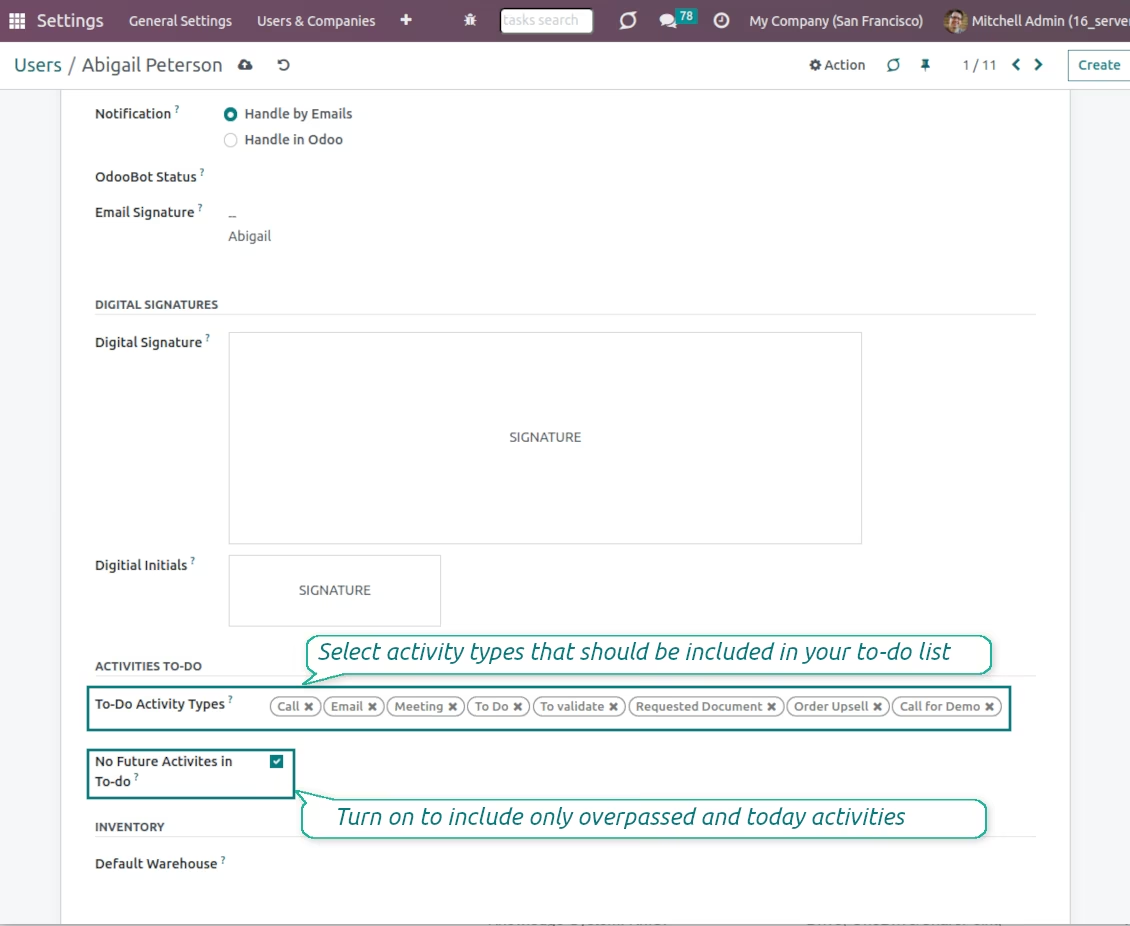
By default activities with missed or today deadlines are included in a to-do list. But each employee might optionally add future tasks. Users might select on their own which activity types should be on their to-do lists. For example, to work with emails and calls but not with meetings.
Works perfect! Author is very helpful too
No conflicts with any other modules. Installed right the first time and works exactly like I expected it to. Highly recommended
According to the current Apps Store policies:
- Every module bought for version 12.0 and prior gives you access to all versions up to 12.0.
- Starting from version 13.0, every module version should be purchased separately.
- Disregarding the version, purchasing a tool grants you a right to all updates and bug fixes within a major version.
Please note that the team does not control those policies. For all questions, please contact the Apps Store representatives directly.
The most straightforward approach is to use the store's built-in workflow:
1. Open the module's page and click the button Deploy on .sh
2. After that, you will be redirected to the GitHub page. Log in to your account, then click 'Create a new repo' or use an existing one. Please ensure your repository is private. It is not permitted to publish the apps under the OPL-1 license. If necessary, create a new repo for your .sh project
3. Then, go to .sh and click the Deploy button. In the pop-up window, submit the decision and click 'Continue.' This action will trigger the installation process.
These steps will install the app for your project's production branch. If you want to deploy the apps for other branches or update the module, you should undertake the following actions:
1. Upload the source code for the app from the store
2. Commit the module to a required GitHub repository. Ensure none of the app folders/files are ignored (i.e., not included in your repo's .gitignore). Repositories are automatically created by .sh and may include some crucial items by default (e.g., /lib). You should upload all module directories, subdirectories, and files without exceptions
3. Deploy a target branch of the .sh project or, if your settings assume that, wait until it is automatically built.
2. Re-start the server;
3. Turn on developer mode (technical settings);
4. Update the apps' list (the apps' menu);
5. Find the app and push the button 'Activate'/'Install';
6. Follow the guidelines on the app's page if those exist.
Yes, sure. Simultaneously, automatically adds all dependencies to a cart, so you should exclude previously purchased tools to avoid double payment.
A red/orange warning does not influence the app's features. Regretfully, sometimes our modules do not pass standard automatic tests since the latter assume behavior that conflicts with our app's goals. For example, we change the price calculation, while the standard module tests compare the final price to a standard algorithm.
So, first of all, please check the deployed database features. Does everything work correctly?
If you still assume that the warning influences real features, please contact us and forward full installation logs and the full list of deployed modules (including core and third-party ones).
Regretfully, we do not have the technical means to provide individual prices.
No, third-party apps can not be used on Online. Unfortunately, SaaS blocks such a possibility.
Yes, our tool requires all modules marked in dependencies to work correctly. The price marked on the app page already includes all necessary dependencies.
The price for our modules is set in euros. The store converts prices to other currencies according to its internal exchange rate. Thus, the price in US Dollars may change when the exchange rate is updated.
activities' to-do list
Process activities one by one without extra browsing
Enter feedback for the done activity
Add new activities while processing to-do
Users feel satisfied with the done work
Users might select their own activity types to work with