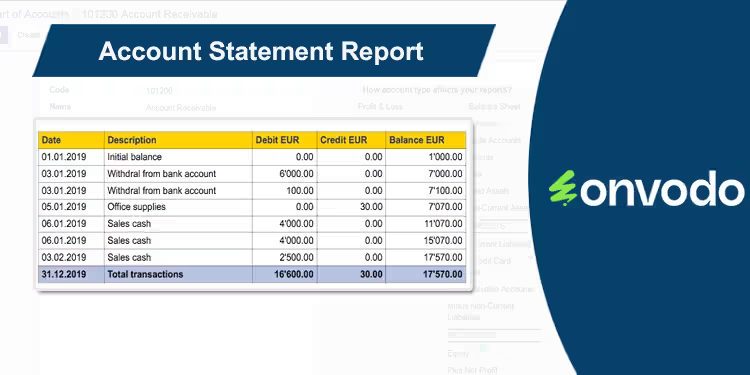
Streamline your financial reporting and analysis with the Account Statement Report module. This powerful and user-friendly tool empowers you to generate detailed account statements in both PDF and Excel formats, providing a flexible and efficient way to manage your financial data. Whether you need to review the transactions of a single account or get a comprehensive overview of multiple accounts, this module allows you to do so with just a few clicks. It is an essential addition for any business looking to enhance their financial reporting capabilities and gain deeper insights into their accounting data.
Key Features
Dual Format Reporting: Generate and download account statements in both PDF and Excel (XLS) formats.
Single and Multi-Account Statements: Create statements for a single, specific account or for all accounts at once.
Date Range Filtering: Easily filter your account statements by a specific start and end date to get the exact information you need.
Individual Account Reports: Print individual account statements directly from the Chart of Accounts.
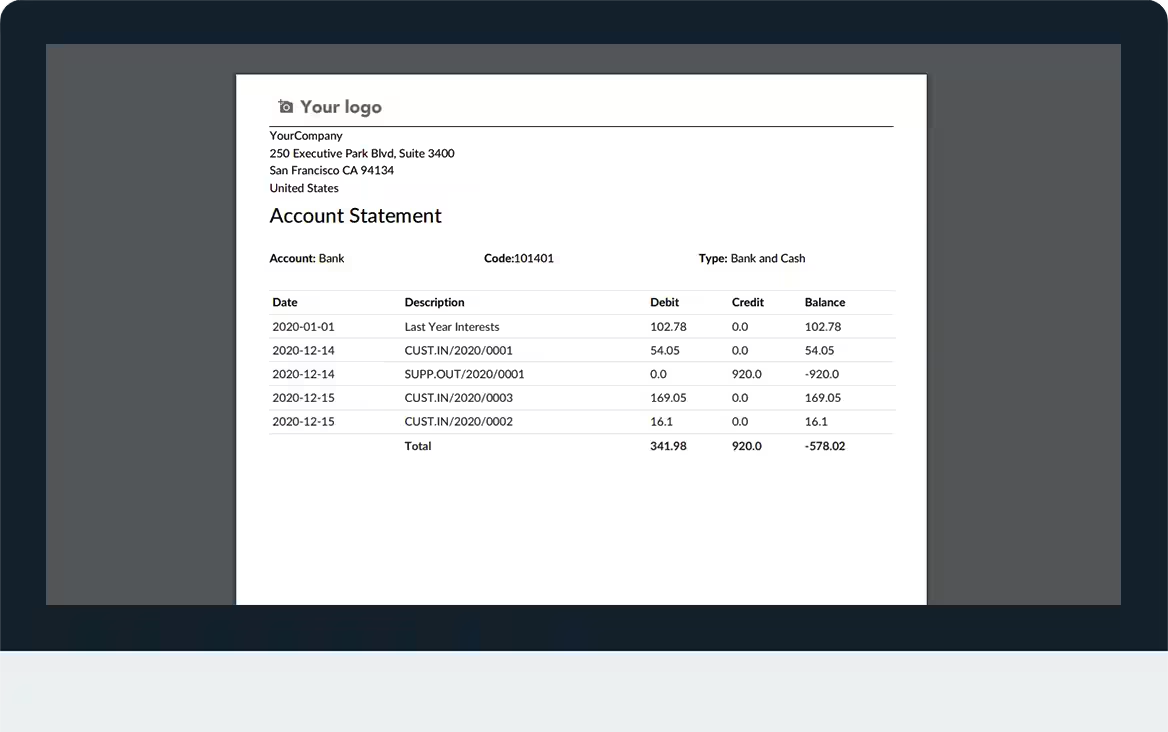
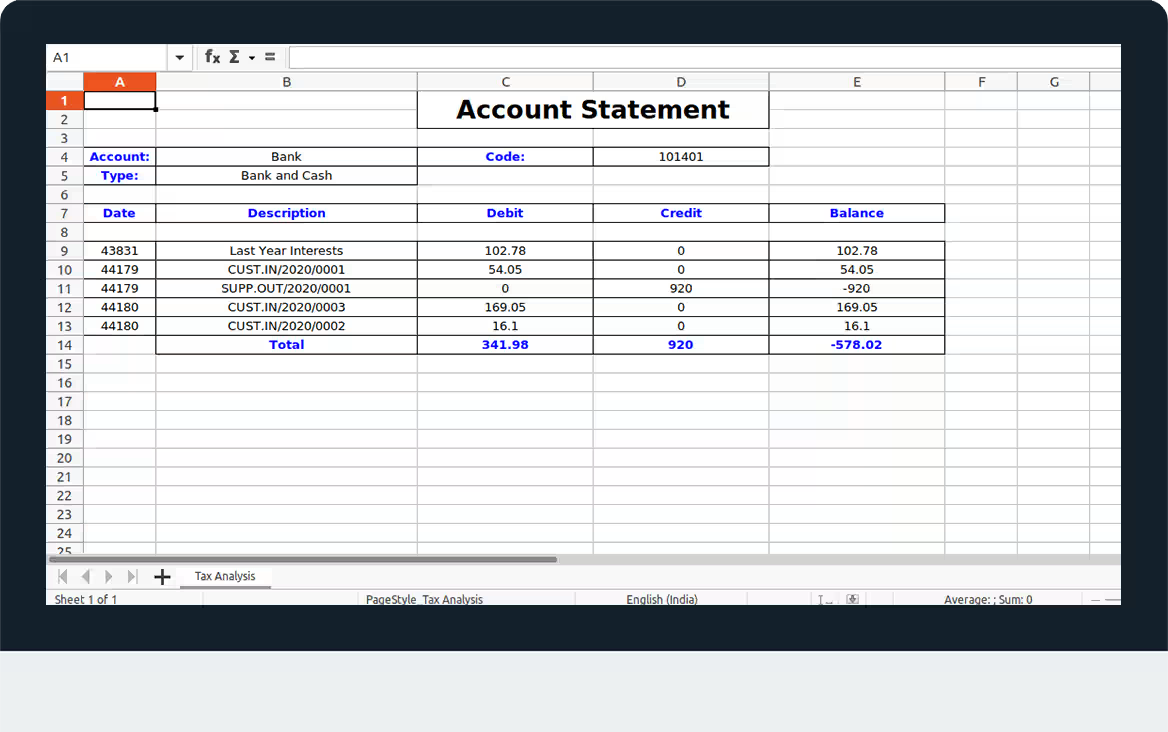
Detailed Transaction Lines: The report includes detailed information for each transaction, including date, reference, partner, and debit/credit amounts.
Cumulative Balance Tracking: The statement shows a running cumulative balance, making it easy to track the account's financial progression.
Benefits
Enhanced Financial Visibility: Gain a clear and detailed overview of your financial transactions and account balances.
Improved Reporting Flexibility: Choose the report format that best suits your needs, whether it's a professional PDF for sharing or a flexible Excel sheet for further analysis.
Streamlined Reconciliation: Simplify the process of reconciling your accounts with clear and detailed statements.
Faster Audits: Quickly generate the necessary documentation for financial audits and compliance checks.
Informed Decision-Making: Use detailed account statements to analyze financial trends and make more informed business decisions.
User-Friendly and Efficient: A simple and intuitive interface that saves time and makes financial reporting a breeze.
Account Statement Report
Supported Editions
Community
Enterprise
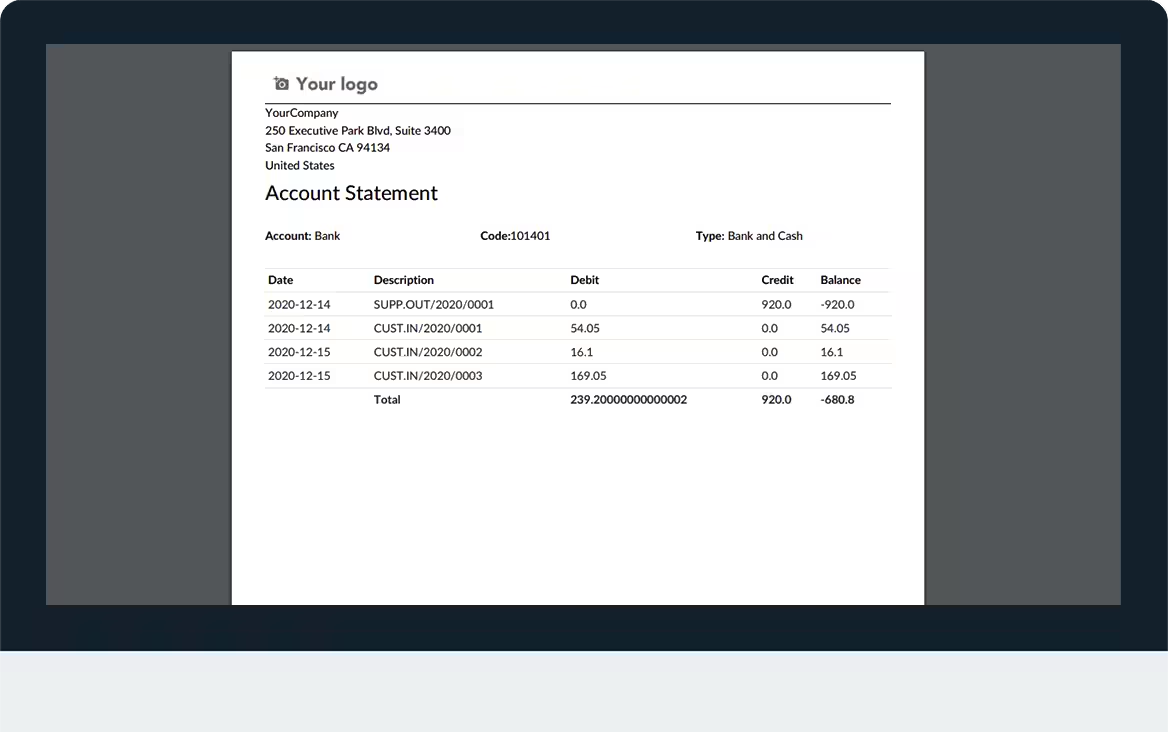
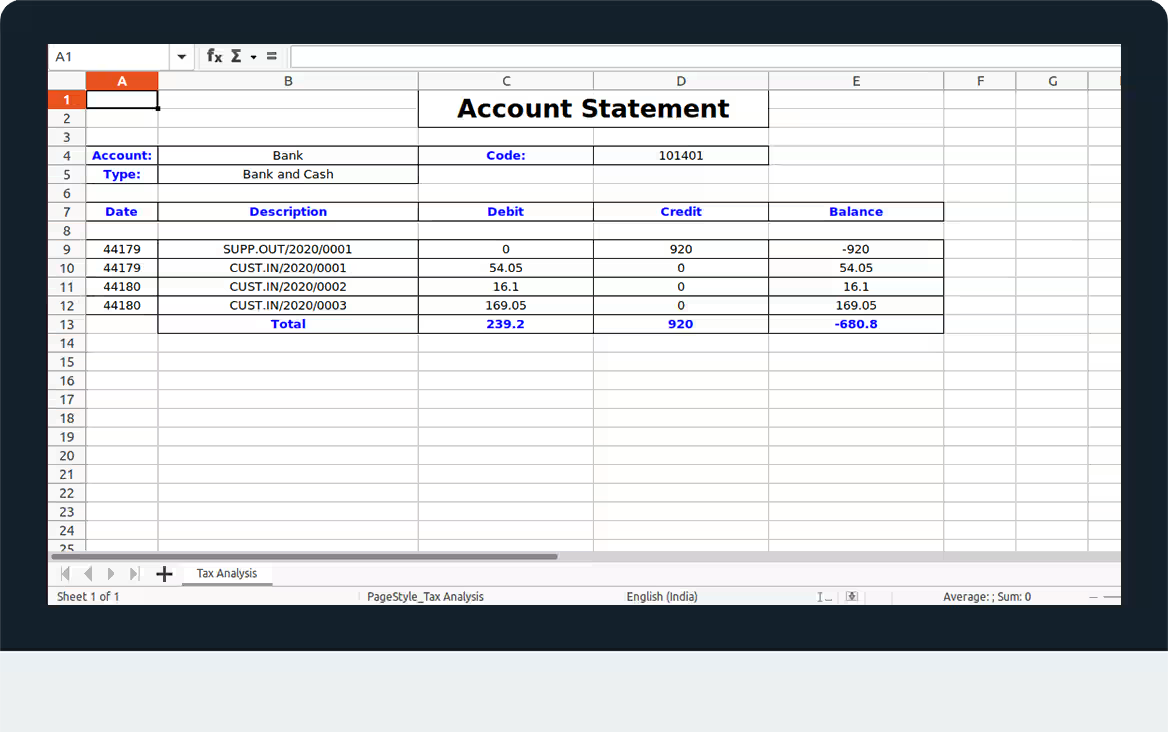
Account Statement Report module is used to Print Account Statement report in PDF and XLS Format.
Key Features
Can Print All Accounts Statements.
Can Print Individual Accounts Statement.
Can Apply Filter Like Dates, Account.
Can Print Report in pdf.
Can Print Report in xls.
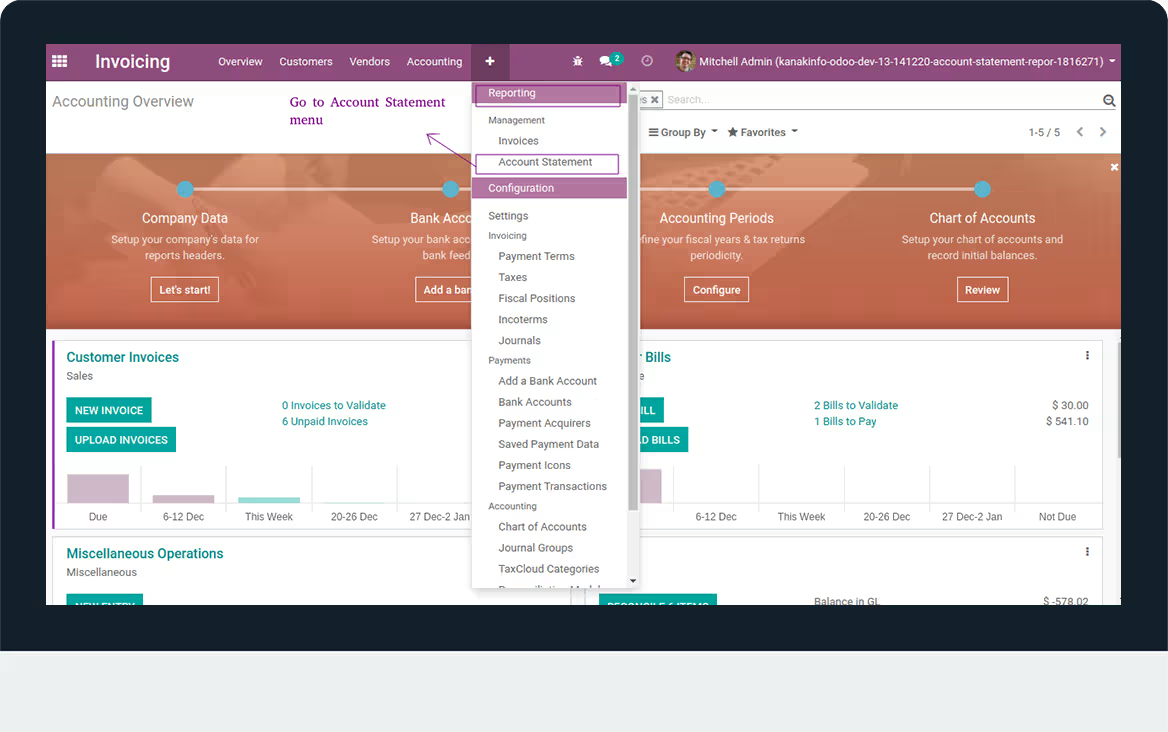
- Navigate to Invoicing and click on Reporting.
- Go to Account Statement Menu.
- Add From Date to Till Date and Add Account.
- Now Click on Print PDF or Print XLS Button.
- You can Print Report in Pdf or Xls format.
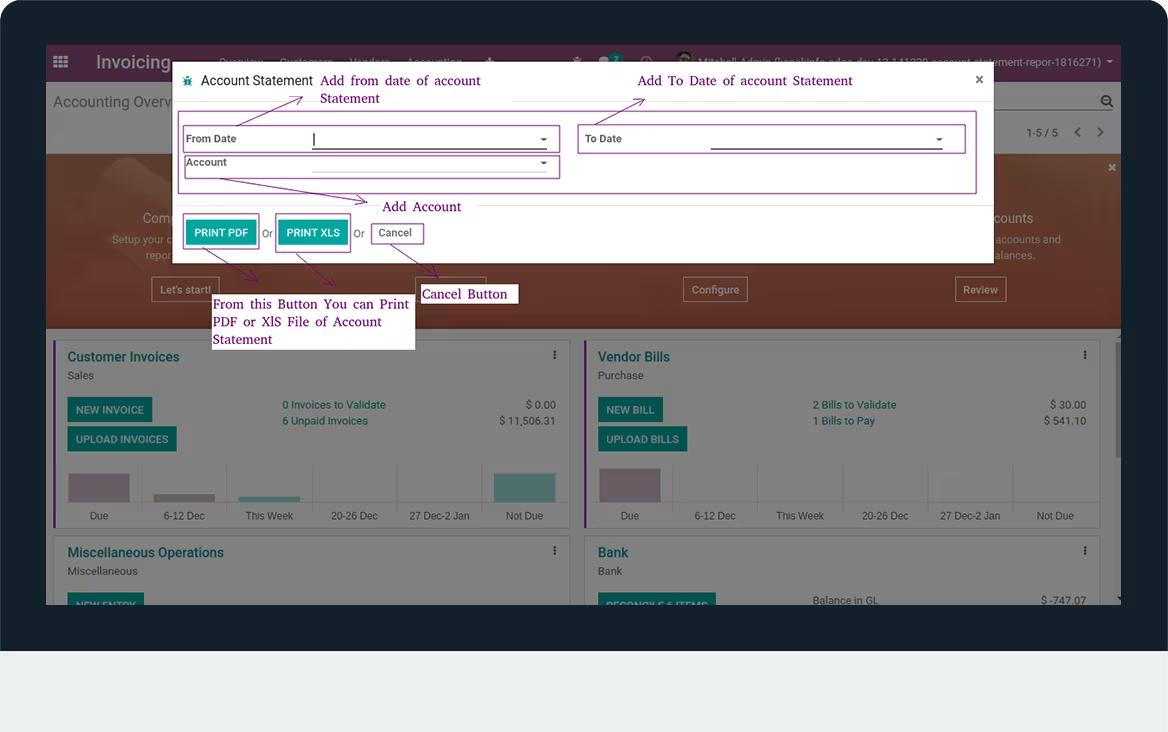
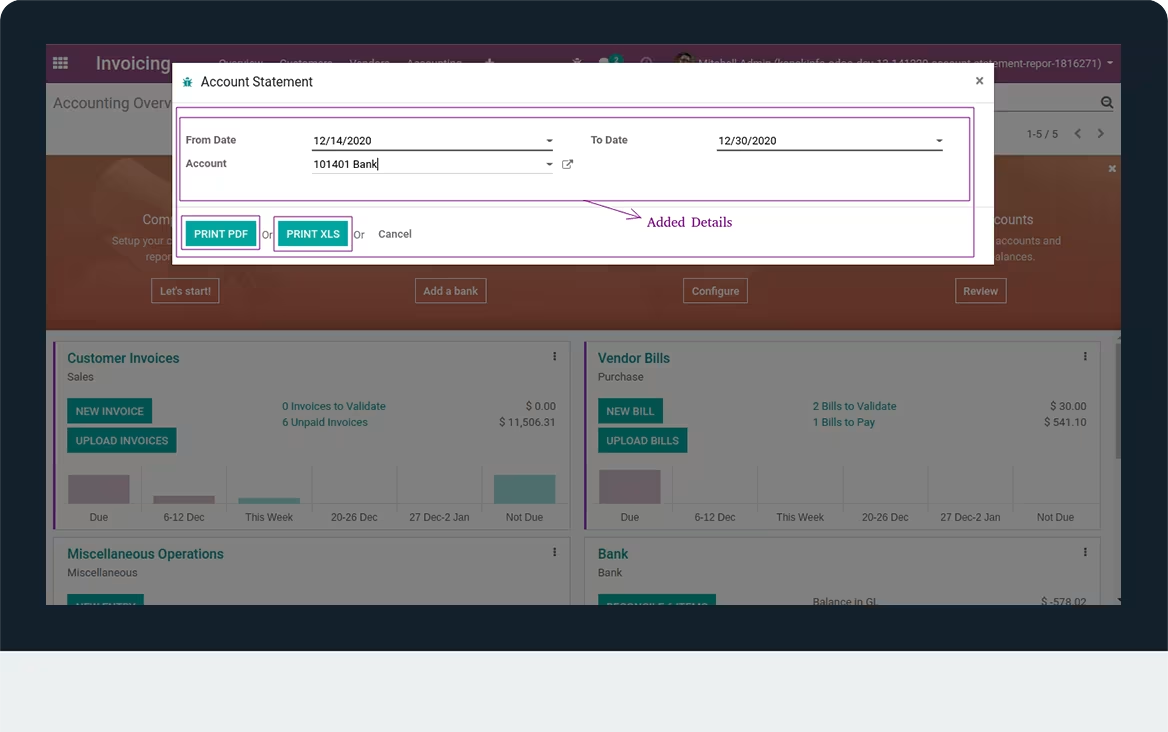
- Here, All Details are added.
- Note: If you don't apply account filter then it'll get all account's statement
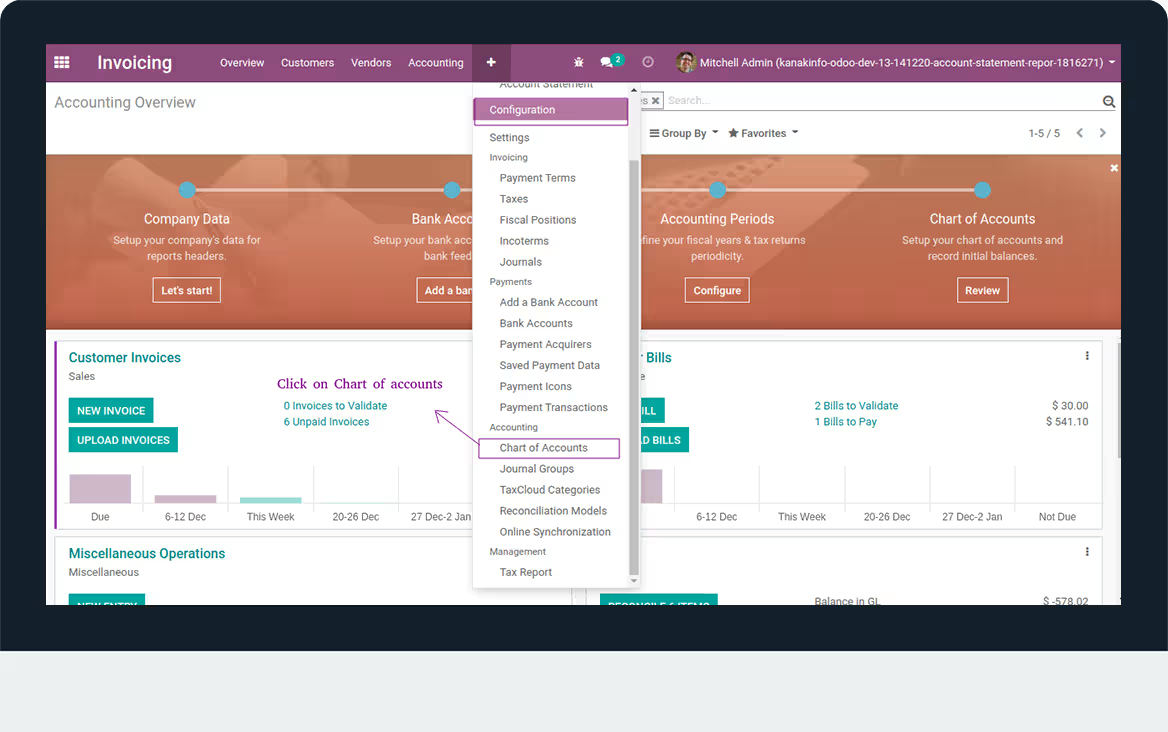
- Navigate to Configuration and click on Chart of accounts menu.
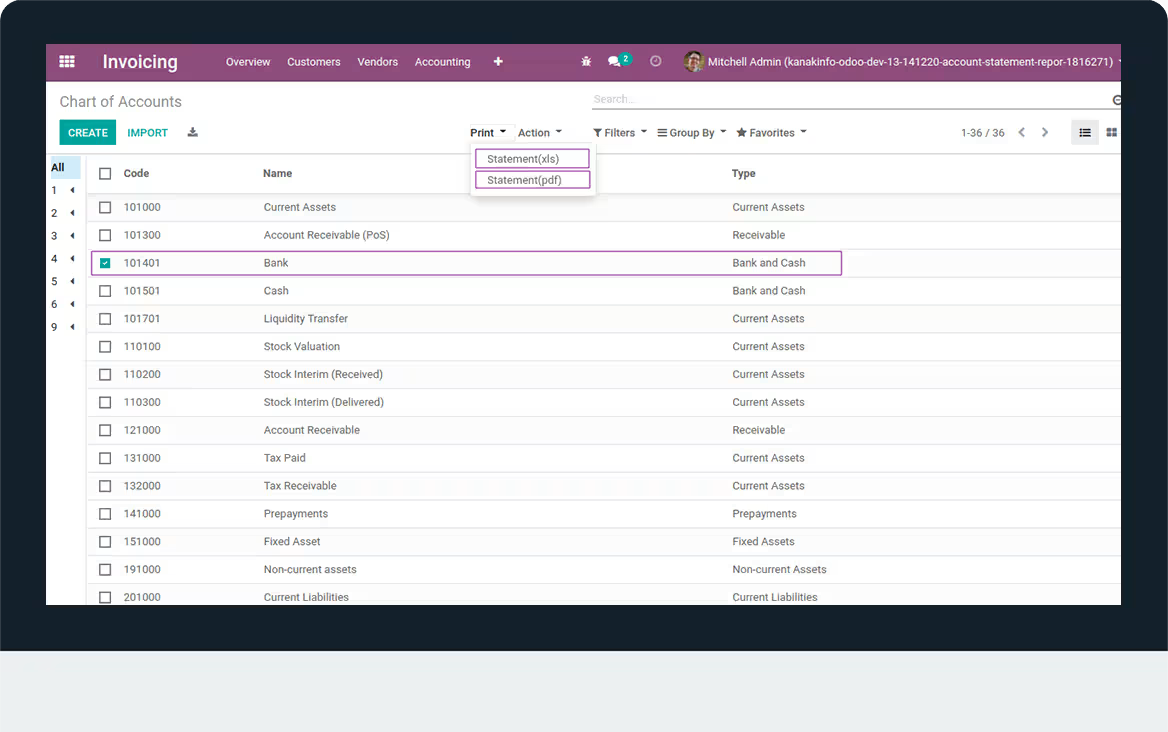
- Here User can Print Individual Report of Account.
- Navigate to Print option.
- From Here you can Print in xls and Pdf Format.
Latest Release 17.0.1.2
First version to release.
Latest Release 1.1
Made balance to cumulative balance.