Bring a new level of clarity and organization to your financial reporting with the Parent Account Hierarchy module. This powerful tool enhances native accounting capabilities by allowing you to create a hierarchical structure within your chart of accounts. By setting parent-child relationships, you can organize your accounts into logical groups and visualize your financial data in a clear, expandable tree view. This module is an essential asset for any business seeking a more intuitive and insightful way to manage and analyze its financial information.
Key Features
Hierarchical Chart of Accounts: Create a parent-child hierarchy for your accounts, providing a structured and organized view of your financial data.
Tree View Visualization: View your chart of accounts in a clear and intuitive tree structure, allowing you to easily expand and collapse parent accounts to see their children.
Flexible Reporting: Generate hierarchical reports based on either the account structure or the account type, providing different perspectives on your financial data.
Advanced Filtering Options: Filter your reports by date, target moves (all entries or posted entries only), and display options (all accounts or only those with movements).
Initial Balance Display: Optionally include the initial balance of each account in the hierarchy view for a more complete financial picture.
PDF and Excel Export: Export your hierarchical reports to both PDF and Excel formats for easy sharing and further analysis.
Benefits
Improved Financial Clarity: Gain a clearer and more intuitive understanding of your financial data with a structured and hierarchical chart of accounts.
Enhanced Financial Analysis: Easily analyze your financial data at different levels of detail, from high-level summaries to individual account transactions.
Streamlined Reporting: Simplify your financial reporting process with a clear and organized view of your chart of accounts.
Better Decision-Making: Make more informed financial decisions with a deeper and more insightful view of your company's financial structure.
Increased Efficiency: Save time and effort in managing and analyzing your financial data with a more organized and intuitive system.
Account Parent & Child Hierarchy | Chart Of Account Hierarchy
This module helps to set the hierarchy of parent-child accounts in chart of accounts. You can set accounts in one hierarchy to manage multiple chart of accounts in one chart of account. You can see hierarchy in folded-unfolded view. You can generate chart of account hierarchy based on any dates,fold/unfold, account/account type & target moves.
Features
- You can create hierarchy of chart of accounts.
- You can generate hierarchy based on folded/unfolded view.
- You can generate hierarchy between any dates.
- You can generate hierarchy based on target moves.
- You can generate hierarchy based on account & account type.
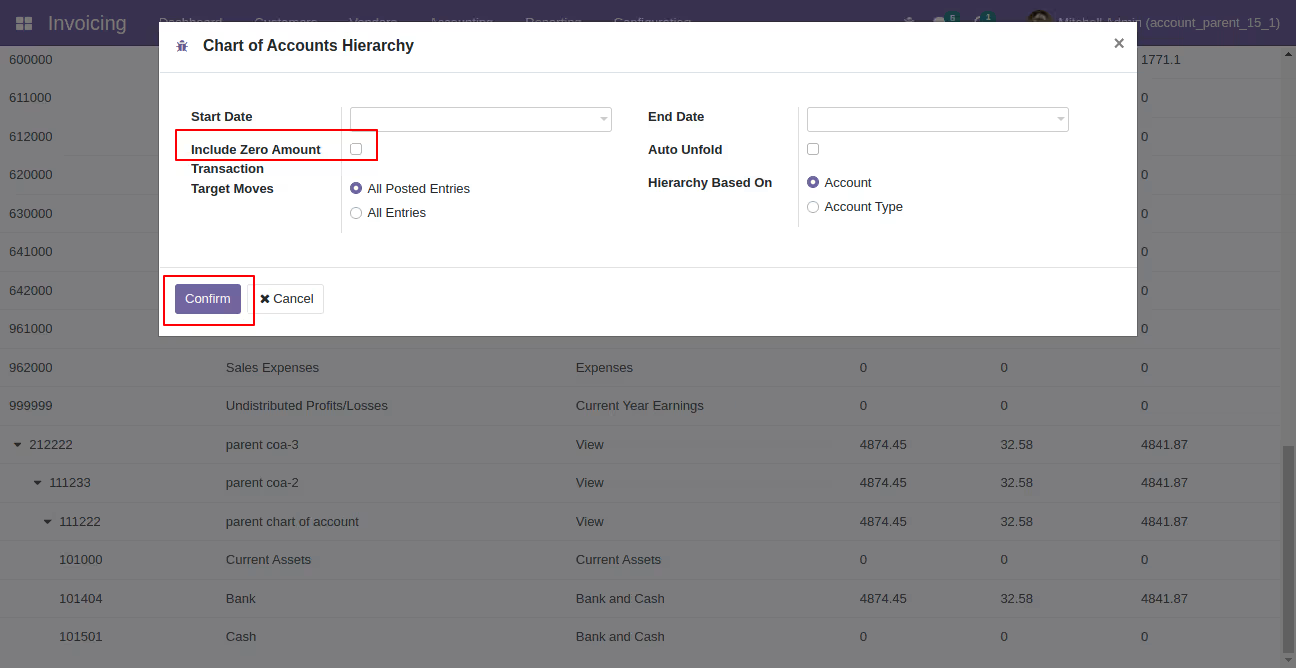
- You can generate hierarchy with or without include zero amount transaction.
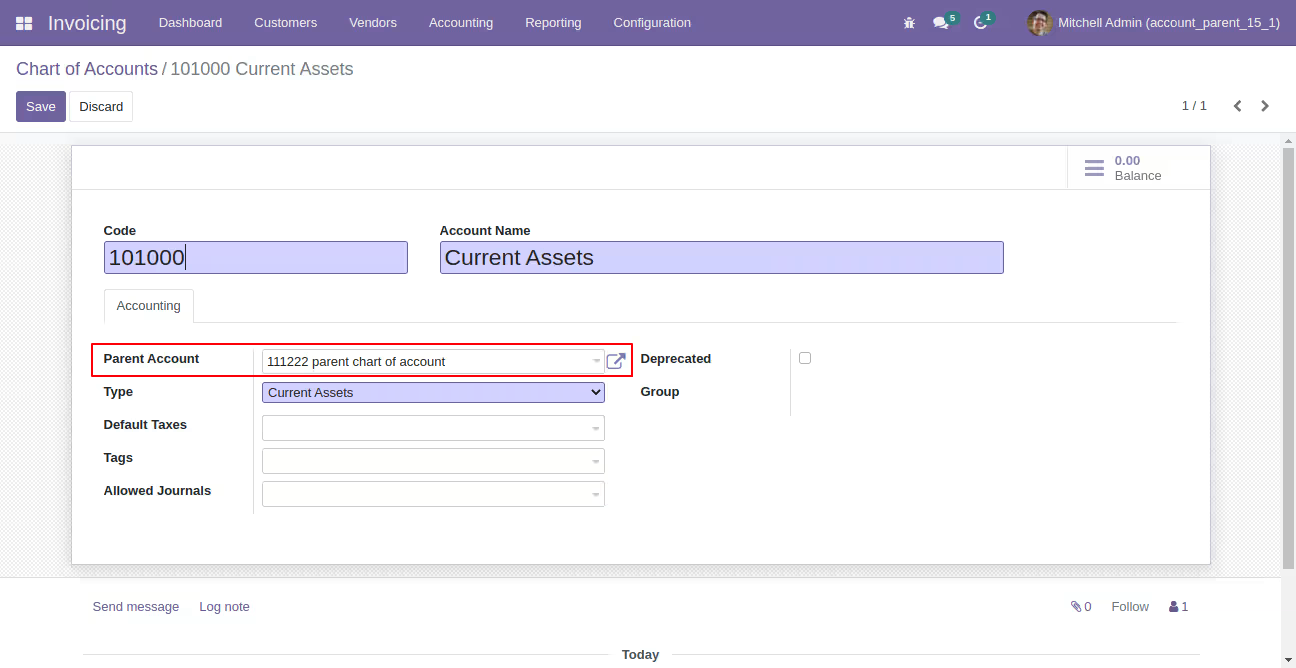
Select parent account in chart of accounts.
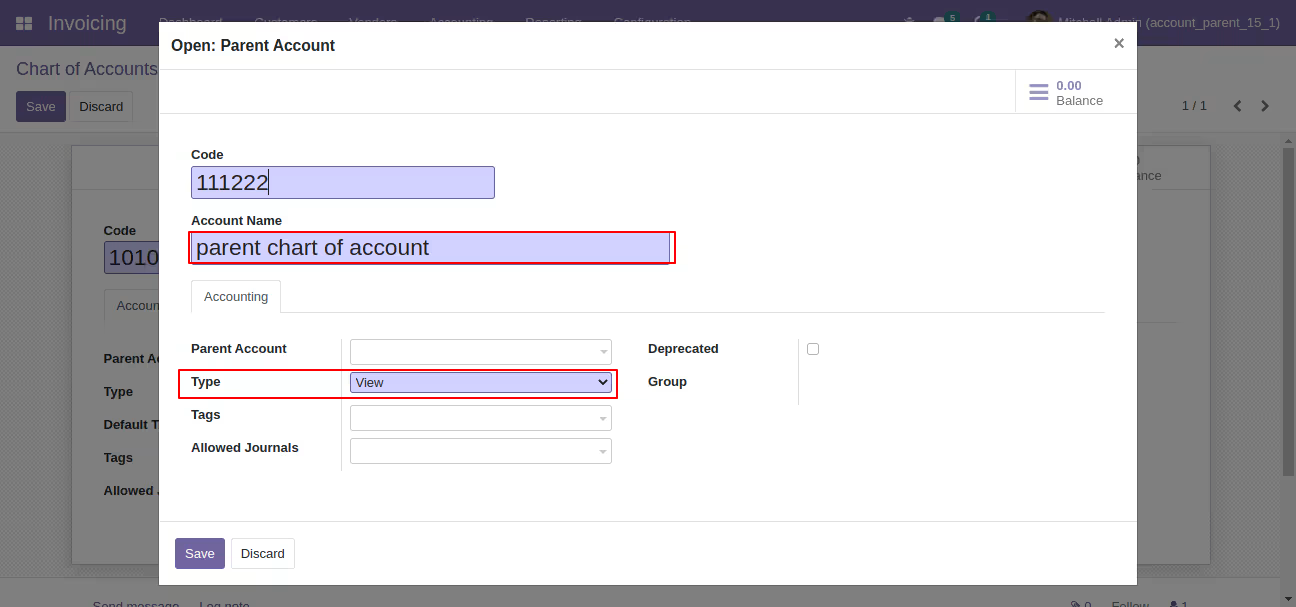
Parent account wizard looks like this, enter details and save it.
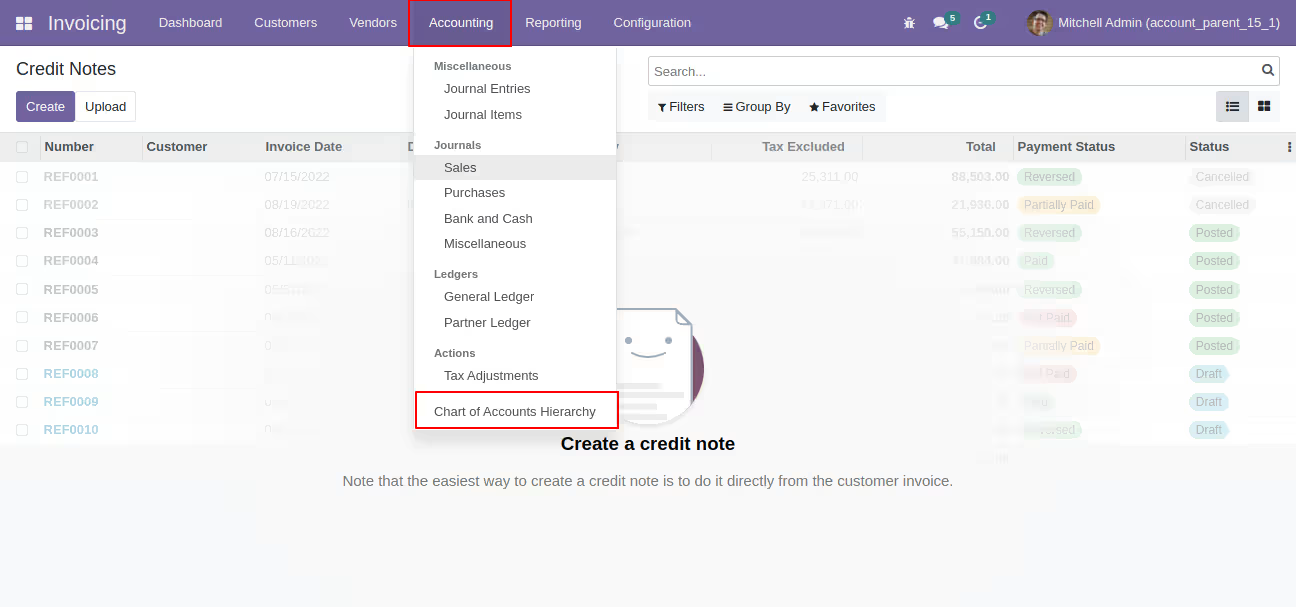
Go to the "Chart Of Account Hierarchy" menu.
You can generate hierarchy based on account & account type as well folded/unfolded view.
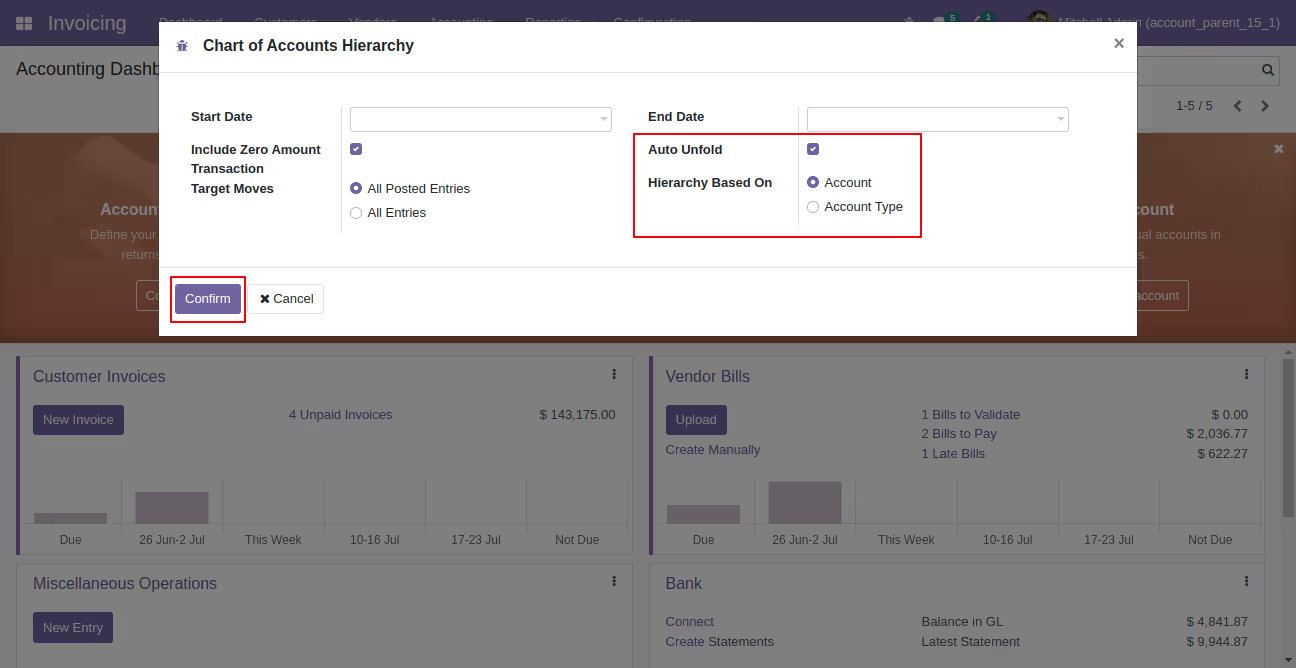
"Chart Of Account Hierarchy" looks like this.
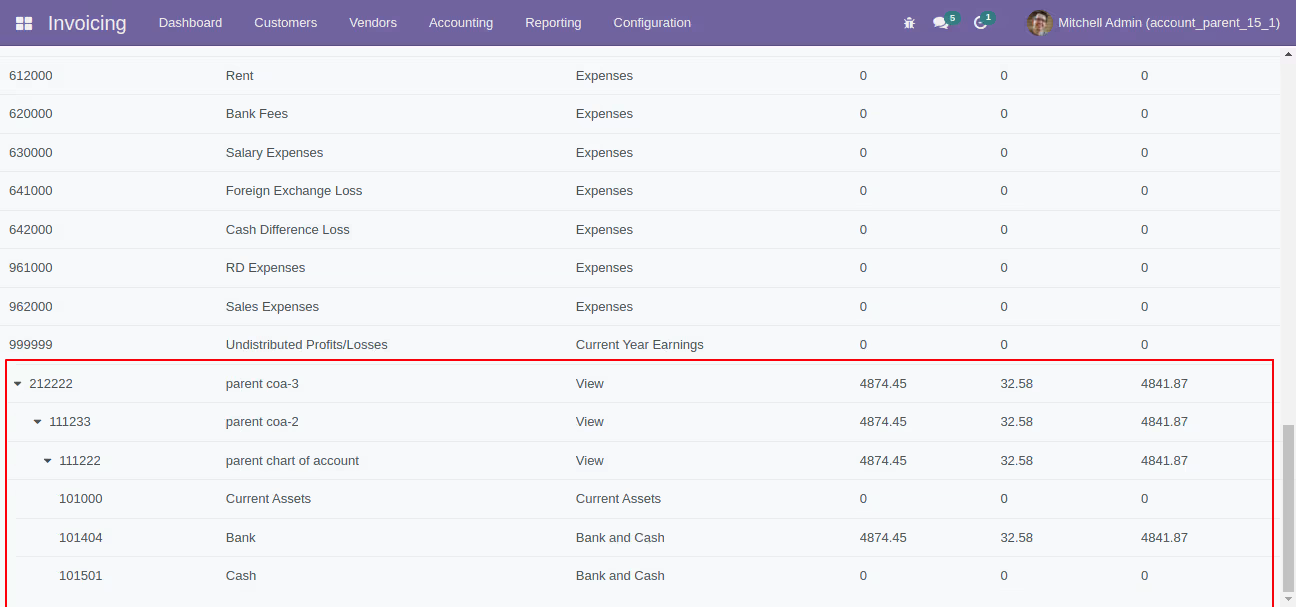
You can generate hierarchy with or without include zero amount transaction.
"Chart Of Account Hierarchy" without include zero amount transaction.
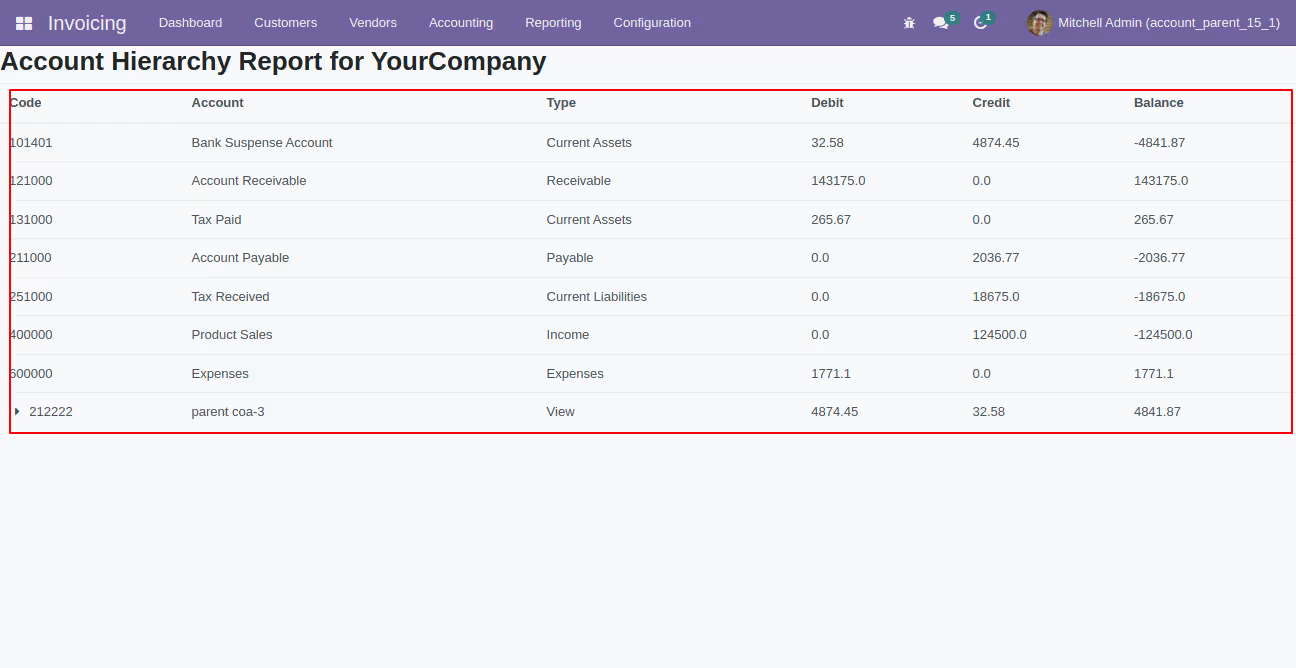
You can generate hierarchy based on target moves.
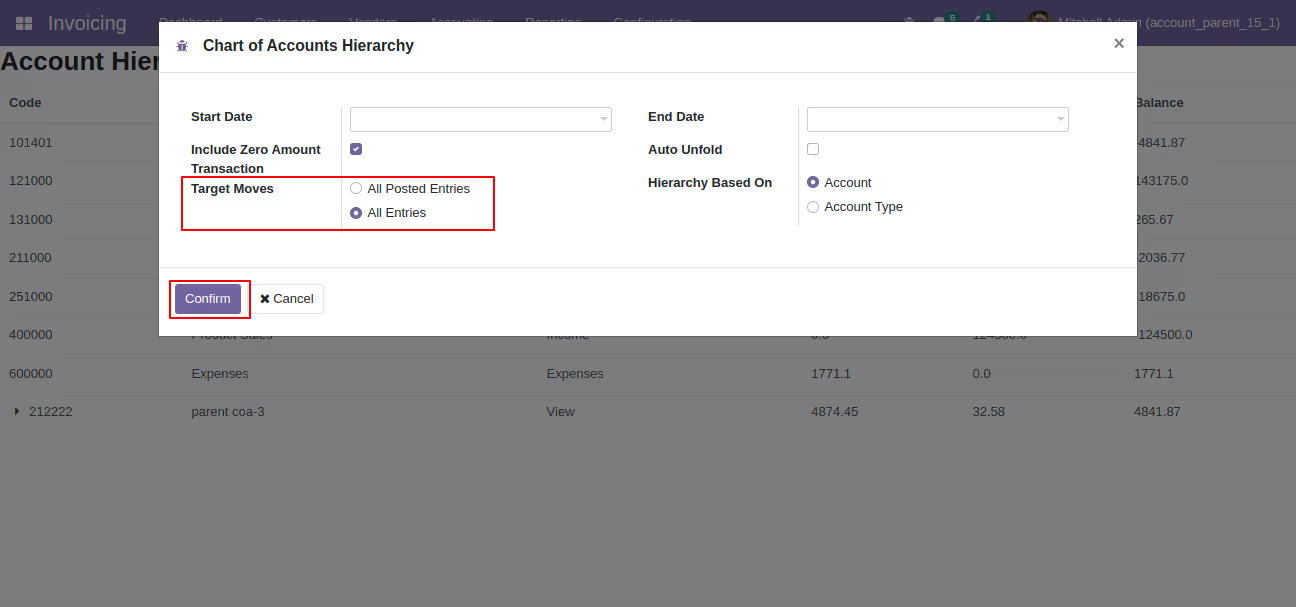
It will show you account hierarchy based on target moves.
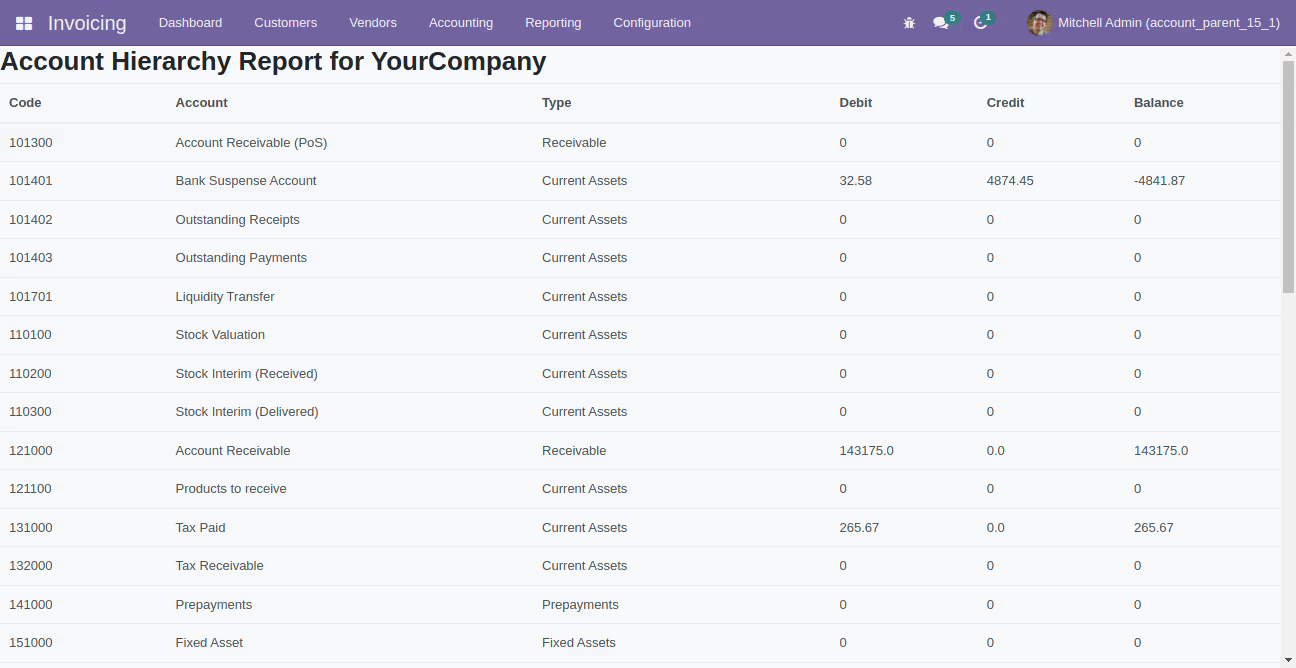
Version 14.0.1 | Released on : 29th01 2026
- Yes, this app works perfectly with Enterprise (.sh & Premise) as well as Community.
- No, This app is not compatible with Multi-Company Feature.
- Yes, you will get free update for lifetime.
- No, you don't need to install addition libraries.
- Yes, You have to download module for each version (13,14,15) except in version 12 or lower.
- No, We do not provide any kind of exchange.