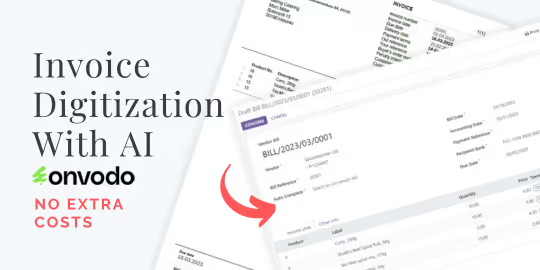
Transform your accounting workflow and embrace a new era of efficiency with the Account Invoice Digitization module. This powerful tool leverages the latest in AI and Optical Character Recognition (OCR) technology to automate the process of creating vendor bills and customer invoices. Say goodbye to tedious manual data entry and the risk of human error. By simply uploading a PDF or image of an invoice, or forwarding it via email, this module intelligently scans the document, extracts the key information, and creates a draft invoice in your Odoo system, ready for your review and validation.
Key Features
AI-Powered OCR: Utilizes advanced AI and OCR technology to accurately read and extract data from invoices.
Multi-Format Support: Works seamlessly with PDF files, images (PNG, JPG), and even PDFs containing scanned images.
Flexible Upload Options: Digitize invoices by either manually uploading them to Odoo or forwarding them to a dedicated email alias.
Automated Data Entry: Automatically populates key fields in your draft invoices, including vendor/customer, invoice date, due date, and line items.
Supports Various Document Types: Capable of processing vendor bills, vendor credit notes, customer invoices, and customer credit notes.
Re-Scan and Overwrite: Option to re-scan an attachment and update the values on an existing draft invoice.
No Recurring Costs: A one-time purchase gives you lifetime access to the module's powerful features.
Benefits
Increased Efficiency: Drastically reduce the time and effort required to process incoming invoices and bills.
Reduced Manual Errors: Minimize the risk of data entry errors and ensure the accuracy of your financial records.
Streamlined Workflow: Automate your entire accounts payable process, from document receipt to draft invoice creation.
Improved Productivity: Free up your accounting team from manual data entry, allowing them to focus on more strategic and value-added tasks.
Centralized Document Management: Keep all your invoices and related documents organized and easily accessible within your system.
Faster Processing Times: Accelerate your invoice processing cycle, leading to more timely payments and better vendor relationships.
Invoice Digitization Simplified
Automate your workflow with AI and OCR
Streamline your invoice management with AI. This module seamlessly integrates, harnessing the power of AI and OCR for efficient invoice processing. Whether you're uploading or receiving invoices via email, the module parses documents, extracts data, and generates draft invoices accurately and with minimal manual effort.
Community Edition, Enterprise Edition and .sh are supported!
New Features
More control and automation
Automatic Partner Creation
Automatically create partners and their bank accounts detected during invoice digitization if they don't already exist. Enable this feature in Settings to streamline your workflow.
Custom AI Prompt
Fine-tune the AI behavior with your own custom instructions. Add specific rules, preferences, or context that will be included in every digitization request.
Highlights
Benefit from the best features
Handles invoices received by mail
or uploaded manually.
AI performs the magic by extracting data from documents.
Optionally, let the AI re-scan the attachment and overwrite values on your invoice.
No additional or recurring costs.
Buy once, use it FOR FREE forever!
Supports vendor bills, vendor credit notes, customer invoices, and customer credit notes.
Works seamlessly with PDFs, images, and PDFs containing scanned images.
Setup & Requirements
To use this module, install additional pip and apt packages on your server for parsing PDFs and images with OCR.
- Ensure you have these pip packages installed: pytesseract pypdf pdf2image opencv-python
- Ensure these apt packages are installed (on .sh these packages are preinstalled): tesseract-ocr poppler-utils libgl1 (use: apt update && apt install -y tesseract-ocr poppler-utils libgl1)
- Optional: For invoices in languages other than English, install language packs for tesseract using (on .sh all language packages are preinstalled): apt install -y tesseract-ocr-lang (e.g., apt install tesseract-ocr-fra for French).
You can find all language codes here: https://github.com/tesseract-ocr/tesseract/blob/main/doc/tesseract.1.asc#languages
To see and enable available languages, go to Settings - Invoicing - Digitization - That's it, you're ready to go!