Simplify and automate your vendor payment process with the ABA File Generation module. Designed specifically for businesses operating in Australia, this powerful tool allows you to create Australian Banking Association (ABA) files for your batch payments with a single click. By generating a compliant ABA file, you can easily upload your batch payments to any major Australian bank, eliminating the need for manual data entry and reducing the risk of errors. This module is an essential asset for any business looking to streamline its accounts payable workflow and improve the efficiency of its payment processes.
Key Features
ABA File Generation: Automatically generate ABA files for your batch vendor payments, fully compliant with Australian banking standards.
Batch Payment Integration: Seamlessly integrates with batch payment functionality, allowing you to create ABA files for multiple vendor bills at once.
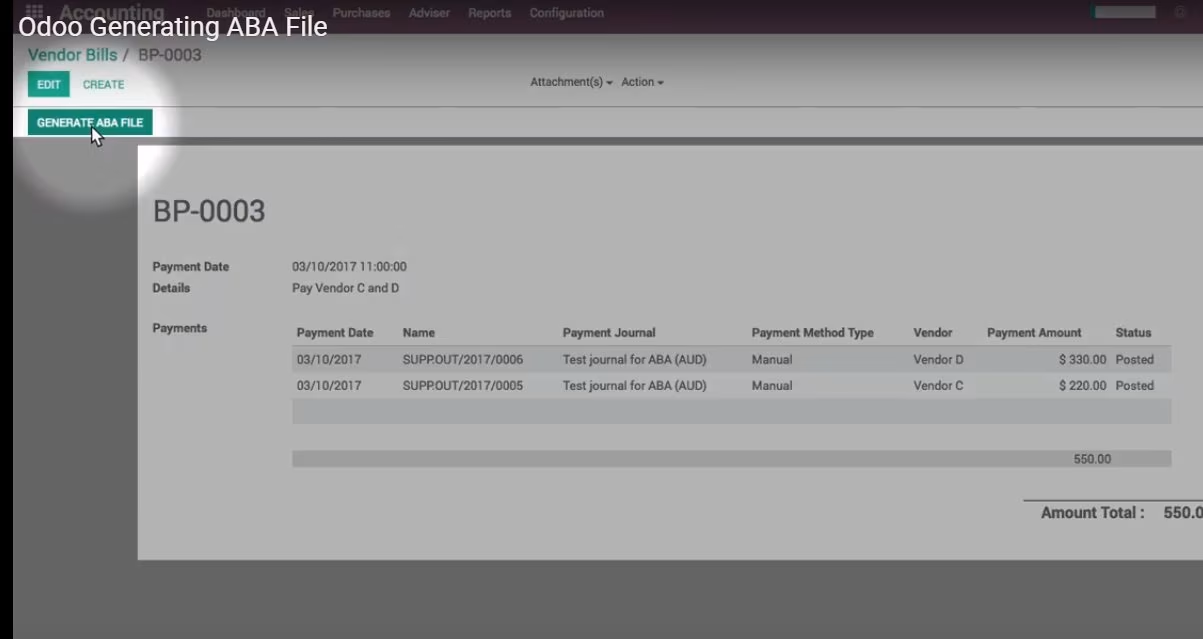
Easy to Use: A simple and intuitive workflow allows you to generate ABA files with a single click from the batch payment form.
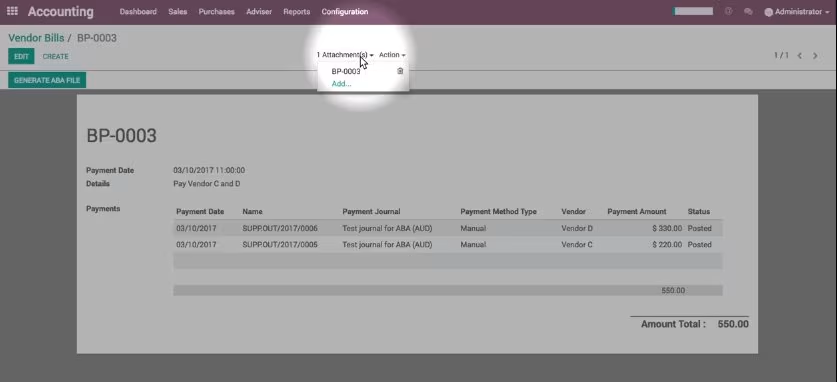
File Attachment: The generated ABA file is automatically attached to the batch payment record for easy access and record-keeping.
Wide Bank Compatibility: The ABA file format is supported by all major Australian banks, ensuring a smooth and reliable payment process.
Benefits
Increased Efficiency: Drastically reduce the time and effort required to process batch payments by eliminating manual data entry.
Reduced Errors: Minimize the risk of human error in your payment processing, ensuring that your payments are accurate and on time.
Streamlined Workflow: A simple and streamlined workflow for creating and managing your batch payments, from invoice selection to ABA file generation.
Improved Cash Flow Management: A more efficient and reliable payment process helps you to better manage your cash flow and vendor relationships.
Enhanced Security: A secure and reliable way to process your batch payments, reducing the risk of fraud and unauthorized transactions.
Generating ABA File
Register batch payment for different vendors. Generate ABA file from payment then import to bank to make payment.
Instructions
Scenarios:
Assuming we have 2 Vendors: C and D
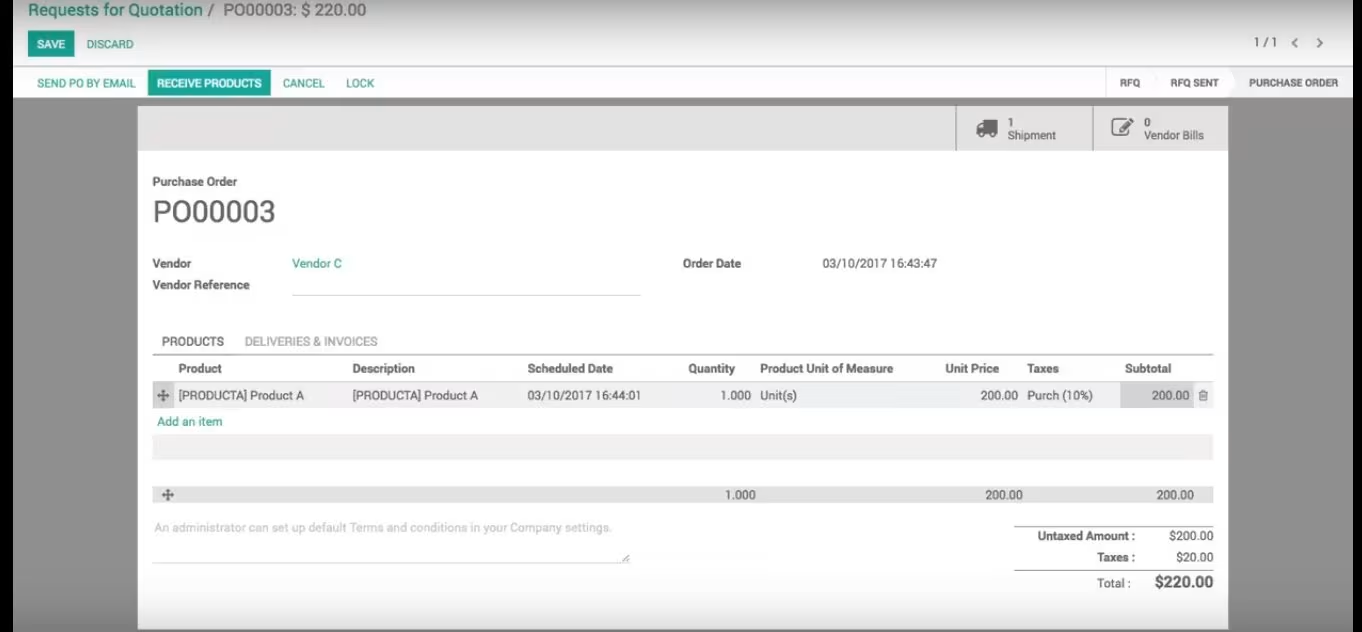
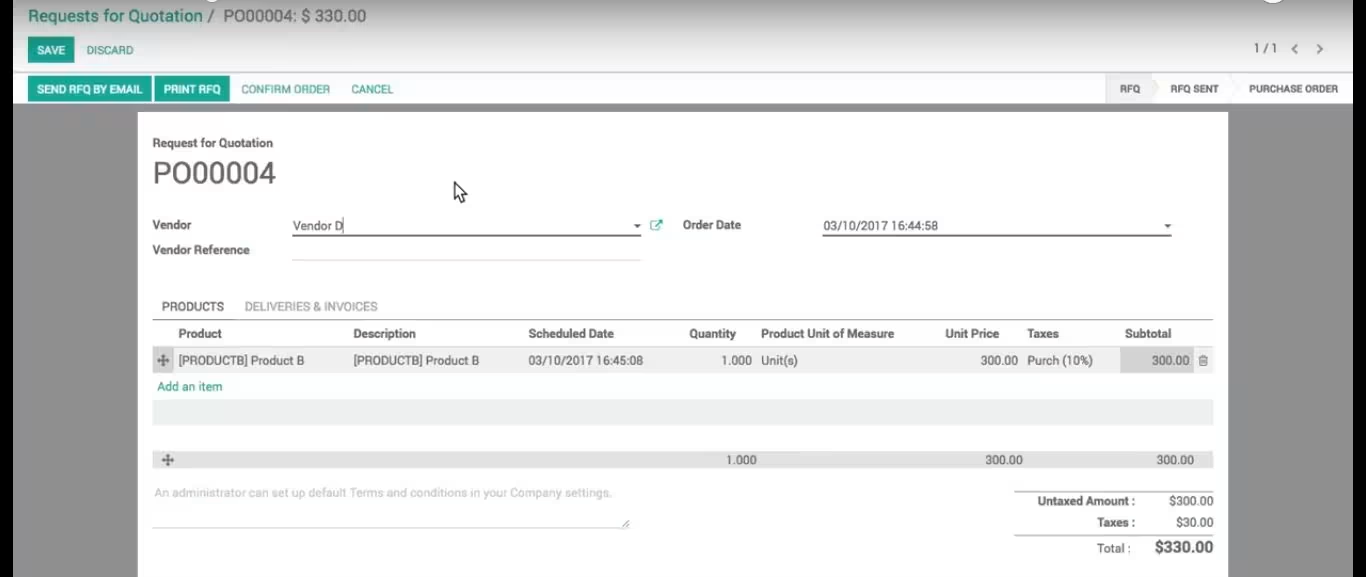
We have a Purchase Order for each vendor, for example:
1. Vendor C, we purchase Product A as screenshot
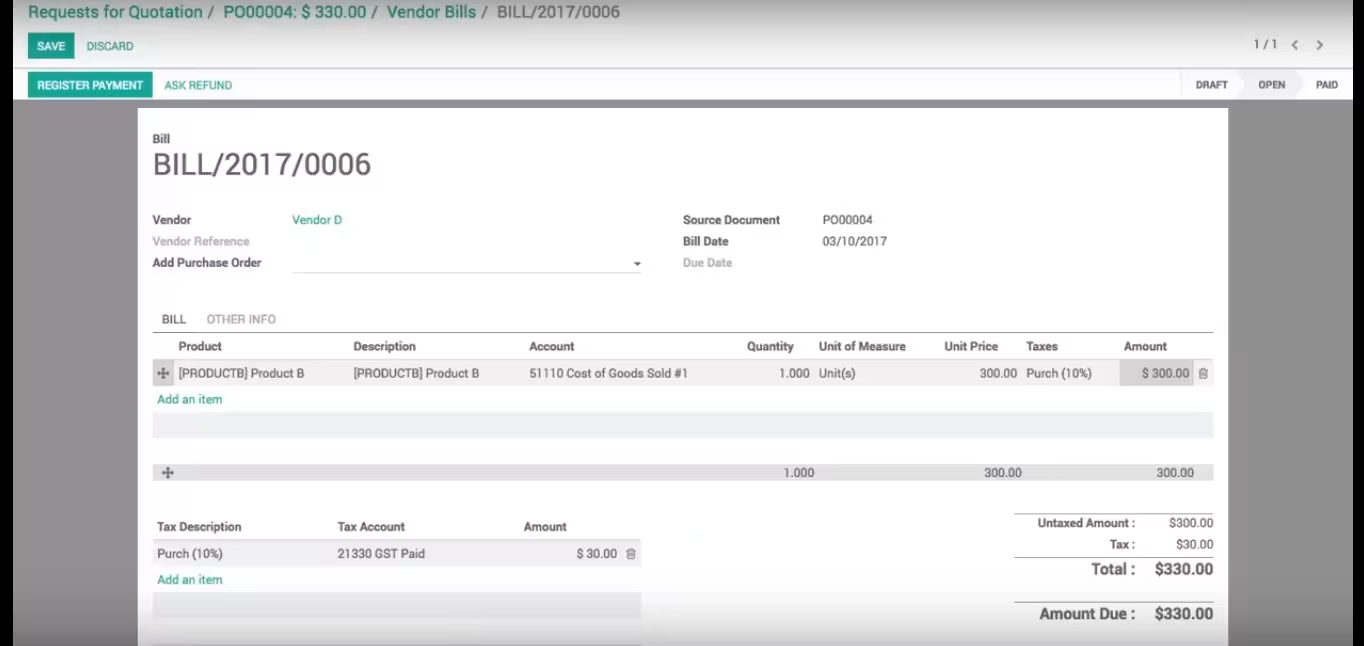
2. Vendor D, we purchase Product B as screenshot
3. For each PO, we open an Vendor Bill, validate, but has not Register Payment yet.
Usages:
Now we are going to register payment for 2 vendors in example above
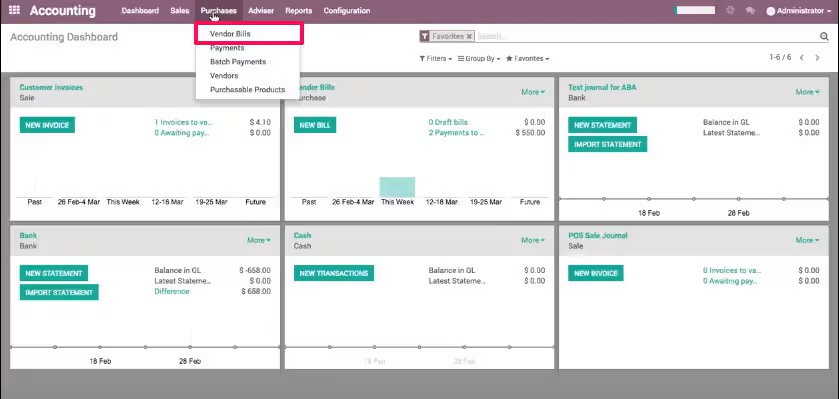
1. Access Accounting > Purchase > Vendor Bills
2. Here we can see Open bill of Vender C and D
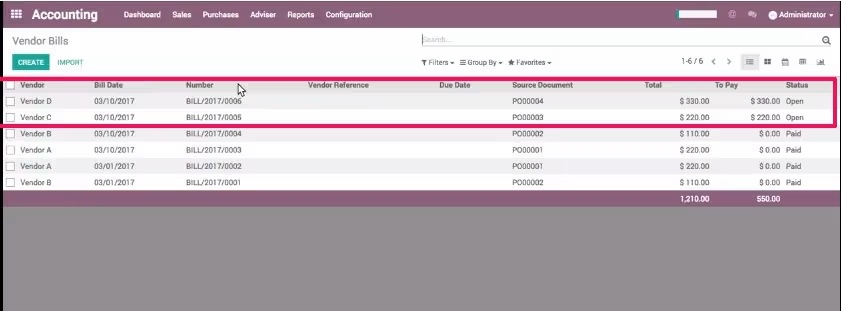
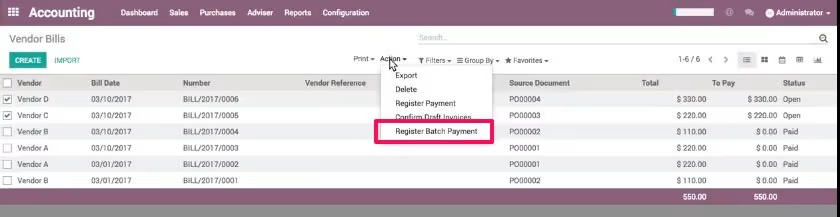
3. Selecting all Open bill, in this example, only for C and D
4. Next, Open Action menu, here we can see Register Batch Payment
5. Select Journal account, add Details, and check the amount of payment again. If all set, we free to click Confirm button.
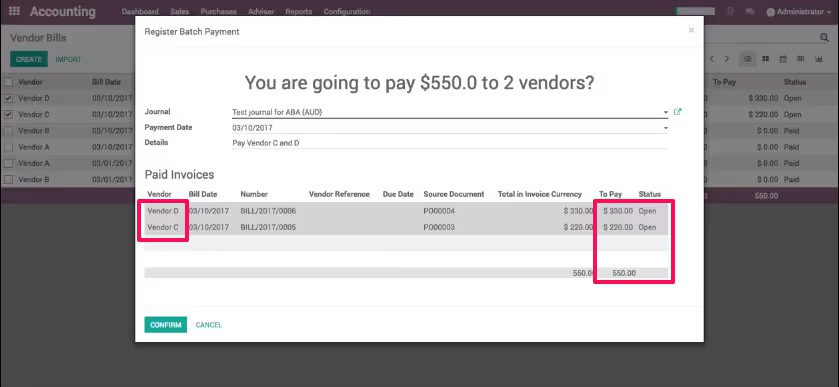
6. Last, we can click Generate ABA File button. The file will be generated and added under Attachment(s) menu